


Introduction to Generative Diagramming
In the fast-paced world of software architecture and project management, the ability to visualize complex systems is indispensable. However, the traditional process of manual diagramming—dragging shapes, aligning arrows, and obsessing over spacing—is a significant bottleneck. This review explores the emerging capability of AI-powered diagramming tools that promise to transform natural language into perfectly laid-out, presentation-ready visuals instantly.

By leveraging advanced context-aware algorithms, these tools allow users to describe what they need in plain text, prompting the AI to build the structure, logic, and design automatically. The result is a shift from manual drawing to high-level architectural thinking, enabling professionals to focus on ideas rather than the mechanics of design tools.
Key Concepts in AI Visualization
Before diving into the workflow, it is essential to understand the foundational technologies and terminologies that make this automation possible.
- Natural Language Processing (NLP): The AI’s ability to parse human language (prompts) to identify entities, actors, and processes. For example, understanding that “A user logs into the ATM” implies an actor (User) and a system boundary (ATM).
- Auto-Layout Algorithms: Unlike standard drag-and-drop tools, AI diagrammers utilize algorithmic logic to manage spacing, alignment, and hierarchy dynamically. This ensures that diagrams remain balanced and readable without manual pixel-pushing.
- Contextual Inference: The engine’s capacity to fill in missing details based on common patterns. If you describe a “Car Rental System,” the AI understands implied relationships, such as the link between a “Customer” and a “Vehicle” via a “Rental Contract.”
Feature Analysis: From Text to Structure
Instant Diagram Generation
The core value proposition of this technology is speed. Users can generate diagrams instantly from text, bypassing the blank canvas paralysis. Whether mapping out an Online Learning Platform class diagram or a Microwave Oven state diagram, the input requires only a description of the logic. The AI handles the conversion into standard notations (UML, PERT, etc.).
Aesthetics and Readability
One of the most persistent pain points in technical documentation is maintaining visual clarity. As diagrams grow, lines cross and shapes overlap. The “Always Beautiful, Always Clear” philosophy of modern AI tools addresses this by enforcing perfect spacing and alignment automatically. This feature is particularly beneficial for complex visualizations, such as an Enhanced PERT Chart for an office move, where understanding critical paths relies heavily on a clean layout.
Full Editability and Integration
While AI provides a massive head start, specific technical requirements often demand human refinement. These tools offer a hybrid approach: fully editable diagrams. Users can rename elements, change styles, and move shapes after the initial generation. This seamless integration ensures that the AI serves as a powerful assistant rather than a rigid constraint.
Supported Diagram Types and Applications
The versatility of AI diagramming covers various domains, from software engineering to business analysis. Below is a breakdown of common applications observed in testing:
| Diagram Type | Ideal Use Case | Source Example |
|---|---|---|
| Use Case Diagram | Functional requirements & user interactions | An ATM System |
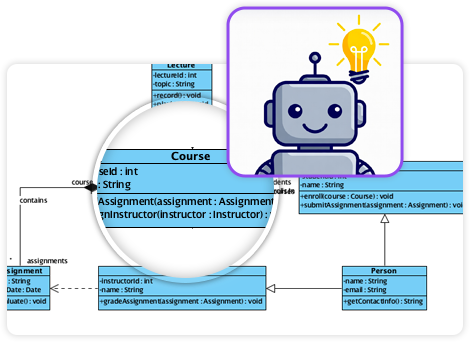
| Class Diagram | Database structure & OOP architecture | Online Learning Platform |
| Sequence Diagram | Process flow & time-ordered events | Car Rental System |
| Requirement Diagram | System specifications & constraints | Hospital Management System |
| Object Diagram | Instance snapshots at a specific time | Forest Road Environment |
| State Diagram | Event-driven behavior changes | Microwave Oven Logic |
Guidelines for Effective AI Prompts
To get the most accurate results from an AI diagram generator, users should follow a structured approach to prompting. The quality of the output is directly correlated to the clarity of the input.
- Define the Scope Explicitly: Start by stating the type of diagram you need. For example, start your prompt with “Create a Sequence Diagram for…” to set the AI’s structural expectations.
- Identify Key Actors and Entities: Clearly list the nouns that represent the main components. In a Hospital Management System, explicitly mention “Doctor,” “Patient,” and “Appointment Record.”
- Describe Relationships Clearly: Use active verbs to describe how entities interact. Instead of saying “There is a connection between User and Login,” say “User submits credentials to the Login System.”
- Iterate on Complexity: Do not try to generate a massive enterprise architecture in one shot. Start with the core flow, generate the diagram, and then refine the text or use the manual edit features to expand.

Tips and Tricks for Optimization
Beyond standard usage, there are several ways to leverage these tools for maximum efficiency.
- The “Refine” Loop: If the AI misses a nuance, don’t delete the diagram. Use the editability features to tweak the specific relationship. The tool is designed to give you a “head start,” not necessarily a 100% finished product in zero clicks.
- Keyword Triggers: AI models often recognize specific UML terminology. Using words like “extends,” “includes,” “inherits from,” or “asynchronously sends” can result in more technically accurate connectors and arrowheads.
- Style Uniformity: Use the AI’s global styling options to match your corporate branding. Since the AI handles the layout, you can instantly switch color themes or font styles across the entire diagram without having to click individual shapes.
Conclusion
AI-powered diagramming represents a significant leap forward in productivity tools. By understanding context, automating layout, and allowing for seamless refinement, these platforms enable professionals to visualize systems like Forest Roads or Car Rental workflows with unprecedented speed. The future of technical documentation is not drawing; it is describing.