
Systems Modeling Language (SysML) provides a robust framework for defining complex engineering systems. It bridges the gap between abstract requirements and concrete design specifications. However, as a model grows in complexity, maintaining consistency becomes challenging. Many engineers encounter stumbling blocks when establishing connections between model elements. These issues often manifest as linking errors or ambiguous relationships that hinder analysis.
This guide addresses the root causes of these problems. It focuses on structural integrity, relationship definition, and traceability. By understanding the underlying mechanics of SysML links, you can build models that are stable, clear, and ready for downstream activities.
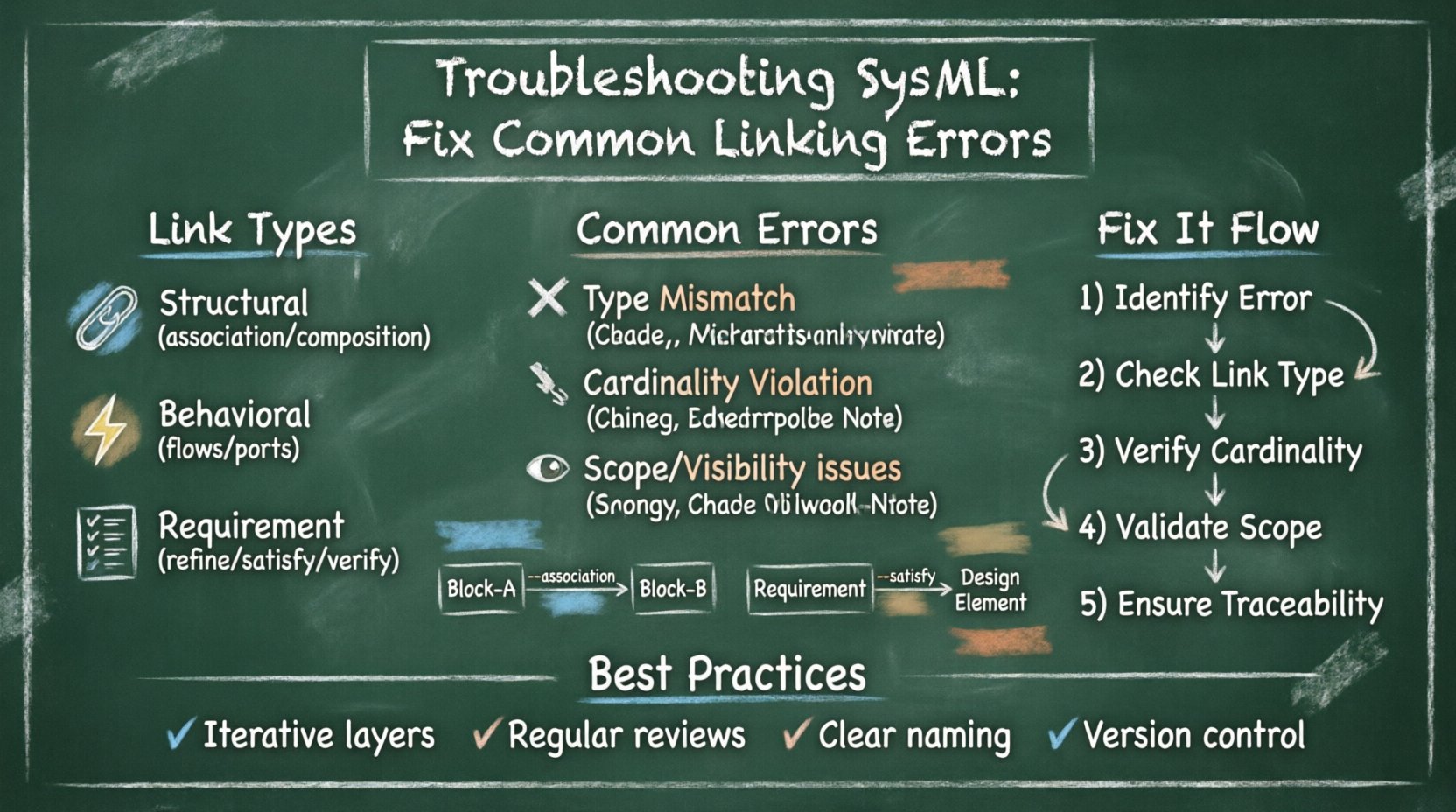
🔗 Understanding SysML Relationships and Links
Before troubleshooting, it is essential to distinguish between the types of connections available in the language. SysML distinguishes between structural relationships and behavioral dependencies. Confusion often arises when these are used interchangeably without a clear purpose.
- Structural Links: Define how components are physically or logically connected. Examples include associations, aggregations, and compositions.
- Behavioral Links: Define how data or signals flow. Examples include flows and connectors between ports.
- Requirement Links: Define the logical relationship between a requirement and a system element. Examples include refinement, satisfaction, and verification.
Each type serves a specific function. Using a structural link where a behavioral one is required can lead to simulation failures. Similarly, using a requirement link without proper directionality can make traceability impossible.
🧱 Association vs. Reference Property
One of the most frequent sources of confusion involves the relationship between Blocks and their internal connections. Specifically, the distinction between an Association and a Reference Property often causes linking errors.
| Feature | Association | Reference Property |
|---|---|---|
| Scope | Connects two Blocks at the same level. | Connects a Block to a part of another Block. |
| Direction | Can be unidirectional or bidirectional. | Always unidirectional (owned by the source). |
| Usage | Typically used for high-level system topology. | Typically used for defining internal composition. |
| Cardinality | Defined on the association line. | Defined on the property definition. |
When troubleshooting, verify if the connection needs to cross Block boundaries (Association) or exist within a composition hierarchy (Reference Property). Mixing these up often results in validation warnings regarding ownership and visibility.
🚫 Common Linking Errors and Causes
Errors in SysML models usually stem from three primary categories: type mismatches, cardinality violations, and scope limitations. Identifying the specific category helps in applying the correct fix.
1. Type Mismatches
Every link must respect the type hierarchy of the Blocks involved. If Block A references Block B, the link must point to a valid type.
- Non-Extensible Types: You cannot link to a type that is not marked as extensible if the context requires inheritance.
- Wrong Stereotype: Using a standard Block where a specific subsystem type is required can break downstream constraints.
- Port Type: A port must be typed with a specific interface or block type. Connecting a Port to a generic Block without a type often triggers errors.
2. Cardinality Violations
Cardinality defines the allowed number of instances in a relationship. Errors occur when the model implies a relationship that violates these rules.
- Zero to Many vs. One to One: If a requirement is linked to a design element with a cardinality of “one”, but the element is optional, the model may flag ambiguity.
- Self-Reference: Circular references in associations can cause infinite loops in analysis algorithms.
- Missing Multiplicity: Failure to define the minimum or maximum number of links often leads to incomplete model validation.
3. Scope and Visibility
SysML uses a visibility scope to determine where a link is valid. A common issue arises when a property is defined privately but accessed publicly.
- Package Visibility: Links between elements in different packages require proper visibility settings (Public, Protected, Private).
- Diagram Scope: An element might be defined in a diagram but not visible in the model tree if the scope is restricted.
- Import Statements: When referencing an element from an external package, an import statement is often missing.
🤔 Resolving Ambiguity in Model Elements
Ambiguity is often harder to detect than a hard error. It occurs when a model element can be interpreted in multiple ways. This creates risk during requirement validation and system analysis.
Naming Conventions
Clear names are the first line of defense against ambiguity. Avoid generic names like “Part1” or “Component”. Instead, use descriptive identifiers.
- Context-Specific Names: Use names that imply function, such as “PowerSupplyUnit” rather than “Unit”.
- Unique Identifiers: Ensure no two blocks share the same name within the same scope.
- Standardized Prefixes: Adopt a naming convention that distinguishes between requirements, functions, and physical components.
Requirement Traceability
Ambiguity often hides in the requirement links. A requirement might satisfy a function without specifying which physical component provides it.
- Satisfaction Links: Ensure every requirement has a clear path to a design element.
- Verification Links: Define how the requirement is tested. Is it via simulation, analysis, or inspection?
- Refinement Links: Break down high-level requirements into lower-level ones. Ensure the hierarchy is logical and linear.
🔍 Validation and Consistency Checks
Regular validation prevents small errors from compounding into major structural failures. Most modeling environments offer static analysis features to check consistency.
Static Analysis Rules
Implement a set of rules that the model must pass before being considered complete.
- Unused Elements: Identify blocks or properties that are defined but not connected to any flow or requirement.
- Broken Links: Scan for references that point to deleted or renamed elements.
- Orphaned Requirements: Find requirements that have no satisfaction or verification links.
Dynamic Checks
Sometimes static checks are not enough. Dynamic checks involve simulating the model behavior to see if links hold up under execution.
- Flow Validation: Ensure data or material flows from a source to a sink without interruption.
- State Transition: Verify that state machine transitions are valid based on the linked inputs.
- Constraint Satisfaction: Run constraint solvers to ensure mathematical relationships in the model are valid.
📊 Traceability Matrix Strategies
Traceability is the backbone of a reliable SysML model. It ensures that every requirement is accounted for and every design element serves a purpose. A well-structured traceability matrix helps visualize these connections.
| Link Type | Source | Target | Purpose |
|---|---|---|---|
| Refine | High-Level Req | Low-Level Req | Break down complexity. |
| Satisfy | Requirement | Design Block | Confirm design meets need. |
| Verify | Requirement | Test Case | Define validation method. |
| Allocate | Requirement | Subsystem | Assign responsibility. |
When troubleshooting, check the direction of these links. A requirement should satisfy a design element, not the other way around. Reversing this logic creates confusion during audits.
🛡️ Best Practices for Model Hygiene
Maintaining a clean model requires discipline. Adopting best practices reduces the likelihood of errors appearing in the first place.
- Iterative Development: Build the model in layers. Define the high-level structure first, then add detail. Do not attempt to model everything at once.
- Regular Reviews: Schedule periodic reviews of the model structure. Look for dead ends or isolated components.
- Documentation: Add comments to complex relationships. Explain why a specific link exists, especially if it is non-standard.
- Version Control: Keep track of changes. If a link breaks, you need to know when it was last modified.
🔄 Handling Circular Dependencies
Circular dependencies occur when Block A depends on Block B, and Block B depends on Block A. This creates a logical loop that can prevent analysis.
- Identify the Loop: Trace the path of dependencies. Look for cycles in the graph.
- Decouple: Introduce an intermediate interface or data type to break the direct cycle.
- Reorder: Change the order of definition. Define the shared interface before the dependent blocks.
Resolving these dependencies often requires redesigning the system interface. It is better to catch this early in the modeling phase than during simulation.
📝 Managing Change and Evolution
Models evolve as the system design changes. A link that was valid yesterday might be invalid today. Managing this evolution is critical for long-term success.
- Impact Analysis: Before deleting a block, check all incoming and outgoing links. Ensure no requirements become orphaned.
- Deprecation: Mark old elements as deprecated rather than deleting them immediately. This preserves history for audits.
- Migration Paths: Document how old requirements map to new ones during a redesign.
🚀 Moving Forward with Confidence
Troubleshooting SysML models is a skill that improves with practice. By understanding the distinctions between link types, adhering to naming conventions, and performing regular validation, you can eliminate ambiguity. Focus on the structural integrity of the model first, then optimize for analysis.
Consistency is the goal. A model that is consistent is easier to maintain, easier to analyze, and easier to understand. Take the time to fix errors as they arise rather than ignoring them. The effort spent on cleaning up links now saves significant time during the validation and certification phases later.
Keep your model clean. Ensure every element has a purpose. Verify that every link serves a function. This discipline is what separates a functional system model from a collection of diagrams.