
Building software that scales requires more than just writing efficient code. It demands a clear architectural vision that can withstand changes over time. As systems grow, the complexity of interactions between modules increases exponentially. Without a structured approach, maintenance becomes a nightmare, and new features stall due to unintended side effects. This is where the Unified Modeling Language (UML) Package Diagram becomes an essential tool for architects and developers.
Package diagrams provide a high-level view of the system’s structure. They allow teams to organize classes, interfaces, and subsystems into logical groups. By visualizing these relationships, stakeholders can identify potential bottlenecks before implementation begins. This guide explores how to leverage package diagrams for effective component breakdown in large-scale environments.
🧠 Understanding the Core Concepts
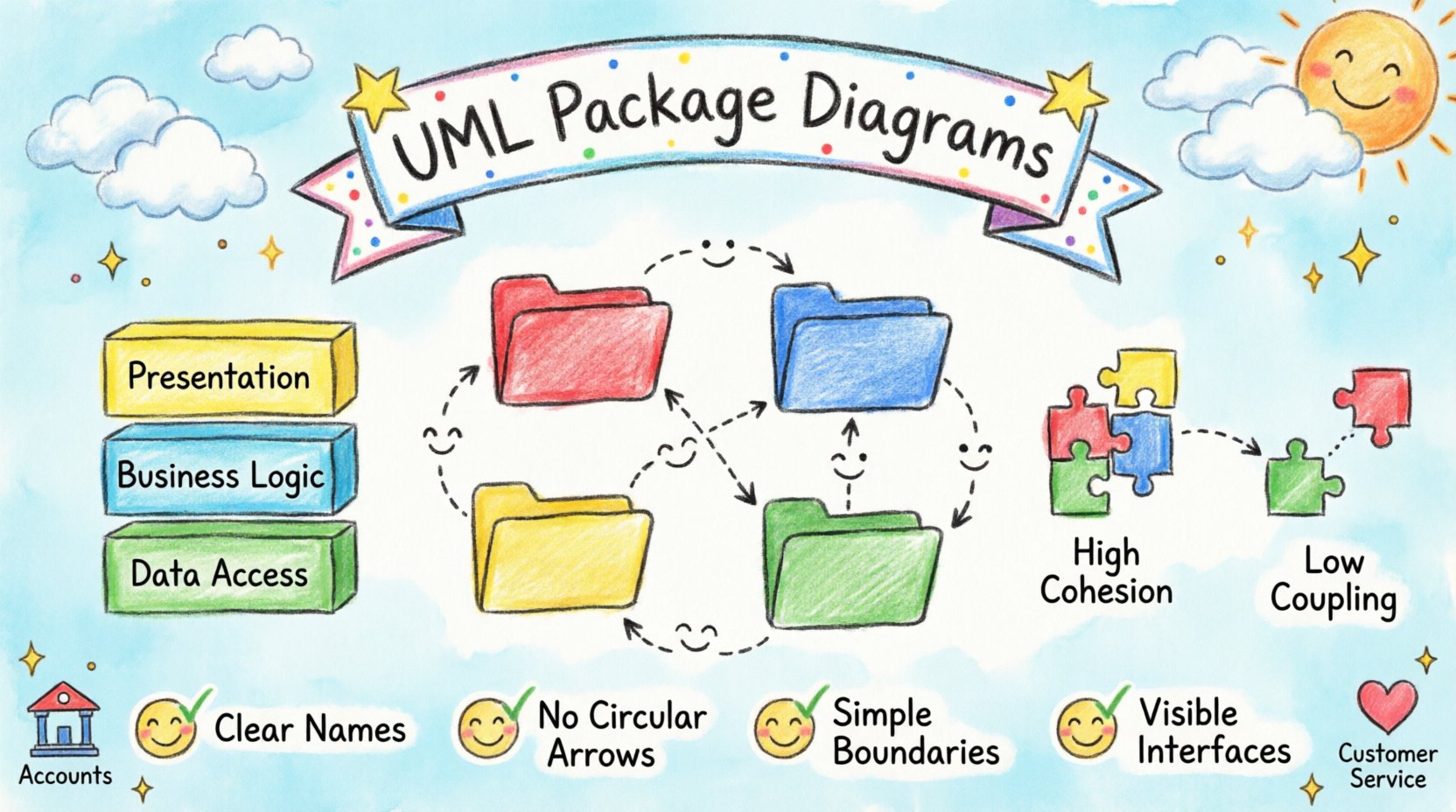
A package in UML is a namespace that contains a set of model elements. Think of it as a folder on your computer, but with strict rules about what can go inside and how it interacts with other folders. These packages help manage complexity by hiding internal details and exposing only necessary interfaces.
- Namespace Management: Packages prevent naming conflicts by grouping related elements. Two classes can share the same name if they reside in different packages.
- Visibility Control: They define how elements are accessed. Public elements are visible to all, while private elements remain internal.
- Dependency Mapping: Packages show how one part of the system relies on another. This is crucial for understanding coupling.
When dealing with enterprise-level applications, a flat structure is rarely sufficient. A monolithic view often obscures the boundaries between different business domains. Package diagrams enable a modular perspective, allowing teams to focus on specific areas without getting lost in the noise of the entire codebase.
📊 Why Structure Matters in Large Systems
Large systems often suffer from architectural drift. Over time, dependencies accumulate in ways that were not originally intended. This leads to a “spaghetti code” scenario where changing one module breaks another unrelated module. Proper structuring mitigates these risks.
Effective structuring offers several tangible benefits:
- Maintainability: Clear boundaries make it easier to locate bugs and apply fixes. Developers know exactly where to look when an issue arises.
- Scalability: Well-defined packages can be distributed across different servers or microservices without breaking the system logic.
- Collaboration: Different teams can work on different packages simultaneously, reducing merge conflicts and coordination overhead.
- Onboarding: New team members can understand the system architecture faster when visual maps are available.
🛠️ Step-by-Step Construction Guide
Creating a package diagram is not a one-time activity. It is an iterative process that evolves alongside the system. Follow these logical steps to ensure a robust structure.
1. Identify the Business Domains
Start by looking at the business requirements, not the code. What are the core functions of the system? Group these functions into domains. For example, a banking application might have distinct domains for Accounts, Loans, and Customer Service.
Assign a package to each domain. This ensures that the technical structure aligns with business reality. It makes the system easier to reason about because the names reflect actual business operations.
2. Define Sub-Packages
Within each domain, break down the functionality further. If the Accounts domain is large, it might need sub-packages for Transactions, Balance, and Statements.
Use a hierarchy that reflects logical cohesion. Elements within a sub-package should interact frequently with each other but have minimal interaction with elements in other sub-packages. This principle is known as high cohesion.
3. Establish Dependencies
Draw arrows to show how packages interact. A dependency arrow indicates that one package uses functionality from another. Keep these arrows as sparse as possible. Every line represents a potential point of failure.
Ensure dependencies flow in one direction where possible. For instance, the UI Package might depend on the Business Logic Package, but the Business Logic Package should not depend on the UI Package. This prevents the core logic from being tied to specific display technologies.
4. Review and Refine
Once the initial diagram is complete, review it with the team. Look for circular dependencies. A circular dependency occurs when Package A depends on Package B, and Package B depends on Package A. This creates a tight coupling that is difficult to test and deploy.
Refine the structure until the dependencies form a directed acyclic graph. This ensures a clear flow of control and data through the system.
🔄 Common Architectural Patterns
There is no single way to structure a system, but certain patterns have proven effective over time. Selecting the right pattern depends on the specific needs of the project.
Layered Architecture
This is one of the most common structures. It organizes the system into horizontal layers, such as Presentation, Business Logic, and Data Access.
- Top Layer: Handles user interaction and input.
- Middle Layer: Contains the core business rules and processing.
- Bottom Layer: Manages storage and retrieval of data.
Each layer depends only on the layer below it. This isolation makes it easy to swap out technologies. For example, you might change the database without affecting the business rules.
Modular Architecture
Here, the system is divided into independent modules. Each module contains everything needed to perform a specific task, including its own data and logic.
- Self-Contained: Modules do not share internal state with other modules.
- Interoperability: Communication happens through well-defined interfaces.
- Replaceability: A module can be replaced entirely as long as the interface remains the same.
Domain-Driven Design (DDD)
This approach focuses heavily on the business domain. Packages are organized around business concepts rather than technical layers.
- Aggregate Roots: Groups related objects that are treated as a single unit.
- Context Boundaries: Clearly defines where one business concept ends and another begins.
- Ubiquitous Language: Package names reflect the specific terminology used by business experts.
🔗 Managing Dependencies
Dependencies are the lifeblood of a package structure, but they can also become a liability if left unchecked. Managing them requires discipline and clear rules.
The Dependency Rule
This rule states that source code dependencies should only point inwards. In other words, higher-level modules should not depend on lower-level modules. Lower-level modules should be independent of higher-level modules.
This might seem counter-intuitive, but it ensures that the core business logic remains stable even if the user interface or database changes. It protects the system from volatility in peripheral areas.
Interface Segregation
Do not depend on an interface that you do not use. If a package requires data from another package, define a specific interface for that data. Do not expose the entire package. This reduces the surface area for potential errors.
Avoiding Circular Dependencies
Circular dependencies are a major red flag in package diagrams. They create a situation where neither package can be compiled or tested without the other.
To resolve this:
- Introduce an Interface: Create a new package that holds the interface definition. Both original packages can depend on this new package.
- Extract Shared Logic: Move the shared functionality into a third package that both can access.
- Redesign: Sometimes, the need for a circular dependency indicates a design flaw. The boundaries may need to be redrawn.
📋 Best Practices Checklist
Use this checklist to validate your package structure during reviews.
| Criteria | Description | Why It Matters |
|---|---|---|
| High Cohesion | Elements within a package are closely related. | Changes to one element are less likely to break others in the same package. |
| Low Coupling | Packages rely minimally on each other. | Reduces the ripple effect of changes across the system. |
| Clear Naming | Package names describe their purpose clearly. | Improves readability and onboarding for new developers. |
| No Cycles | Dependencies form a directed graph without loops. | Ensures stable build processes and testability. |
| Visible Boundaries | Interfaces between packages are explicit. | Prevents hidden dependencies that cause runtime errors. |
🚧 Common Pitfalls to Avoid
Even experienced architects can make mistakes when structuring systems. Being aware of common pitfalls helps you navigate around them.
Over-Engineering
Do not create packages for the sake of having them. If a system is small, a single package might be sufficient. Creating unnecessary granularity adds complexity without adding value. Scale the structure to the size of the system.
Naming Confusion
Names like Utils, Helpers, or Common are often overused. These packages tend to become garbage cans where unrelated code is dumped. Give packages specific names that reflect their actual responsibility.
Ignoring Refactoring
Package structures drift. As features are added, the original boundaries may no longer make sense. Schedule regular reviews of the package diagram. If a package becomes too large or too complex, split it. If it becomes too small, merge it with a related package.
🔍 Troubleshooting Common Issues
When working with large systems, you will encounter issues that require specific attention.
Issue: The God Package
Sometimes, a single package ends up containing hundreds of classes. This usually happens because the team was afraid to split responsibilities.
Solution: Identify sub-domains within the package. Create sub-packages for each sub-domain. Move classes accordingly. Ensure the new structure reduces the dependency on the original package.
Issue: Deep Dependency Chains
A change in the bottom-most package requires updates in ten different packages above it. This indicates a violation of the Dependency Rule.
Solution: Introduce an abstraction layer. Create an interface that the upper packages depend on, and have the lower package implement it. This insulates the upper layers from changes in the lower layers.
Issue: Hidden Dependencies
Code uses functionality that is not visible in the package diagram. This often happens when internal implementation details are exposed.
Solution: Enforce visibility rules strictly. Only export the interfaces that are meant to be public. Keep internal classes private to the package.
📈 Integrating with Documentation
A package diagram is only useful if it stays up to date. If the code changes and the diagram does not, it becomes misleading. Integrate the diagram into your documentation workflow.
- Version Control: Treat the diagram files as code. Commit changes to the repository with every pull request.
- Automation: Use tools that can generate diagrams from code annotations. This ensures the visual map always matches the source.
- Access: Ensure the diagrams are accessible to the whole team. Place them in a shared knowledge base or wiki.
Documentation should not be a separate activity. It is part of the development process. When a developer adds a new feature, they should update the package diagram if the structure changes. This keeps the architectural integrity intact.
🧩 Final Thoughts on System Architecture
Structuring large systems is a continuous effort. It requires balancing technical constraints with business goals. UML Package Diagrams serve as the blueprint for this effort. They provide a shared language for the team to discuss complexity and manage risk.
By following the principles of high cohesion and low coupling, teams can build systems that are robust and adaptable. The goal is not to create a perfect diagram on the first try, but to create a framework that allows for evolution. As the system grows, the diagram should grow with it, reflecting the current state of the architecture.
Remember that tools are aids, not solutions. The value comes from the thinking process behind the diagram. Take the time to understand the relationships between components. Question every dependency. Strive for clarity in every package name. These small habits lead to significant improvements in system health over the long term.
Start with a clear vision, refine through iteration, and maintain through discipline. This approach ensures that your architecture remains a foundation for growth rather than a barrier to progress.