
Imagine a world where defining software requirements and generating complex design diagrams is as simple as writing a sentence. The Use Case Modeling Studio by Visual Paradigm makes this a reality, offering an AI-powered, end-to-end solution that is fundamentally different from traditional UML tools. This powerful online application streamlines the entire process, from initial concept to a comprehensive design document, making it the best choice for professionals who want to build better software, faster. With its ability to generate detailed use case descriptions, automatically create UML diagrams like Activity and Sequence Diagrams, and produce a full Software Design Document (SDD), it’s a game-changer for business analysts, system designers, and architects. The key difference? It’s not just a diagramming tool; it’s an intelligent design assistant that handles the tedious work, so you can focus on the critical thinking.
-
AI-Powered Workflow: The studio uses AI to generate detailed use case descriptions, behavior models, and test cases from simple goals, drastically reducing manual effort.
-
Seamless Diagram Generation: Automatically create Use Case, Activity, Sequence, Class, and ERD diagrams with a single click, ensuring consistency and saving time.
-
Comprehensive Reporting: Generate a professional Software Design Document (SDD) with AI-generated summaries and visual models, perfect for stakeholder communication.
-
Centralized Project View: Monitor project progress and completeness with a real-time dashboard that tracks actors, use cases, and artifact coverage.
-
Collaborative Environment: Share projects with stakeholders via a secure, read-only link, ensuring everyone is aligned on the system design.
Unlike legacy tools that require users to manually draw every diagram, the Use Case Modeling Studio leverages AI to automate the creation of complex models. This means you can start with a simple idea, like a mobile app for diners to book tables, and quickly transform it into a fully visualized system. The tool doesn’t just create diagrams; it creates a living, interconnected model that evolves as your requirements change. This level of integration and automation is what sets it apart from other UML or use case software on the market.
From Concept to Visual Model: The AI-Powered Journey
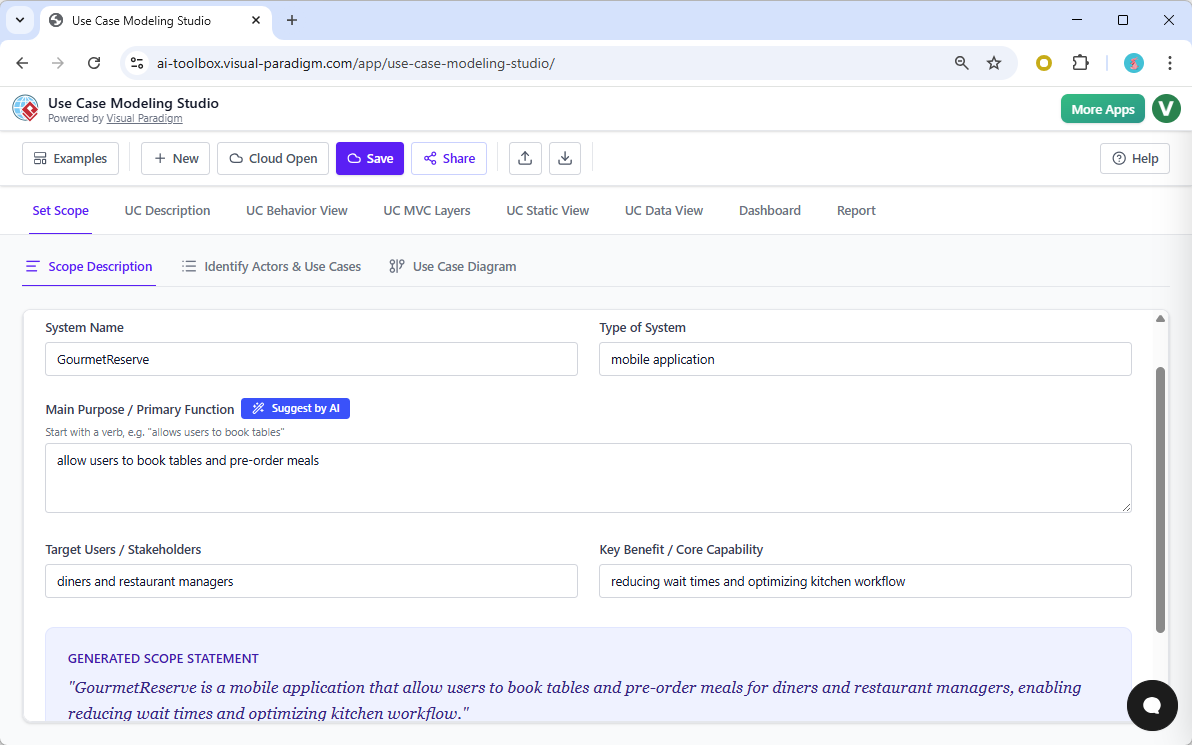
The journey begins with a simple idea. The Use Case Modeling Studio allows you to define your system’s scope, including its name, purpose, and target users. In our example, a mobile application called “GourmetReserve” is created to help diners book tables and pre-order meals. The AI assists by generating a clear scope statement, which is the foundation for the entire project. This initial step is crucial, as it defines the system’s boundaries and ensures everyone is aligned from the start.
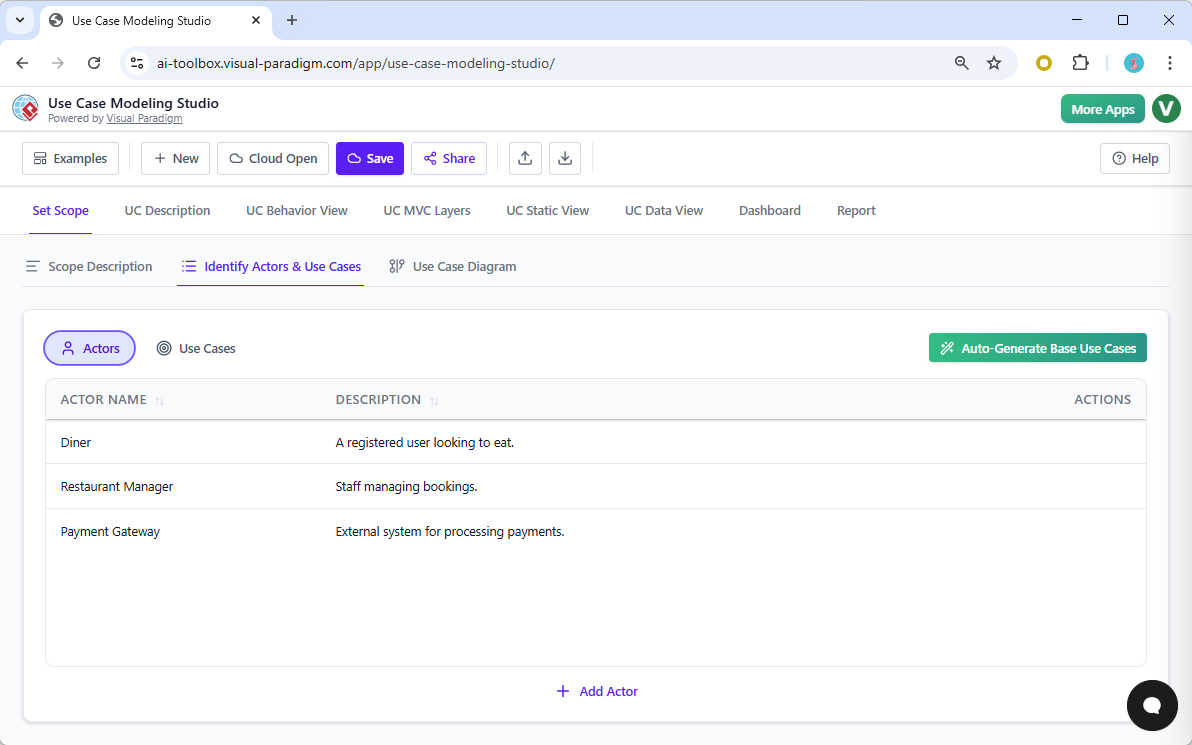
Once the scope is defined, the tool’s AI takes over to identify the actors and use cases. In our case, the system automatically detects that a “Diner,” a “Restaurant Manager,” and a “Payment Gateway” are key participants. This automated discovery saves hours of brainstorming and manual listing. The process is so efficient that you can generate a complete list of base use cases with a single click, which is a significant advantage over traditional tools that require manual creation.
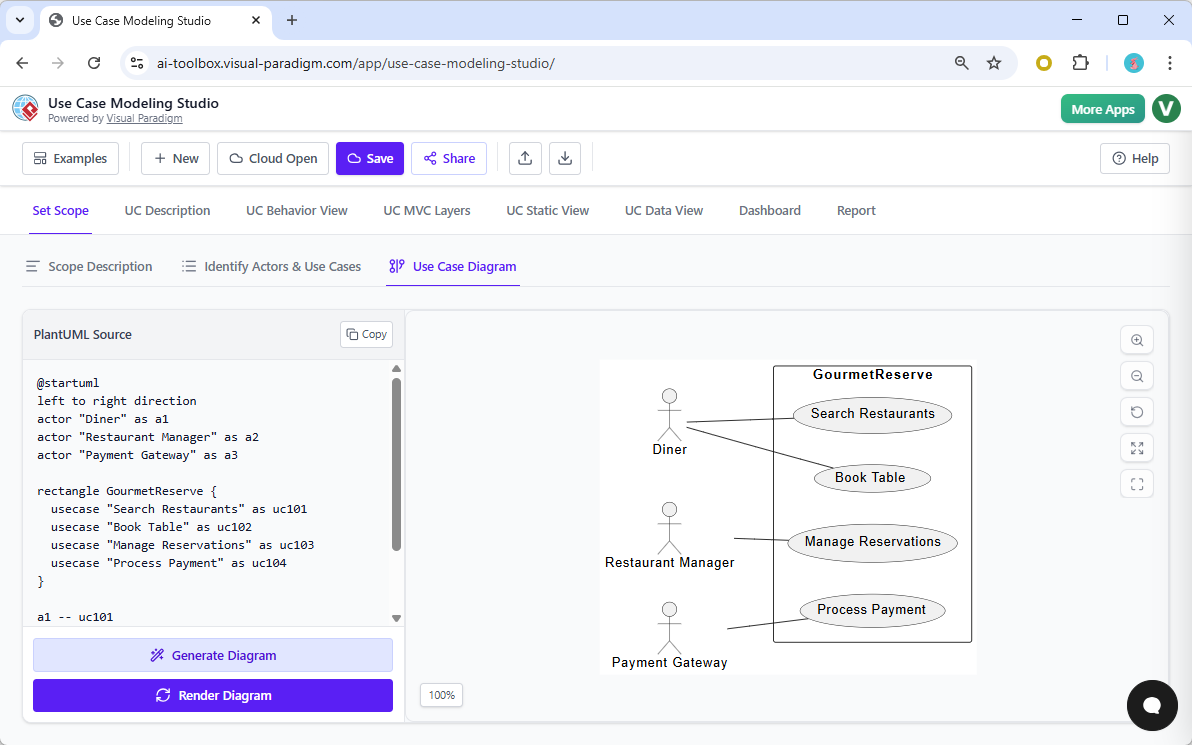
With the actors and use cases identified, the next step is to visualize the system. The Use Case Diagram tab provides a live, interactive view of your system’s architecture. You can see the relationships between the actors and the use cases they interact with. The diagram is not static; it updates in real-time as you add or modify use cases. This visual representation is essential for communicating the system’s functionality to stakeholders and for identifying potential gaps or overlaps in requirements.
Deep Dive: Generating Behavior and Design Artifacts
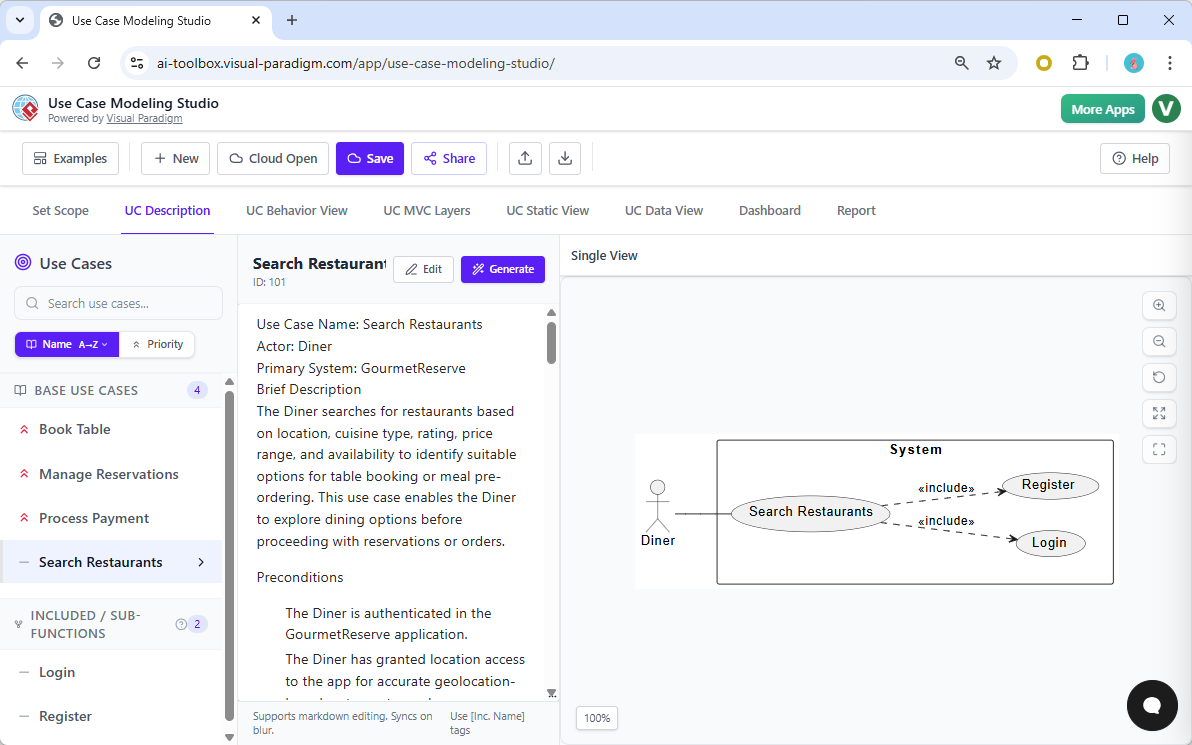
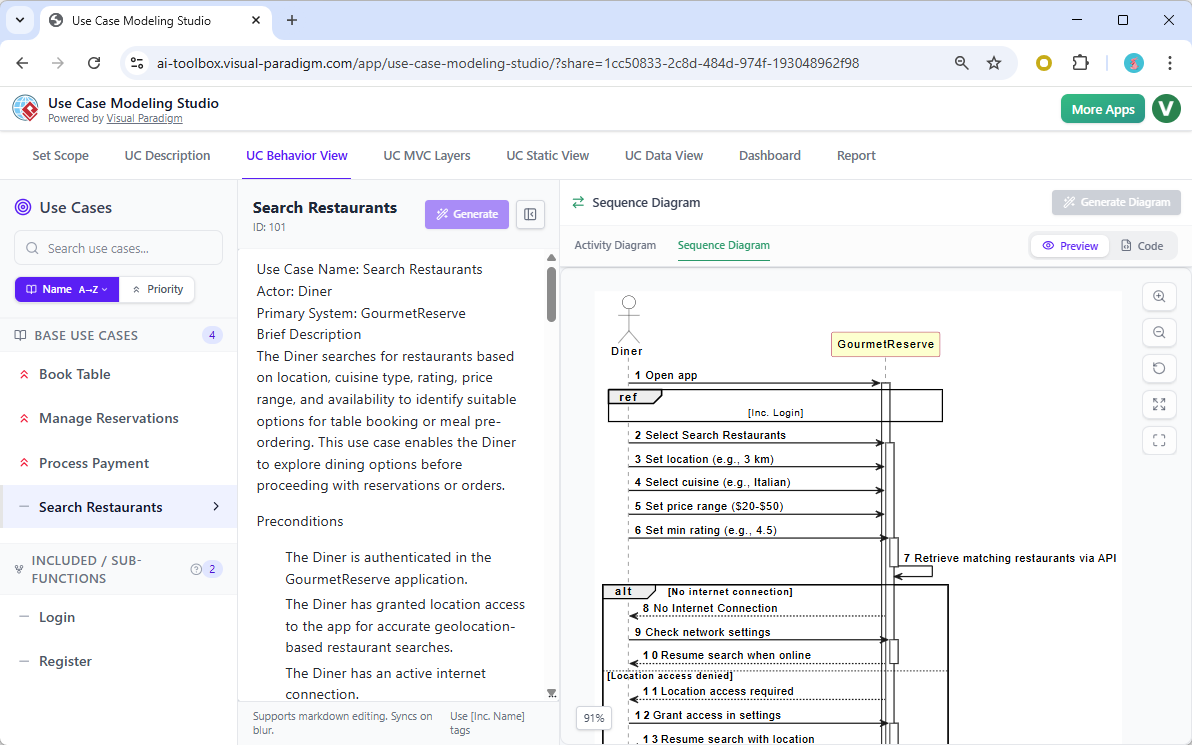
After establishing the high-level scope, the real power of the Use Case Modeling Studio shines. You can now dive into the details of a specific use case, such as “Search Restaurants.” The AI generates a comprehensive, well-structured description with all the necessary components, including preconditions, postconditions, and the main flow of events. This detailed specification is the blueprint for the system’s behavior.
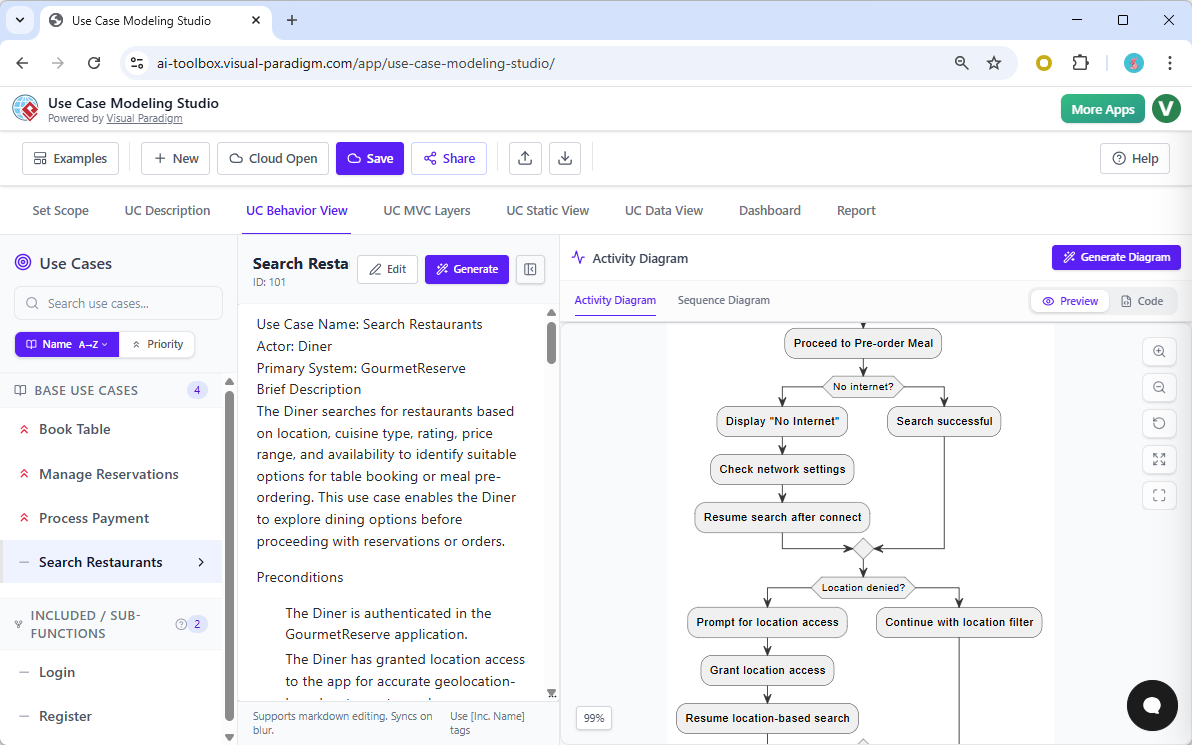
From this detailed description, the tool can automatically generate a behavioral model. In the UC Behavior View, you can generate an Activity Diagram that visually maps out the step-by-step process of the use case. For example, the diagram for “Search Restaurants” shows the flow from the user opening the app to the system retrieving results, including decision points like “No Internet?” and “Location denied?”. This visual representation is far more effective than a text description for understanding complex workflows.
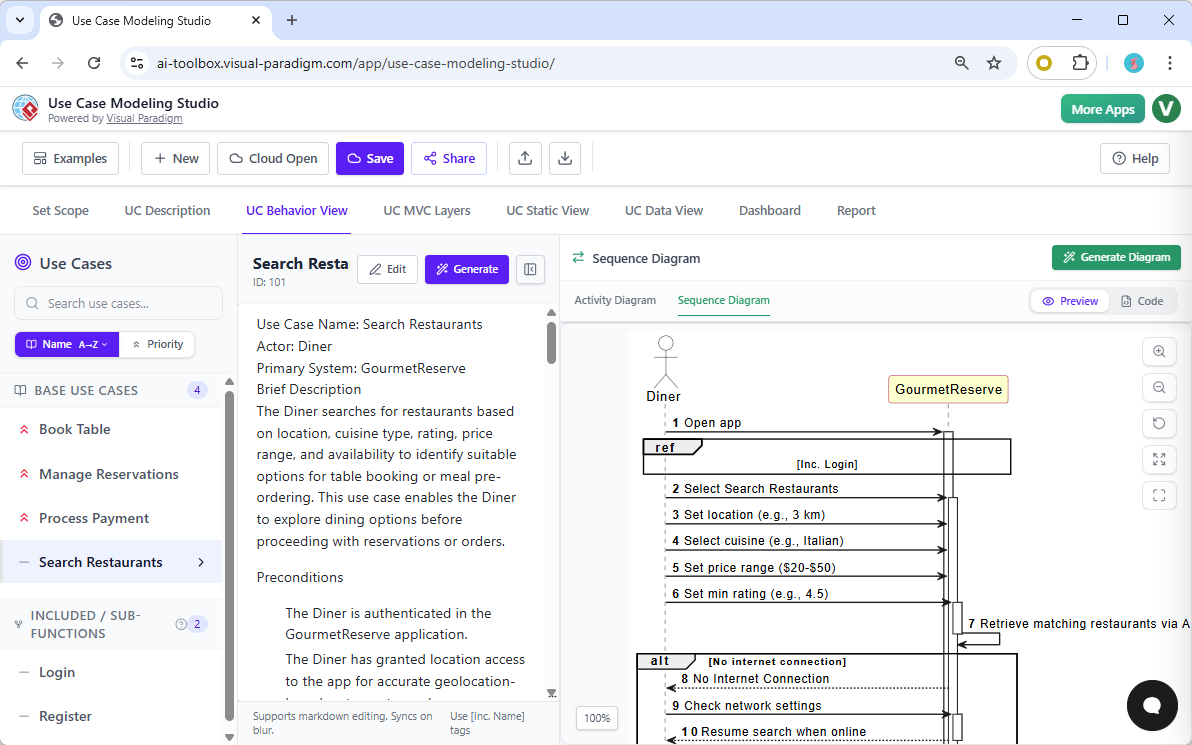
But the studio doesn’t stop there. It can also generate a Sequence Diagram to illustrate the interactions between different system components. By analyzing the use case description, the AI identifies the Model, View, and Controller (MVC) objects and creates a sequence diagram showing how they collaborate. This is invaluable for developers, as it provides a clear, visual guide to the system’s internal logic and object interactions.
Building the System Architecture: From MVC to Data Models
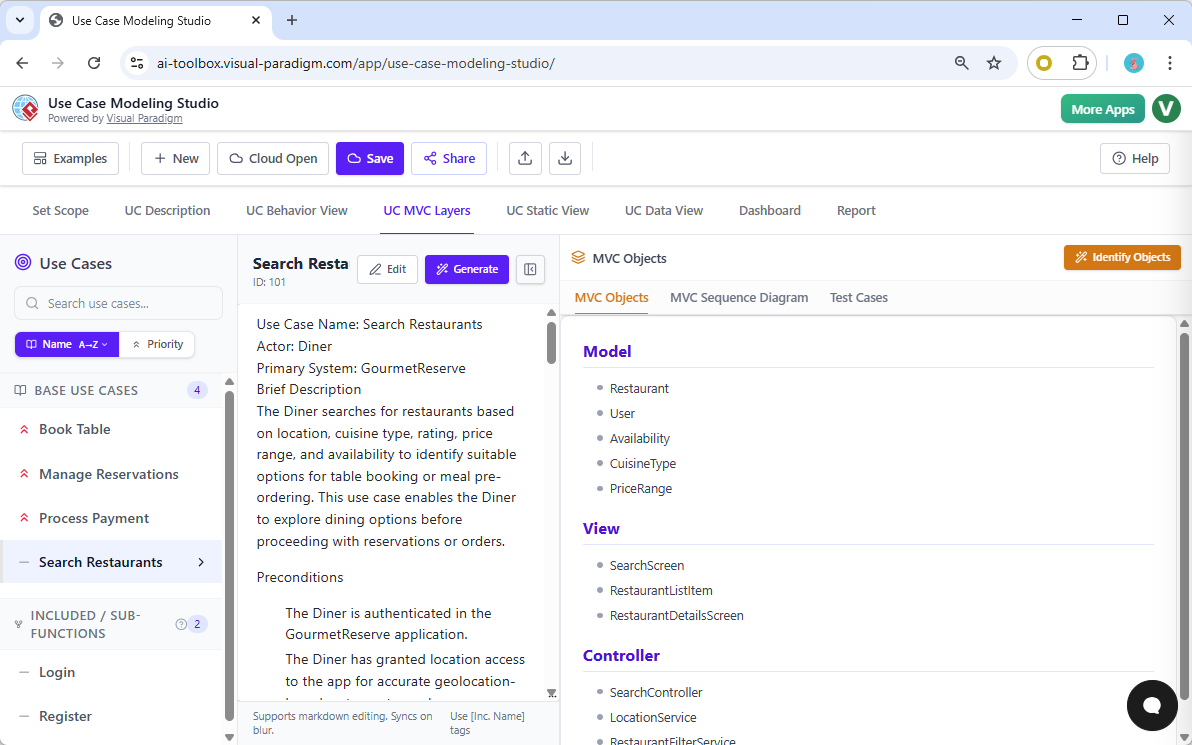
For a complete system design, you need to define the static structure and data model. The UC MVC Layers tab helps you identify the core components of your application. The AI analyzes the use case description to automatically list the relevant Model, View, and Controller objects, such as “Restaurant,” “SearchScreen,” and “SearchController.” This automated identification saves time and ensures that the architecture is grounded in the actual requirements.
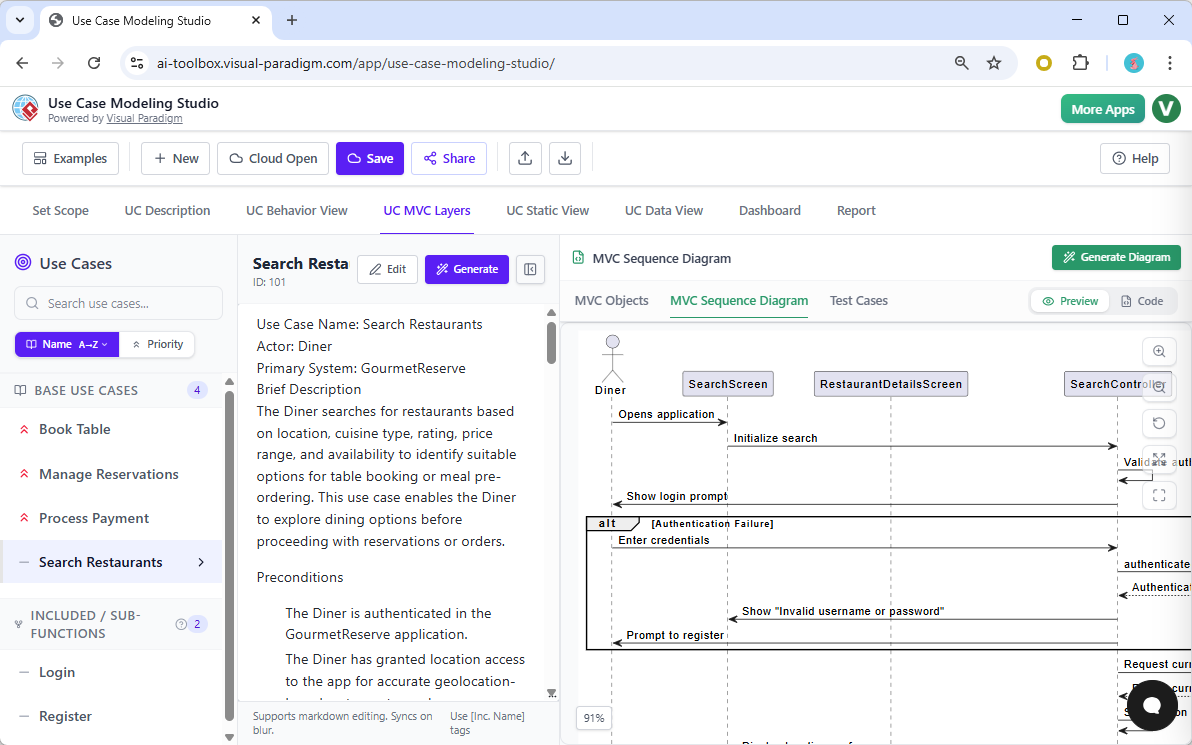
With the MVC objects identified, the next step is to visualize their interactions. The MVC Sequence Diagram provides a detailed view of the message flow between these objects, showing how the user’s action triggers a series of events across the system. This diagram is a critical tool for ensuring that the system’s design is coherent and that all components work together as intended.
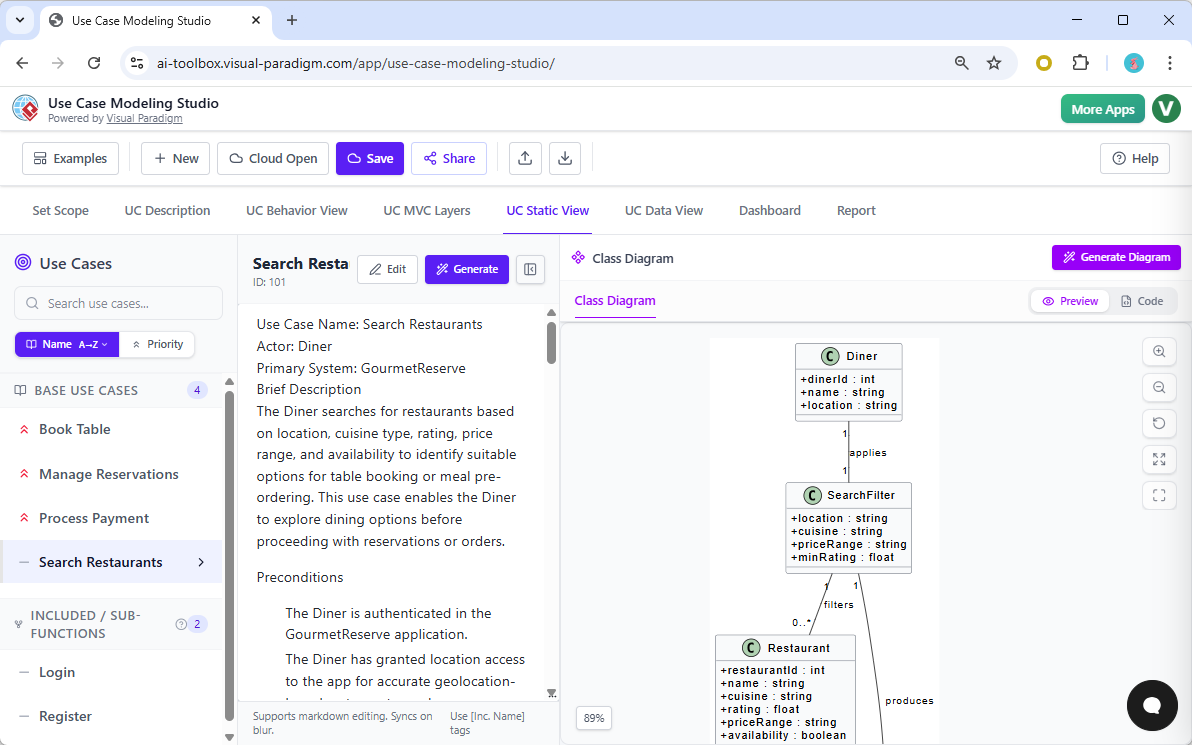
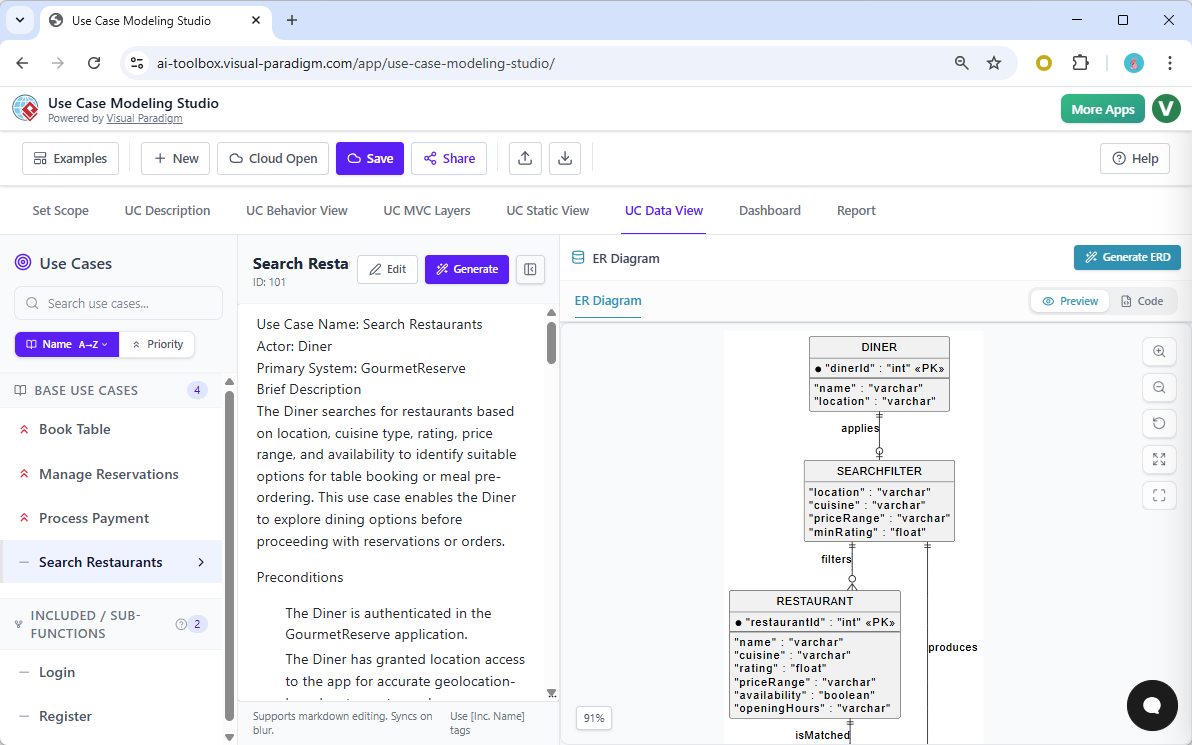
Finally, the tool can generate a Class Diagram to model the system’s static structure. This diagram shows the classes, their attributes, and the relationships between them. From the class diagram, the AI can then generate an Entity-Relationship Diagram (ERD) to model the database schema. This end-to-end process from use case to data model is seamless and automated, ensuring that all parts of the system are consistent and aligned.
Quality Assurance and Project Management
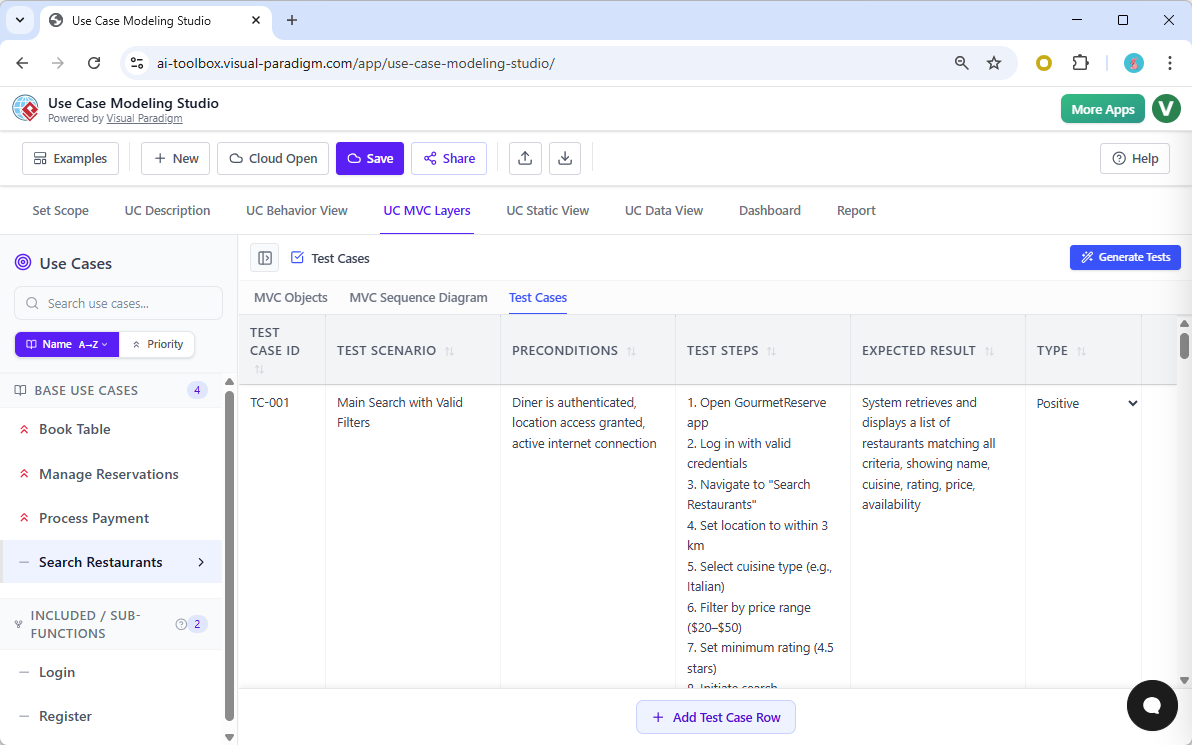
Quality assurance is a critical part of software development, and the Use Case Modeling Studio makes it easy. The AI can automatically generate a comprehensive set of test cases based on the use case description. These test cases include a unique ID, a scenario, detailed steps, and the expected result. You can then edit and manage these test cases in a spreadsheet-like interface, ensuring that all possible scenarios are covered.
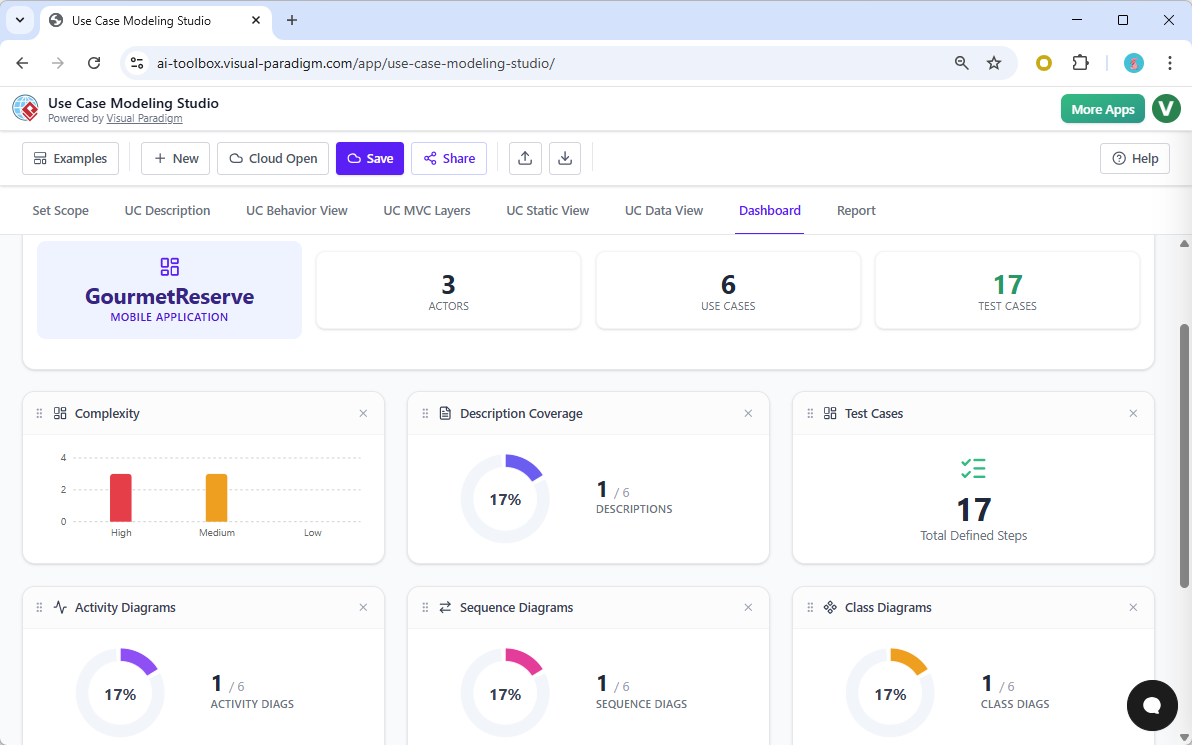
Project management is also simplified with the Dashboard. This centralized view provides a real-time overview of your project’s health. You can see the number of actors, use cases, and test cases, as well as metrics on description coverage and the complexity of your diagrams. This visibility allows you to track progress, identify bottlenecks, and ensure that all requirements are fully documented before development begins.
From Design to Documentation: The Power of the Report
One of the most powerful features of the Use Case Modeling Studio is its ability to generate a full Software Design Document (SDD). The Report tab allows you to select from a range of report types, including a “Project Overview” or a “Full SDD.” The AI generates a professional, multi-page document that includes an executive summary, detailed requirements, behavior models, and architectural diagrams. This report can be exported as a Markdown file or a PDF, making it easy to share with stakeholders, clients, or development teams.
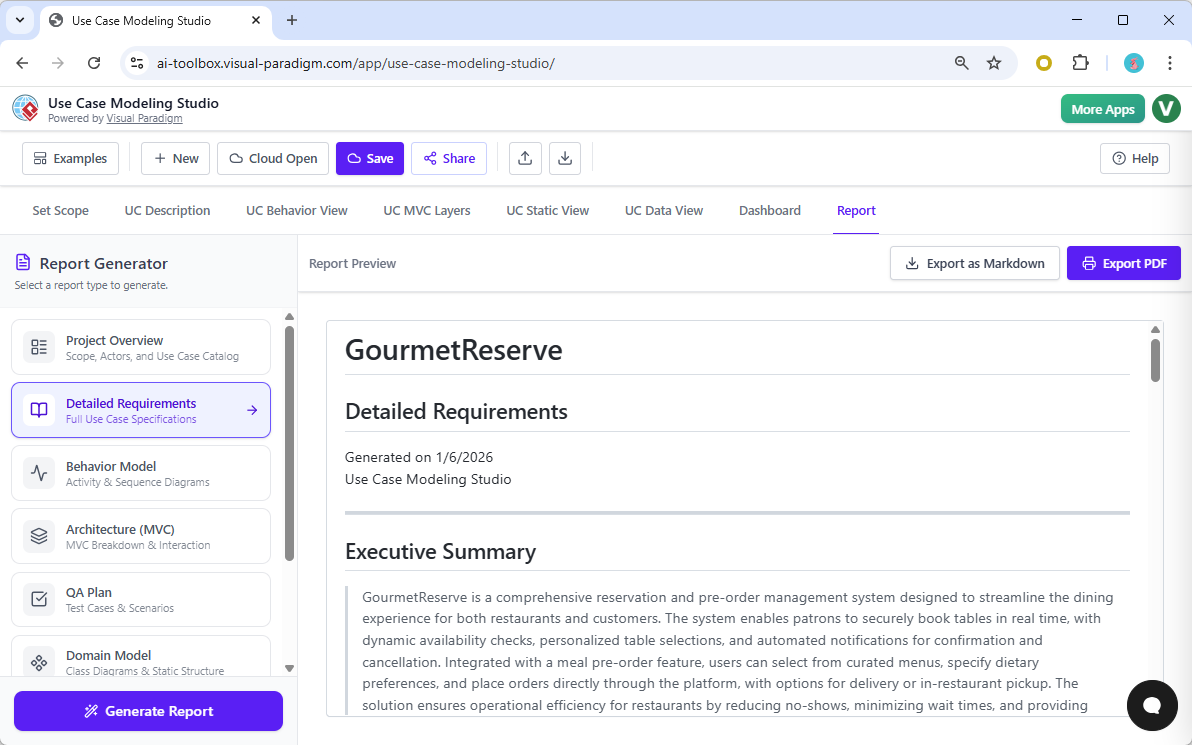
Instead of spending hours manually compiling documentation, you can generate a comprehensive report with a single click. This not only saves time but also ensures that the documentation is consistent and accurate, reflecting the latest state of your project.
Share and Collaborate
Collaboration is essential in software development. The Use Case Modeling Studio makes it easy to share your project with others. You can generate a unique, read-only link that allows stakeholders to browse your entire project online. This ensures that everyone is on the same page and can review the system design without needing access to the software itself.
By combining AI-powered automation with a comprehensive, integrated workflow, the Use Case Modeling Studio offers a superior alternative to traditional UML tools. It transforms the often tedious process of software requirements analysis and design into a fast, efficient, and collaborative experience.
Ready to transform your software design process? Try the Use Case Modeling Studio today and experience the power of AI-driven design.