
Let’s be honest: staring at a blank screen while trying to translate a messy paragraph of business needs into a structured diagram is nobody’s idea of a good time. It’s the digital equivalent of untangling headphones—frustrating, time-consuming, and surprisingly exhausting. But what if you could have a smart assistant do the heavy lifting for you?
Enter AI Textual Analysis Generation in Visual Paradigm. This feature is a total game-changer for business analysts, developers, and anyone who needs to make sense of requirements without pulling their hair out. In this guide, we are going to walk through a real-world example—creating a model for a banking fraud detection system—to show you how this professional requirement engineering tool turns raw text into visual gold in seconds.
Quick Summary: Key Takeaways
-
Instant Structure: Turn unstructured blurbs into organized analysis artifacts instantly.
-
Smart Extraction: AI automatically identifies candidates like Classes, Use Cases, and Actors.
-
Time Saver: Skip the manual highlighting and typing; get straight to modeling.
-
Seamless Transition: Move from text to visual diagrams (like Class Diagrams) with a few clicks.
-
User-Friendly: Perfect for experts and beginners alike to boost productivity.
Step 1: The One-Liner Start
We all start with a problem. Usually, it’s an email from a stakeholder or a note scribbled on a napkin. In the world of systems analysis, this is the seed that needs to grow into a full tree of requirements. Traditionally, you would have to read, re-read, and manually type out every potential component.
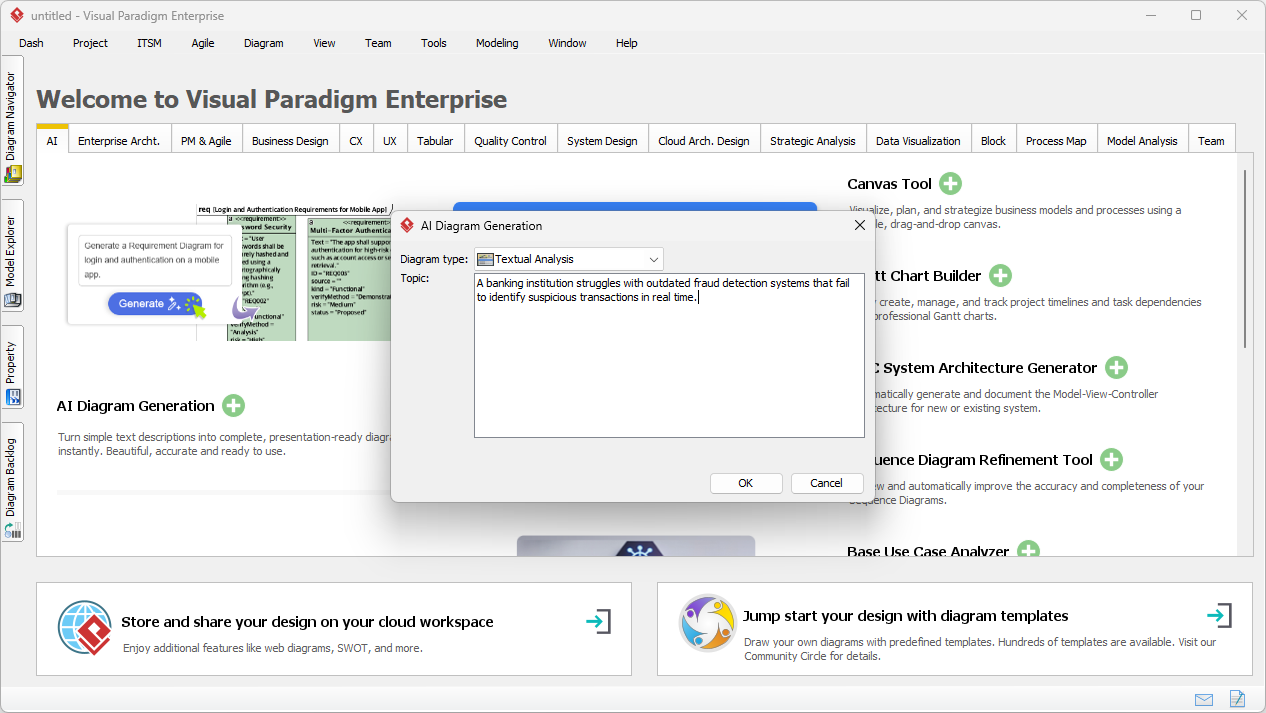
With Visual Paradigm’s AI-powered analysis tool, you just need the core concept. In our example, we are looking at a banking institution struggling with an outdated system. We simply open the AI Diagram Generation tool, select “Textual Analysis,” and type in our little dilemma about the fraud detection failures.
Step 2: Let the AI Do the Detective Work
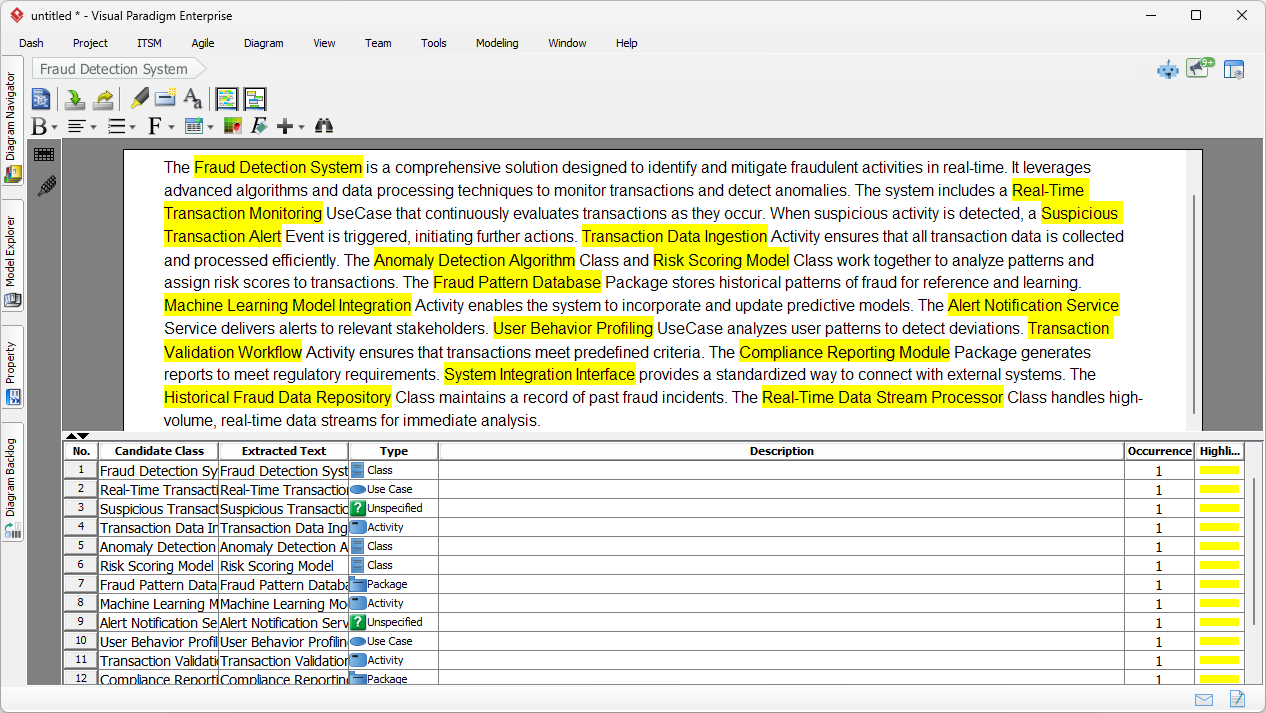
Here is where the magic happens. Once you hit “OK,” the AI doesn’t just copy your text; it expands on it. It acts like a senior business analyst who has had plenty of coffee. The tool generates a comprehensive, professional description of the problem, filling in the logical gaps and professional phrasing that might have been missing from your initial input.
But it does more than just write pretty paragraphs. Look at the yellow highlights in the interface. The AI automatically scans this new description and identifies candidate items—potential classes, activities, packages, and use cases. It lists them in a neat table at the bottom, complete with their type (e.g., Class, Activity). It effectively separates the functional requirements from the noise, giving you a structured list of ingredients for your modeling recipe.
Step 3: From Text to Model Elements
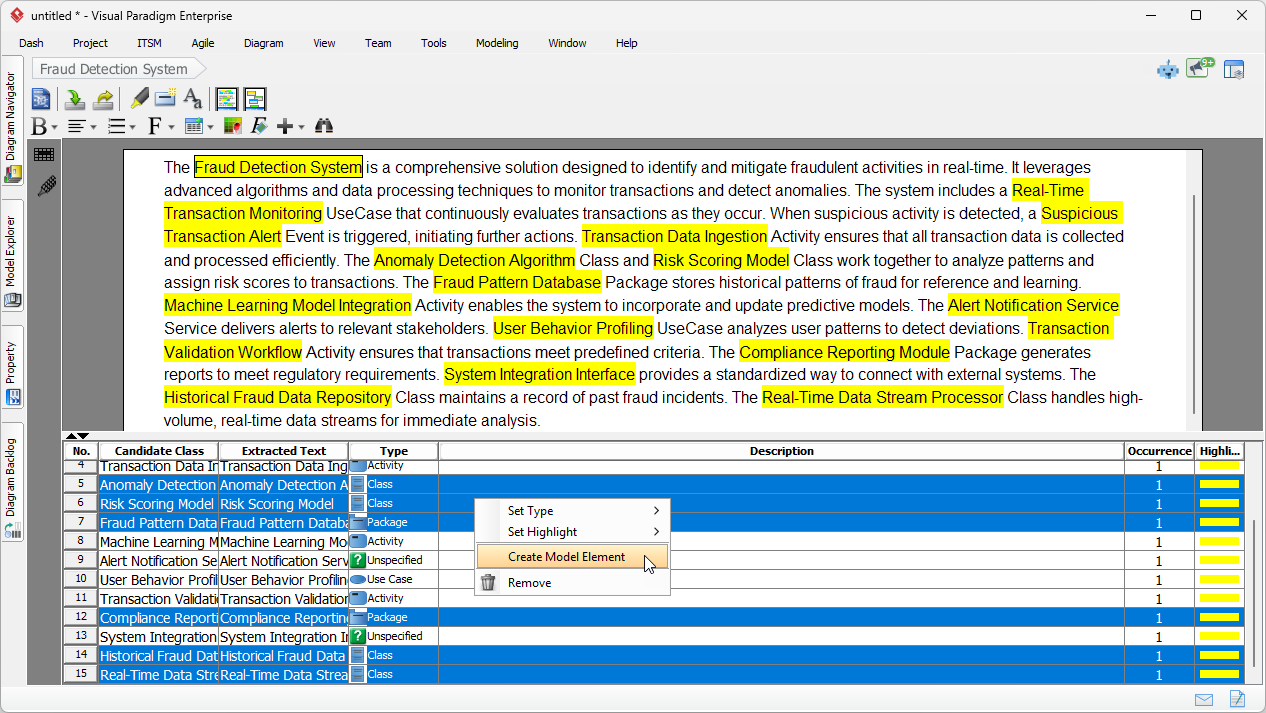
Now that you have a list of candidate classes like “Fraud Detection System,” “Anomaly Detection Algorithm,” and “Risk Scoring Model,” you don’t need to draw them manually. This is the productivity boost we promised.
You can simply select the rows in the candidate table that look relevant to your design. In our case, we want to build a domain model, so we select the identified classes. With a simple right-click, you access the “Create Model Element” option. This bridges the gap between a written textual analysis document and a visual model instantly.
Step 4: Visualize Your System
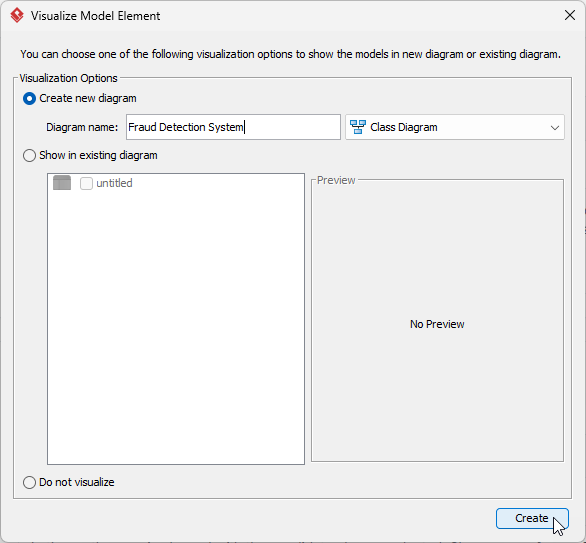
After instructing the system to create elements, Visual Paradigm asks how you want to see them. It’s polite like that. You can choose to visualize these elements in a new diagram. Since our AI assistant identified many “Classes,” it makes perfect sense to generate a Class Diagram.
We simply name our new diagram “Fraud Detection System” and hit Create. This eliminates the tedious drag-and-drop setup usually required to get a diagram started.
Step 5: The Final Result
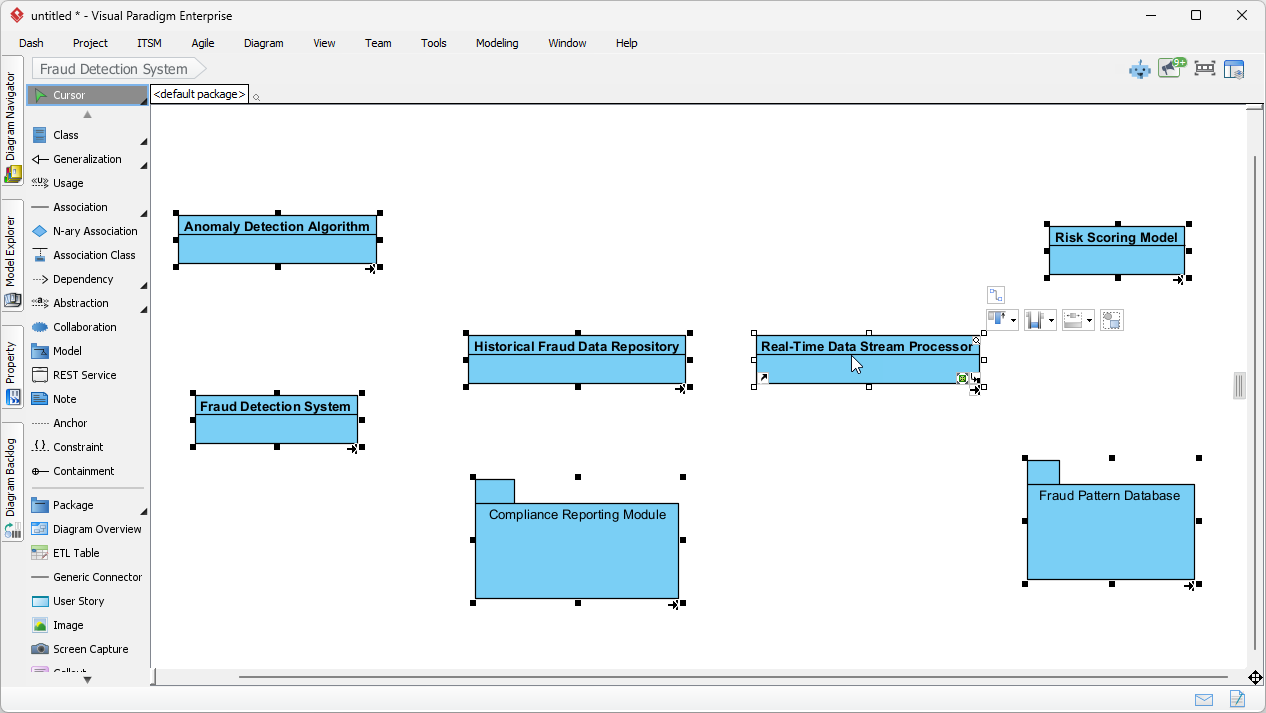
And voila! What started as a single sentence about banking struggles is now a structured, initial Class Diagram. The AI textual analysis software has placed your classes—like the “Real-Time Data Stream Processor” and “Historical Fraud Data Repository”—onto the canvas.
Think about the time saved here. You didn’t have to create each box, name them, or check your spelling. The structure is laid out for you. Your job shifts from “data entry clerk” to “system architect.” Now, you can focus on the fun part: adding attributes, defining operations, and drawing the relationships between these classes to finalize your design.
Why This Matters for Your Workflow
Using Visual Paradigm’s AI tools transforms requirements capturing from a chore into a creative process. Whether you are dealing with functional requirements, detecting stakeholders, or just trying to get a project off the ground, this workflow ensures you never have to start from zero. It reduces human error, ensures consistent naming, and most importantly, frees up your brain to solve the actual business problems rather than fighting with drawing tools.
Ready to Automate Your Analysis?
Stop wrestling with raw text and start modeling in minutes. Experience the speed of AI-driven requirements engineering today.
Download Visual Paradigm Desktop Free Trial
Related Links
Visual Paradigm serves as a unified visual development platform that integrates advanced AI-powered solutions to accelerate software design and business process modeling. These tools solve complex design challenges through interactive assistants that automate diagram generation. Beyond standard modeling, the platform provides specialized resources for database schema design, agile development workflows, and high-impact visual data storytelling.
-
AI-Powered Visual Modeling and Design Solutions: A hub for AI-driven tools that accelerate development workflows through automated visual modeling and software design.
-
AI Chatbot Feature – Intelligent Assistance: Details an AI-powered assistant that delivers instant guidance and automates repetitive tasks to boost user productivity.
-
AI-Powered BI Analytics – ArchiMetric: A resource for starting AI-powered business intelligence analytics in under a minute without requiring installation.
-
Complete UML Class Diagram Tutorial: A step-by-step guide for both beginners and experts to master the creation of UML class diagrams for effective software modeling.
-
Mind Mapping Diagrams & Tools: Highlights tools used to organize thoughts, visualize ideas, and plan projects effectively through mind mapping.
-
Adopting UML in Agile Projects Tutorial: A comprehensive guide on integrating UML into agile workflows to improve project clarity and team communication.
-
Database Design with ERD Tools: A guide to building scalable, robust databases using Entity-Relationship Diagram (ERD) tools and data modeling best practices.
-
What is BPMN? – Comprehensive Guide: An introductory resource covering the purpose and benefits of Business Process Model and Notation for enterprise workflow standards.
-
Visual Paradigm Gantt Chart Tool: Details a powerful web-based tool used to plan, visualize, and track project timelines and task schedules efficiently.
-
Free Online Infographic Maker: A web-based tool for designing visually appealing infographics without requiring prior design experience.