
Introduction: My First Encounter with UML’s Vast Landscape
As a software architect who’s spent over a decade navigating complex system designs, I still remember my initial reaction to UML: “How am I supposed to master all of this?” Like many professionals entering the world of software modeling, I was confronted with a seemingly endless array of diagrams, notations, and specifications. The Unified Modeling Language, managed by the Object Management Group (OMG), promised a standardized way to visualize software-intensive systems—but at first glance, it felt more like a maze than a map.
What changed my perspective wasn’t just dedication, but discovering how to strategically approach UML’s 14 diagram types. In this guide, I’ll share my personal journey—from confusion to clarity—and how modern AI-assisted tools transformed my modeling workflow. If you’re feeling overwhelmed by UML’s complexity, you’re not alone. Let me walk you through what actually matters in practice.
Understanding the 14 UML Diagram Types: A Practitioner’s Breakdown
In UML 2.2, there are 14 distinct diagram types, neatly divided into two categories that finally made sense to me after years of trial and error:
-
7 structural diagrams that capture the static architecture of systems
-
7 behavioral diagrams that model dynamic interactions and processes

(Pro tip: I keep this hierarchical map bookmarked—it’s become my quick-reference guide when deciding which diagram fits a particular design challenge)
The Reality Check: Is UML Too Complex for Everyday Use?
Let’s be honest—UML’s specification spans over 700 pages. When I first opened it, I felt exactly what many practitioners report: “This is too much.”
From my experience working across multiple development teams, I’ve observed three consistent patterns:
-
Each of the 14 UML diagram types offers extensive constructs, but realistically, most projects only require a focused subset
-
The sheer volume of notation can create a barrier to adoption, especially for teams new to formal modeling
-
Successful teams I’ve collaborated with don’t try to master everything—they identify the 20% of UML that delivers 80% of the value
This aligns perfectly with what Grady Booch, one of UML’s co-creators, famously stated: “For 80% of all software only 20% of UML is needed.” That insight became my guiding principle.
My Discovery: Learning UML Through AI-Assisted Tools
When I hit the wall of UML’s complexity, I started exploring AI-powered modeling assistants. What I found genuinely surprised me—these tools didn’t just simplify diagram creation; they helped me understand which diagrams mattered for specific scenarios.
Here’s how my workflow evolved using Visual Paradigm’s AI ecosystem:
💬 AI Diagram Chatbot (https://chat.visual-paradigm.com/)
I started describing system requirements in plain English: “Show me how users authenticate through a multi-factor system.” Within seconds, the chatbot drafted a sequence diagram that I could immediately refine. No more staring at a blank canvas wondering where to start.
🌐 AI WebApps (https://ai.visual-paradigm.com/)
The guided workflows walked me through creating complex interaction diagrams step-by-step. As someone who learns by doing, this hands-on approach accelerated my mastery far more than reading documentation alone.
⚡ Diagram Generator (https://guides.visual-paradigm.com/visual-paradigm-ai-diagram-generation-guide/)
When I needed to rapidly prototype multiple diagram types for a stakeholder presentation, the automated generation tools maintained modeling accuracy while saving hours of manual work.
📝 OpenDocs (https://ai.visual-paradigm.com/tool/opendocs)
This became my central hub for managing AI-generated diagrams alongside technical documentation—finally, a single source of truth for my modeling artifacts.
Explore the AI Diagram Generation Ecosystem
What the Data Tells Us: Interpreting UML Adoption Surveys
One of the most valuable insights I gained came from analyzing UML usage surveys. I adopted a simple framework for interpreting the results:
-
Widely used diagrams: Those appearing in ≥ 60% of surveyed sources
-
Scarcely used diagrams: Those appearing in ≤ 40% of sources

From my perspective, this data helped me prioritize learning. Instead of trying to master all 14 diagrams equally, I focused first on the high-adoption types that delivered immediate value to my projects.
Building My Personal UML Learning Roadmap
Based on survey data and my own project needs, I developed a phased learning approach that I now recommend to colleagues:
-
Foundation Phase: Master class diagrams, use case diagrams, and sequence diagrams—the “big three” that cover most design conversations
-
Expansion Phase: Add activity diagrams and state machine diagrams for behavioral modeling
-
Specialization Phase: Explore component, deployment, and package diagrams for architecture-focused work
-
Advanced Phase: Dive into interaction overview, timing, and composite structure diagrams for complex system challenges
The image map mentioned in the original resource became invaluable—I could click directly to focused guides for each diagram type, learning just-in-time rather than trying to absorb everything upfront.
My Experience with Agile UML Tooling
As someone who works in agile environments, I was initially skeptical about combining heavyweight modeling with iterative development. My perspective shifted completely after integrating Visual Paradigm into our Scrum workflow.

What worked for my team:
-
Automated Scrum integration: We could link user stories directly to UML models, maintaining traceability without bureaucratic overhead
-
Iterative modeling: Instead of “big design upfront,” we evolved diagrams sprint-by-sprint, keeping models relevant and lightweight
-
Collaborative refinement: The platform’s real-time collaboration features let our distributed team co-create models during refinement sessions
Feature Review: What Actually Matters in Practice
After testing multiple modeling tools, here are the capabilities that genuinely impacted my productivity:
Core Modeling Essentials
-
Full support for UML 2.5 standards—critical for maintaining compatibility across teams
-
Complementary diagram types (ERD, BPMN, ArchiMate) that extend UML’s reach without context-switching between tools
-
Intuitive shape connectors with auto-validation that prevent common modeling errors
Code Engineering That Saves Time
-
Forward/reverse engineering for multiple programming languages—I’ve used this to synchronize models with Java, C#, and Python codebases
-
Database modeling with ORM/Hibernate support that bridges the gap between design and implementation
-
REST API generation from UML models using SWAGGER—this alone saved our API design team weeks of manual documentation
Advanced Features Worth the Learning Curve
-
STEP Wizard’s recipe-like guidance for use case modeling—perfect for onboarding junior architects
-
Process animation for activity diagrams that helps stakeholders visualize workflows before implementation
-
VP Baggage for transforming diagrams across viewpoints—invaluable when communicating with different audiences
Agile Integration: Where Modeling Meets Delivery
The aspect that transformed my workflow most significantly was seamless Scrum integration. Here’s what I implemented with my team:
-
User story elaboration: We started with 3Cs (Card, Conversation, Confirmation), then enriched stories with UML diagrams and wireframes as needed
-
Backlog management: Story mapping and affinity estimation tools helped us prioritize modeling work alongside feature development
-
Parallel team coordination: Multiple scrum boards with integrated modeling let our frontend and backend teams stay synchronized
-
Traceability: Linking use cases to sprints, tasks, and code commits created an auditable development trail


Real-World Benefits I’ve Experienced
After 18 months of consistent use, here are the tangible outcomes my team has observed:
-
Reduced onboarding time: New team members grasp system architecture faster through visual models
-
Fewer design misunderstandings: Stakeholder reviews using animated diagrams catch requirements gaps earlier
-
Improved documentation quality: Auto-generated reports from models stay synchronized with actual implementation
-
Enhanced collaboration: Cloud-based diagram sharing enables asynchronous feedback across time zones
Additional capabilities that earned my endorsement:
-
Cross-platform support (Windows, Mac, Linux) that accommodates our diverse developer environments
-
Sub-diagrams and model transitors that maintain traceability across complex systems
-
Visual impact analysis before model modifications—preventing unintended ripple effects
-
PostMania integration for versioned diagram collaboration and commenting
-
Task management system integration that links modeling work to delivery tracking
Enterprise Adoption: Why Trusted Organizations Choose This Approach

Having consulted for organizations ranging from startups to Fortune 500 companies, I’ve observed a consistent pattern: teams that successfully adopt UML don’t do it through mandate—they do it through enablement. The platform’s adoption by universities, government units, and enterprise organizations isn’t surprising when you experience how it balances rigor with practicality.
The AI Transformation: My Current Modeling Workflow
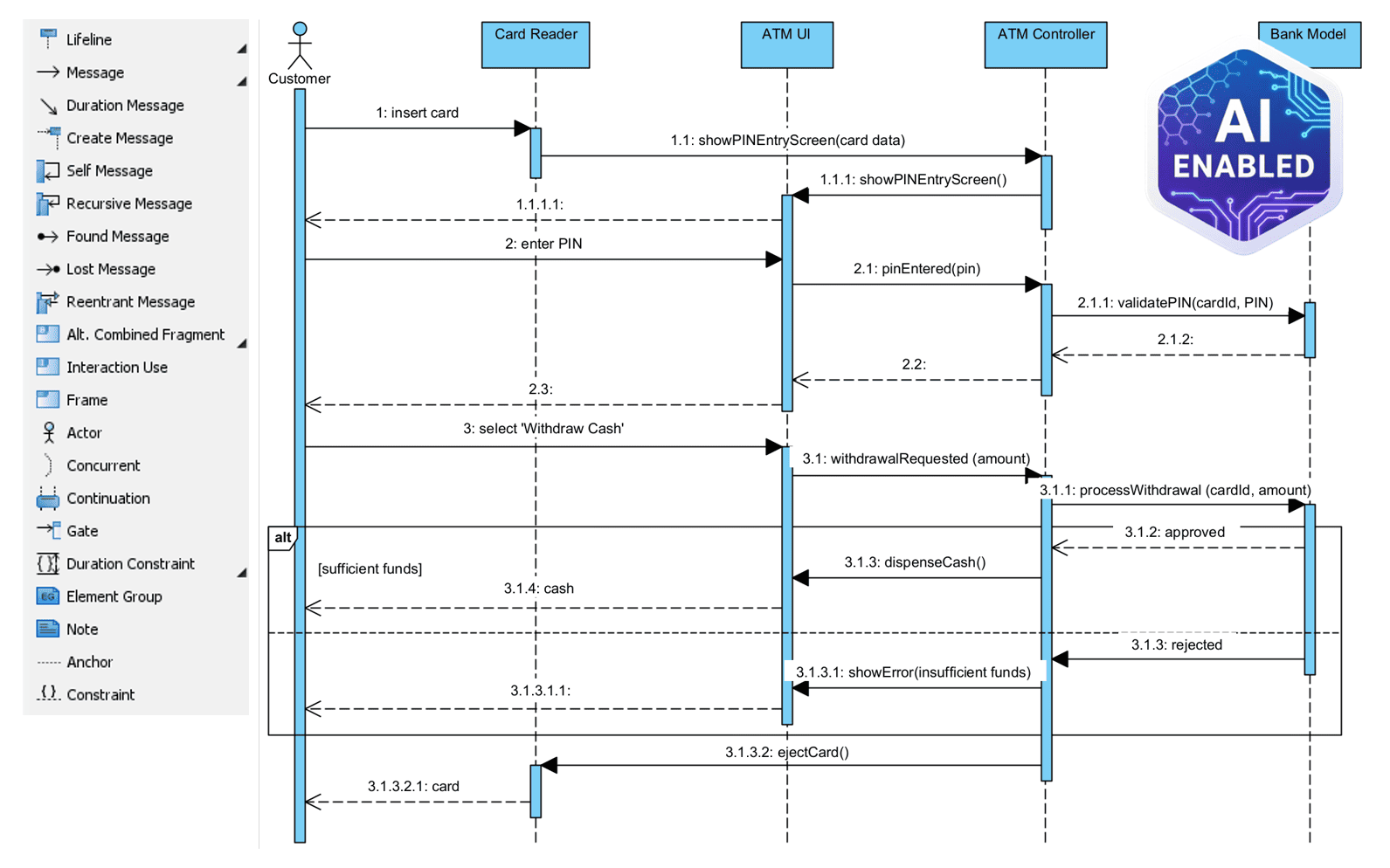
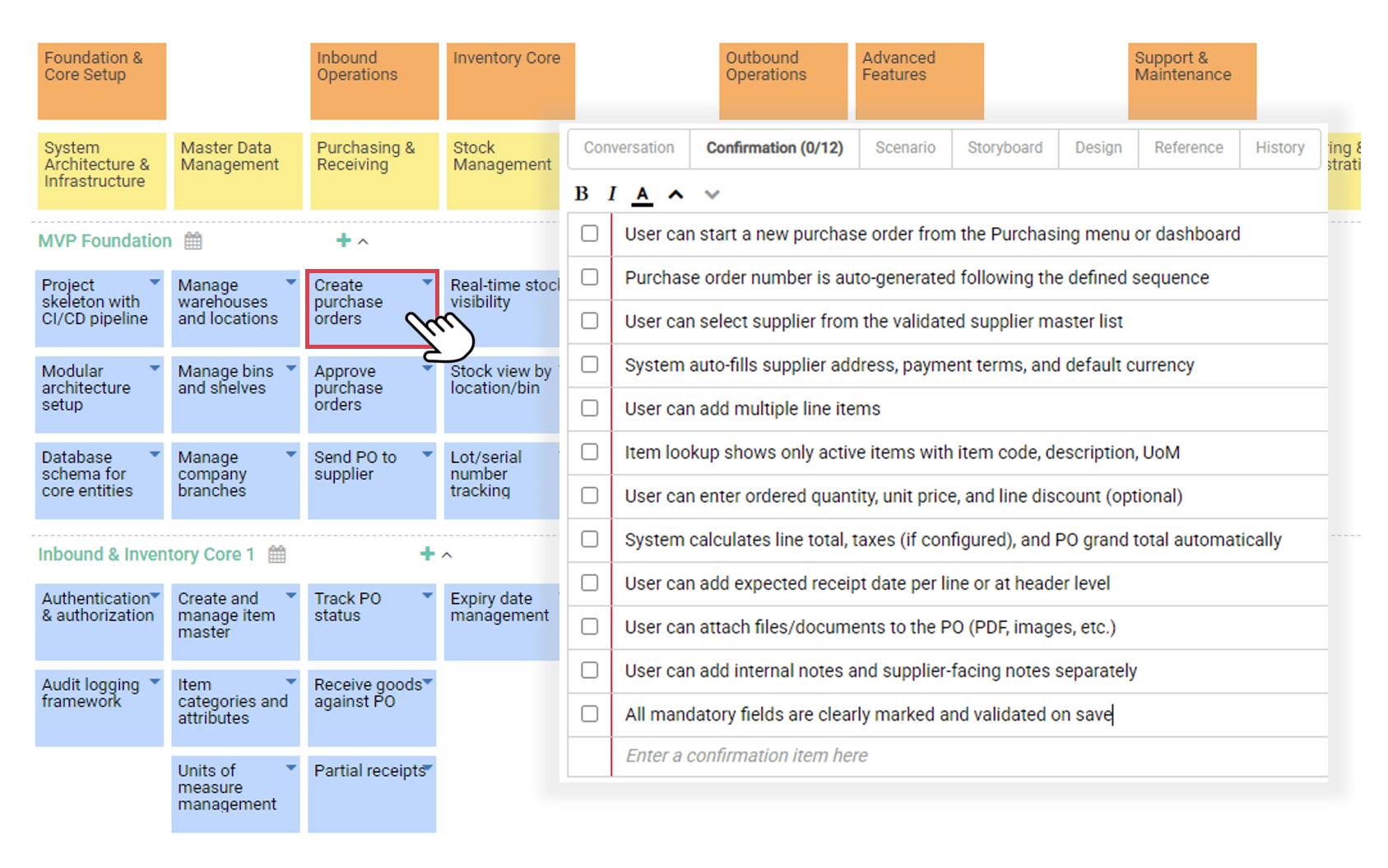
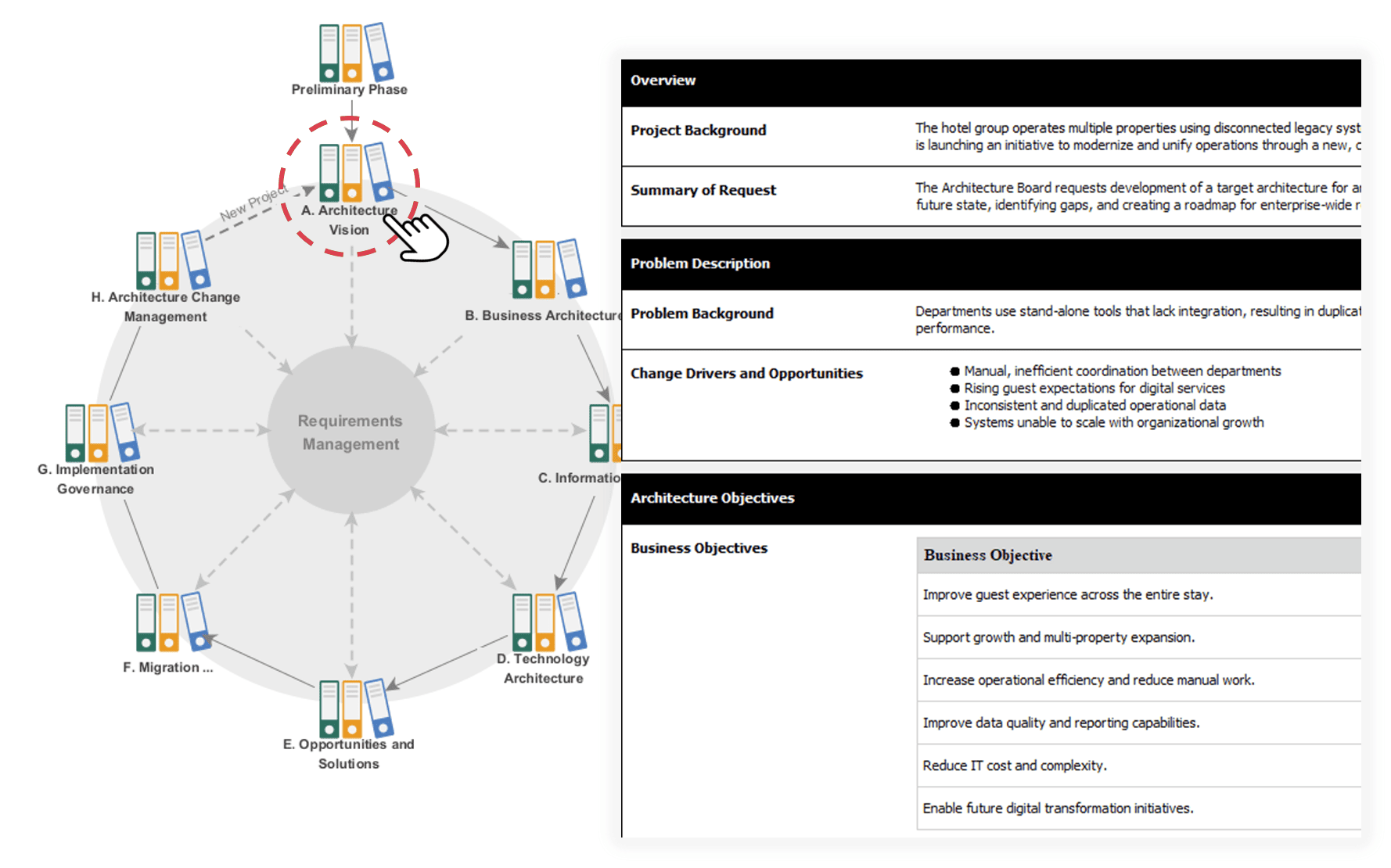
The most significant evolution in my practice has been AI integration. Here’s my current workflow:
Latest Releases I’m Leveraging:
-
AI-Powered TOGAF ADM Tool: Accelerating enterprise architecture projects with guided modeling
-
OpenDocs Knowledge Management Platform: Centralizing AI-generated artifacts and documentation
-
AI Value Stream Map Editor: Streamlining process optimization initiatives
Don’t Just Draw—Ask AI to Build It: My Hands-On Experience
Visual Paradigm’s AI engine has fundamentally changed how I approach modeling. Instead of starting with blank diagrams, I now begin with natural language descriptions:
Generative Modeling
Text-to-diagram generation has become my starting point for new initiatives. I describe a system component, and the AI drafts a class diagram or flowchart that I can immediately refine. Learn More
Intelligent Chatbot
When I need quick iterations, the chatbot lets me request modifications conversationally: “Add error handling to this sequence” or “Show the admin workflow variant.” Start Chat Learn More
AI App Library
For specialized analysis tasks, I access purpose-built AI apps that handle everything from dependency analysis to risk assessment. Learn More

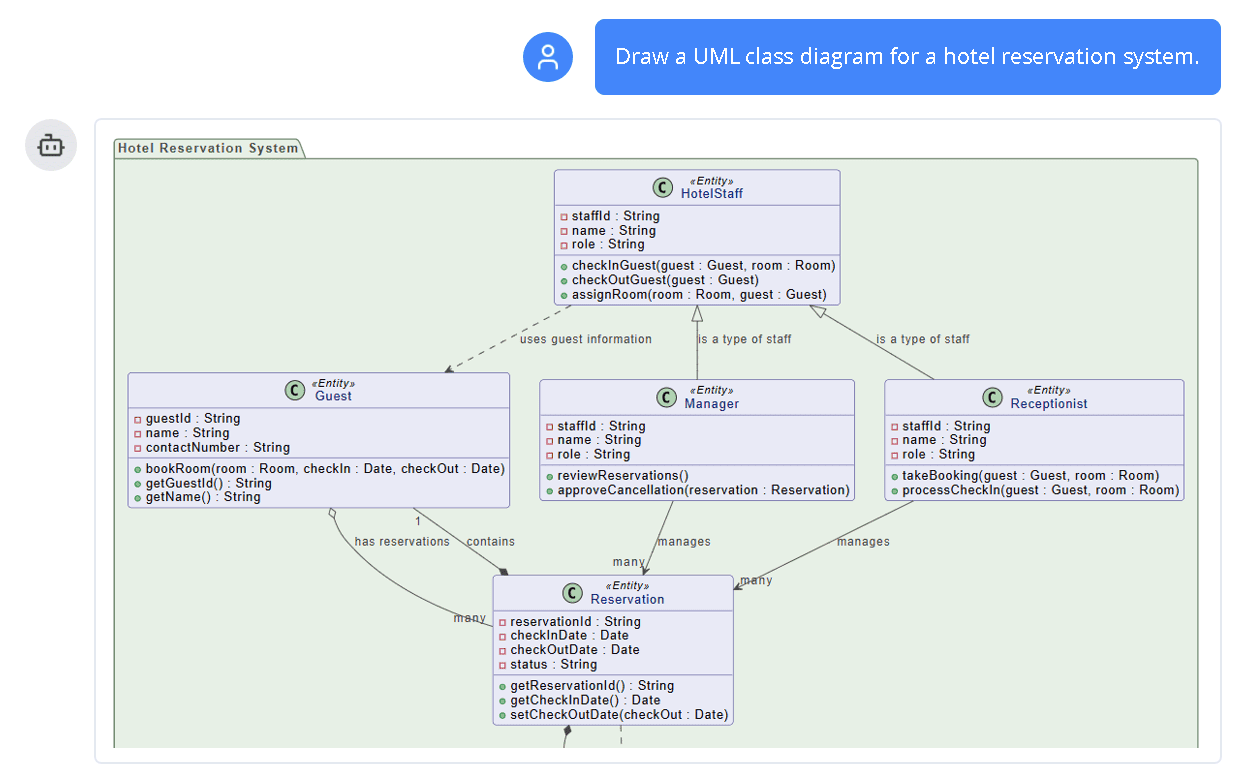
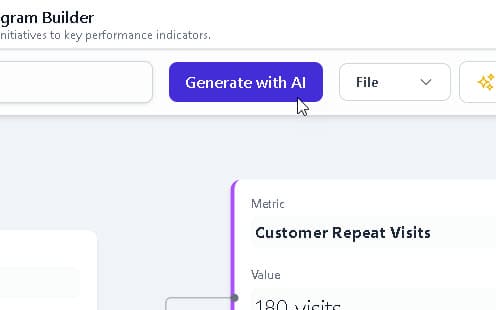
The result? UML now fits naturally within agile workflows. Instead of modeling as a separate phase, it becomes an integrated part of discovery, design, and documentation—exactly what modern development demands.
Conclusion: From Intimidation to Empowerment
Looking back on my UML journey, the transformation wasn’t about memorizing 14 diagram types or mastering 700 pages of specification. It was about finding the right approach: focusing on high-value diagrams, leveraging AI assistance for acceleration, and integrating modeling seamlessly into agile delivery.
If you’re starting your UML journey today, my advice is simple:
-
Begin with the 20% of UML that solves 80% of your current challenges
-
Use AI tools to reduce the learning curve and accelerate prototyping
-
Integrate modeling incrementally into your existing workflow—don’t boil the ocean
-
Prioritize diagrams that improve communication with your specific stakeholders
UML isn’t about perfect diagrams—it’s about clearer thinking, better collaboration, and more reliable systems. With the right mindset and modern tooling, what once felt overwhelming can become your most powerful design ally.
The landscape has evolved. The tools have matured. And for practitioners willing to adopt a strategic, AI-enhanced approach, UML remains as relevant today as when it was first conceived.
References
-
Object Management Group (OMG): The international standards consortium that manages UML as a de facto industry standard fomg.orgor software modeling.
-
AI Diagram Chatbot: Natural language interface for generating UML diagrams by describing system logic in plain English.
-
AI WebApps: Step-by-step AI-guided workflows for creating and refining complex diagrams through an intuitive web interface.
-
Diagram Generator Guide: Documentation for high-speed automated diagramming tools that maintain modeling accuracy within the Visual Paradigm ecosystem.
-
OpenDocs Knowledge Platform: Centralized environment for managing AI-generated diagrams and technical documentation in one integrated system.
-
AI Diagram Generation Ecosystem Overview: Comprehensive guide to Visual Paradigm’s AI-powered modeling tools and integration capabilities.
-
AI-Powered TOGAF ADM Release Notes: Documentation for accelerating complex TOGAF ADM projects with AI assistance for greater speed and accuracy.
-
OpenDocs AI Knowledge Platform Release: Information about the AI-powered knowledge management platform for centralized document and artifact management.
-
AI Value Stream Mapping Tool Release: Details on the AI-enhanced value stream mapping editor for process optimization and lean management.
-
Visual Paradigm Updates Portal: Central hub for accessing all recent product releases, feature enhancements, and AI capability updates.
-
Generative Modeling Guide: Tutorial on text-to-diagram generation capabilities that create class diagrams, flowcharts, and user stories from natural language descriptions.
-
AI Chatbot Interface: Direct access to the intelligent chatbot for generating diagrams and requesting iterative modifications through conversational commands.
-
Chatbot Learning Resources: Additional documentation and examples for leveraging the AI diagram chatbot effectively in modeling workflows.
-
AI App Library Overview: Catalog of 50+ purpose-built AI applications for specialized analysis tasks within the modeling ecosystem