


Introduction to Modern Requirement Gathering
In the lifecycle of software development and project management, the foundation of a successful product lies in clear, structured requirements. Traditionally, creating use case descriptions and diagrams was a labor-intensive process, prone to human error and ambiguity. However, the integration of Artificial Intelligence into requirement analysis has revolutionized this workflow. This comprehensive guide explores how to leverage AI tools to transform abstract project ideas into professional, actionable blueprints, ensuring your team starts with a solid foundation.
Key Concepts
Before diving into the automated workflow, it is essential to understand the core terminologies that AI tools utilizes to structure your documentation.
- Use Case: A specific situation in which a product or system is potentially used. It describes the interaction between an actor and the system to achieve a specific goal.
- Actor: An entity that interacts with the system. This can be a human user (e.g., Administrator, Customer) or an external system (e.g., Payment Gateway).
- Problem Statement: A concise description of an issue to be addressed or a condition to be improved upon. AI uses this as the seed to generate requirements.
- Markdown: A lightweight markup language with plain text formatting syntax. It is the standard format for exporting text-based documentation for developers.
Guidelines: The Step-by-Step Workflow
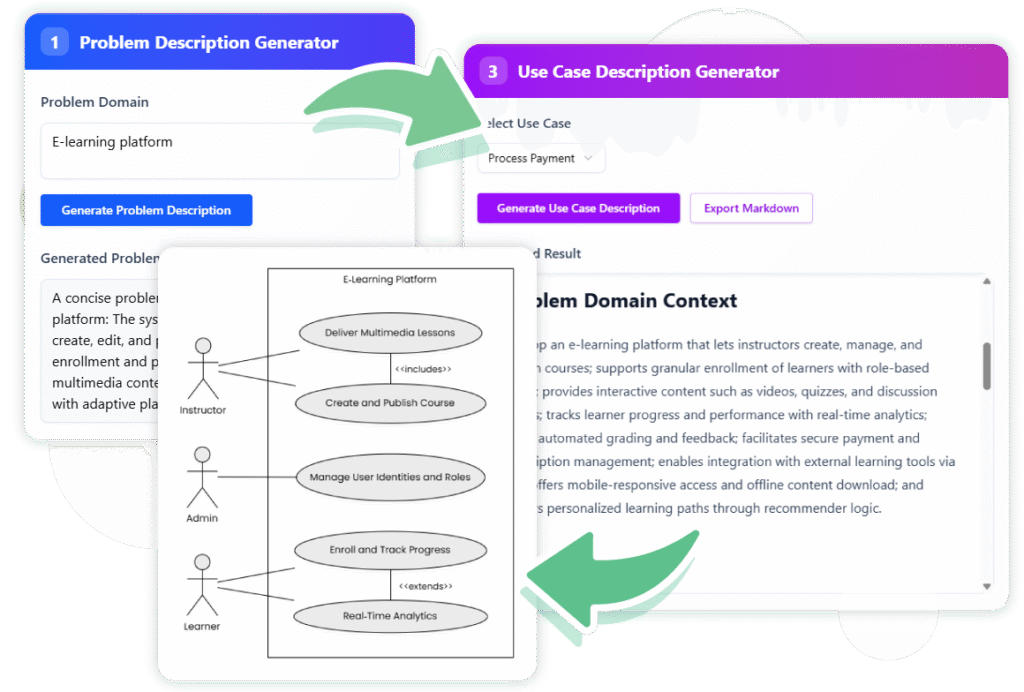
To generate professional use case descriptions effectively, follow this structured four-step process using AI-powered tools. This workflow is designed to move from high-level ambiguity to granular technical detail.

Step 1: Generate the Problem Description
The quality of AI output is directly dependent on the clarity of the input. Start by entering a brief prompt regarding your project idea. The AI analyzes this input to generate a detailed problem statement.
Actionable advice: Review the generated statement carefully. Since the tool allows for editing, ensure the scope is accurate before proceeding. This statement serves as the context for all subsequent use cases.
Step 2: Identify Candidate Use Cases
Once the problem is defined, the AI acts as a business analyst. It scans the problem statement to identify potential interactions and functional requirements. It will present a list (often in table format) containing essential use cases along with their primary actors.
Why this matters: This step ensures comprehensive coverage. Automated analysis often catches requirements or edge cases that manual brainstorming might miss.
Step 3: Create Detailed Reports
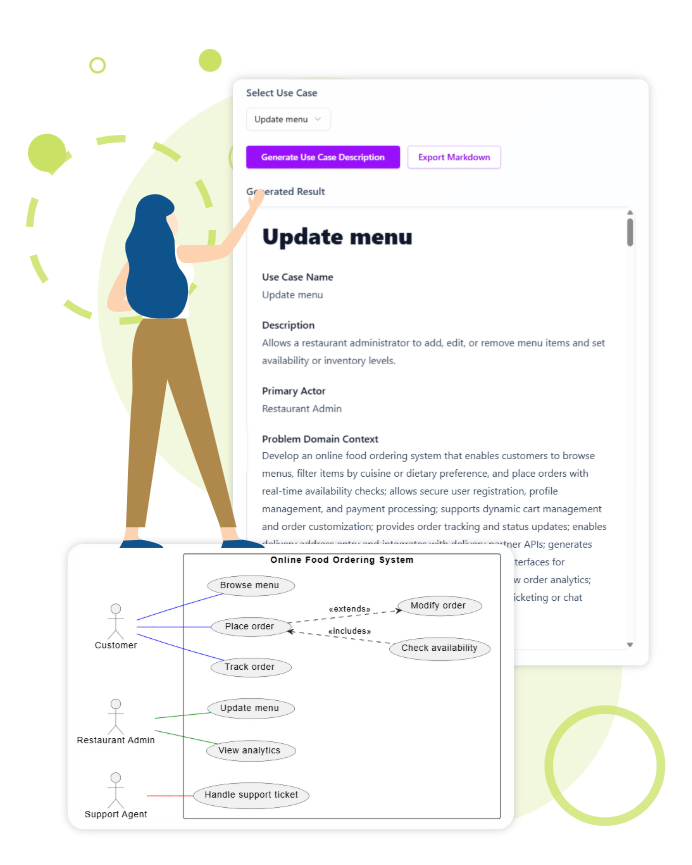
From the list of candidates, select specific use cases to expand. The AI will generate a full report for the selection. This report typically includes preconditions, basic flows, alternative flows, and post-conditions.
Exporting: These reports can typically be exported instantly as professional Markdown documentation, making them ready for GitHub repositories or technical wikis.
Step 4: Visualize and Refine Diagrams
Text is often insufficient for conveying complex logic. The final step involves converting the textual use case into a visual diagram. Tools like Visual Paradigm Online allow you to open the generated diagram and refine it.
- Visualization: Provides a high-level map of system functionality.
- Refinement: Gives you ultimate control to adjust relationships and layouts manually after the AI provides the initial draft.
Key Benefits of AI-Driven Analysis
Adopting an AI-assisted workflow offers distinct advantages over traditional documentation methods:
| Benefit | Description |
|---|---|
| Accelerated Clarity | Go from a vague idea to a structured problem description in seconds, saving hours of manual drafting. |
| Comprehensive Coverage | AI algorithms help identify actors and use cases you might overlook, ensuring a robust functionality roadmap. |
| Seamless Integration | The ability to export to Markdown or edit diagrams directly in cloud-based editors supports agile collaboration. |
Tips and Tricks for Success
Maximize the efficiency of the AI Use Case Generator with these best practices:
- Be Specific with Prompts: When generating your initial problem description, include the target industry and primary goal (e.g., “A mobile app for pet grooming scheduling” vs. “A scheduling app”).
- Iterate on the Diagram: AI generates a logical starting point, but visual clarity often requires human touch. Use the editor to group related actors or color-code critical paths.
- Combine Formats: Don’t rely solely on the diagram or the text. A professional specification document should include the visual diagram followed by the detailed Markdown report for maximum clarity.
- Audit the Actors: AI might suggest generic actor names (e.g., “User”). Rename them to specific roles (e.g., “Registered Member” or “Guest”) during the editing phase for better precision.
Conclusion
Moving from simple documenting to innovating requires tools that reduce rework and accelerate time to market. By utilizing AI to generate use case descriptions, you ensure your project is built on an unambiguous, professional foundation. Whether you are generating detailed reports or visualizing complex requirements, this technology empowers you to focus on solving problems rather than formatting documents.