


Creating a robust software architecture requires more than just writing code; it demands a clear blueprint. A UML package diagram serves as the backbone for organizing complex systems. It allows stakeholders to visualize the high-level structure without getting lost in implementation details. This guide provides a rigorous, step-by-step approach to constructing these diagrams with precision.
Whether you are designing a microservices architecture or refactoring a monolithic application, organization is key. This checklist covers the critical actions needed to ensure your diagram is accurate, maintainable, and clear. We will avoid vendor-specific tools and focus purely on the modeling principles.
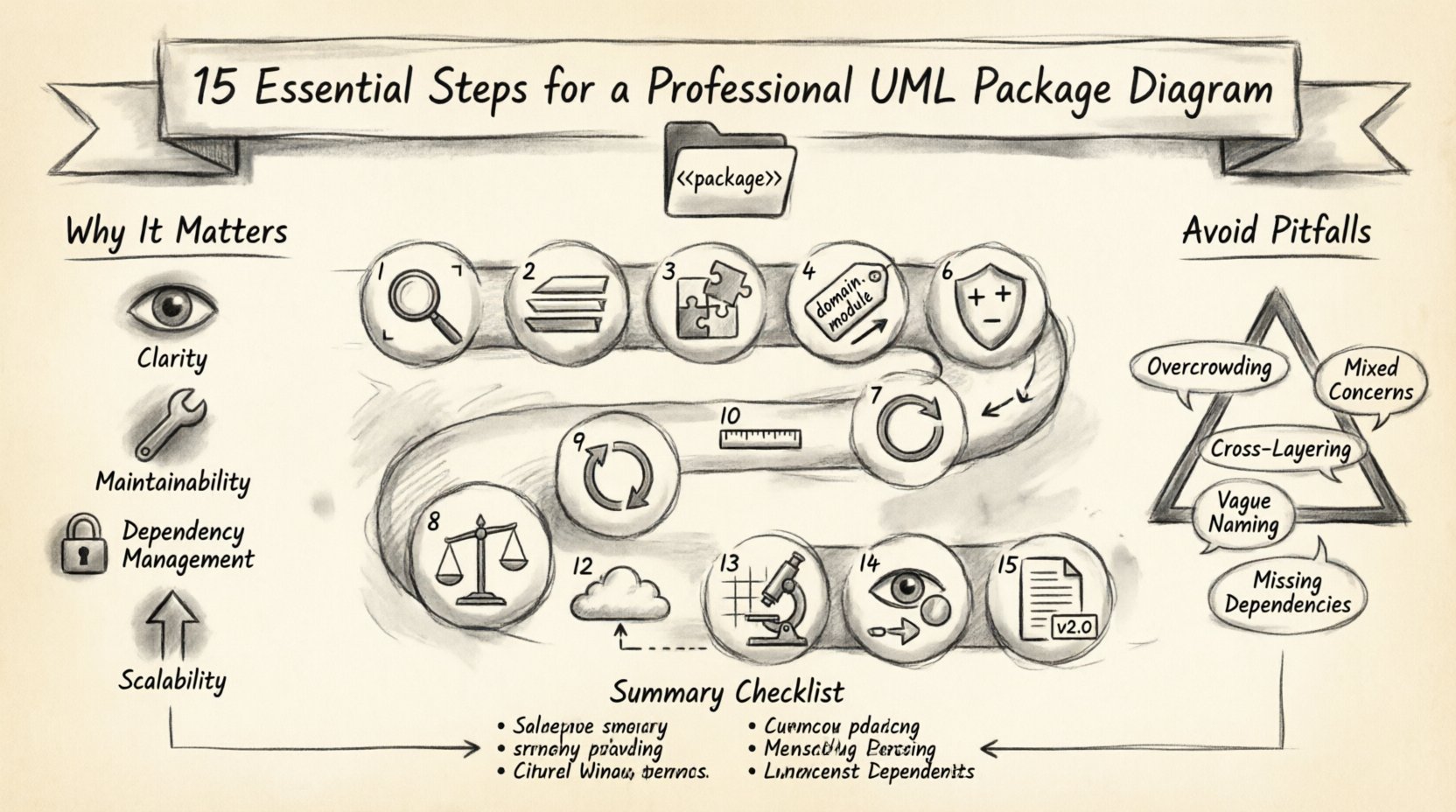
Why Package Diagrams Matter in System Design 🧠
Before diving into the steps, it is vital to understand the purpose. A package diagram groups elements into logical collections called packages. These packages represent namespaces, libraries, or subsystems. They help manage complexity by hiding internal details.
Key benefits include:
- Clarity: Reduces cognitive load by grouping related classes.
- Maintainability: Makes it easier to identify where changes are needed.
- Dependency Management: Clearly shows how components interact.
- Scalability: Supports the addition of new features without breaking existing structures.
Pre-Planning: Preparation Before You Draw 📝
Skipping preparation often leads to cluttered diagrams. Ensure you have the following information ready:
- System requirements and functional specifications.
- Existing domain models or class diagrams.
- Known integration points with external systems.
- Team naming conventions and coding standards.
The 15 Essential Steps for UML Package Diagrams 🚀
Follow this sequence to build a professional-grade diagram. Each step addresses a specific aspect of architecture modeling.
1. Define the Scope and Boundaries 🔍
Start by determining what is inside the system and what is outside. Packages should encapsulate specific functionalities. Avoid including too much detail; the goal is high-level organization. Clearly mark the boundary of the system you are modeling.
2. Identify Core Architectural Layers 🏗️
Most systems follow a layered pattern. Common layers include Presentation, Business Logic, and Data Access. Place packages in a way that reflects these layers. This vertical separation helps in understanding the flow of control.
3. Group Related Functionalities 🧩
Organize packages based on cohesion. If multiple classes perform similar tasks, place them in the same package. Avoid scattering related logic across disparate packages. High cohesion within packages reduces coupling between them.
4. Establish Namespace Conventions 🏷️
Naming is critical for long-term maintenance. Use a consistent naming scheme, such as domain.entity or service.module. Avoid generic names like Util or General. Specific names help developers locate code quickly.
5. Define Package Dependencies 🔗
Dependencies show how packages rely on each other. Use standard dependency arrows. Ensure that dependencies flow logically, typically from higher layers to lower layers. Avoid backward dependencies where possible to prevent tight coupling.
6. Document Access Modifiers 🛡️
While package diagrams are high-level, indicating visibility is helpful. Mark packages as public, private, or protected if your modeling tool supports it. This clarifies which parts of the system are exposed to external consumers.
7. Visualize Import Relationships 📥
Imports differ from dependencies. Imports indicate that a package uses the public interface of another. Distinguish these from internal dependencies. Use open arrows for import relationships to maintain visual distinction.
8. Separate Concerns Logically ⚖️
Apply the Single Responsibility Principle to your packages. Each package should have one reason to change. If a package handles both database connections and user authentication, split it. This separation aids in testing and debugging.
9. Handle Circular Dependencies 🔄
Circular dependencies occur when Package A depends on Package B, and Package B depends on Package A. This creates a cycle that can be difficult to resolve. Identify these cycles and refactor by introducing interfaces or shared base packages.
10. Maintain Naming Consistency 📏
Consistency extends beyond prefixes. Ensure pluralization is uniform. If one package uses Users, do not use Order elsewhere. Follow the established style guide strictly. This reduces confusion during code reviews.
11. Represent Interfaces Clearly 🔌
Interfaces define contracts between packages. If a package provides services to others, explicitly show the interface. Use stereotypes like <<interface>> to denote these elements. This clarifies the contract without revealing implementation.
12. Document External Integrations 🌐
Systems rarely exist in a vacuum. Show external systems or third-party libraries as separate packages outside the main boundary. Use dashed lines to indicate external connections. This helps in understanding system boundaries and security implications.
13. Review Granularity Levels 🔬
Granularity refers to the level of detail within a package. If a package contains only one class, it might be too fine-grained. If it contains hundreds, it is too coarse. Aim for a middle ground that balances readability and detail.
14. Validate Visibility Constraints 👁️
Ensure that the diagram respects the visibility rules of your chosen paradigm. Private packages should not be accessible from outside. Public packages should be clear. Validate these constraints against the actual code structure.
15. Version and Maintain Documentation 📚
Software evolves, and so should your diagrams. Assign version numbers to the diagram. Update it whenever significant architectural changes occur. Keep the diagram in sync with the codebase to avoid drift.
Common Pitfalls and How to Avoid Them 🚧
Even experienced modelers make mistakes. Use the table below to check your work against common errors.
| Issue | Description | Corrective Action |
|---|---|---|
| Overcrowding | Packages contain too many elements. | Refactor into sub-packages or separate packages. |
| Mixed Concerns | A package handles UI and Data. | Split the package based on responsibility. |
| Cross-Layering | Logic from the data layer touches the UI. | Enforce strict layering boundaries. |
| Vague Naming | Packages named Stuff or Temp. |
Rename using domain-specific terminology. |
| Missing Dependencies | Connections are implied but not drawn. | Explicitly draw all dependency arrows. |
Best Practices for Readability and Maintenance ✨
Once the diagram is created, focus on how others will read it. A diagram that is hard to read will be ignored.
- Consistent Spacing: Ensure packages are spaced evenly. Clustering them randomly creates visual noise.
- Color Coding: Use colors to distinguish between stable and unstable parts of the system. However, keep it simple.
- Legend: If you use custom symbols, provide a legend. Do not assume everyone knows the notation.
- Documentation: Add notes to packages that explain complex logic or business rules.
- Review Cycles: Schedule regular reviews with the development team to ensure the diagram remains accurate.
Integrating with the Development Workflow 🔄
A diagram is useless if it sits in a folder. Integrate it into your workflow.
- Code Generation: Where possible, generate code structure from the diagram to ensure alignment.
- Code Analysis: Use static analysis tools to verify that the actual code matches the package structure.
- CI/CD Pipelines: Include diagram validation in your build process to catch structural drift early.
- Onboarding: Use the diagram as a primary reference for new team members.
Final Thoughts on System Modeling 🎯
Building a UML package diagram is an iterative process. It requires patience and attention to detail. By following these 15 steps, you create a map that guides the entire development lifecycle. The effort invested in modeling pays off during the maintenance phase.
Remember that the goal is not perfection but clarity. A diagram that evolves with your system is better than a static, perfect one that becomes obsolete. Focus on communication. If the team understands the structure, the architecture is successful.
Regularly revisit your packages. Ask if they still make sense. If a package no longer aligns with business goals, refactor it. This discipline ensures your software remains flexible and robust over time.
Summary Checklist ✅
Before finalizing your diagram, run through this quick summary:
- Are all packages named consistently?
- Are dependencies clearly marked?
- Is the granularity appropriate?
- Are circular dependencies resolved?
- Is the diagram versioned and documented?
- Does it reflect the current codebase?
- Are external integrations visible?
- Is the visual layout clean and readable?