
Mastering Visual Paradigm: UML & AI for Modern System Architecture
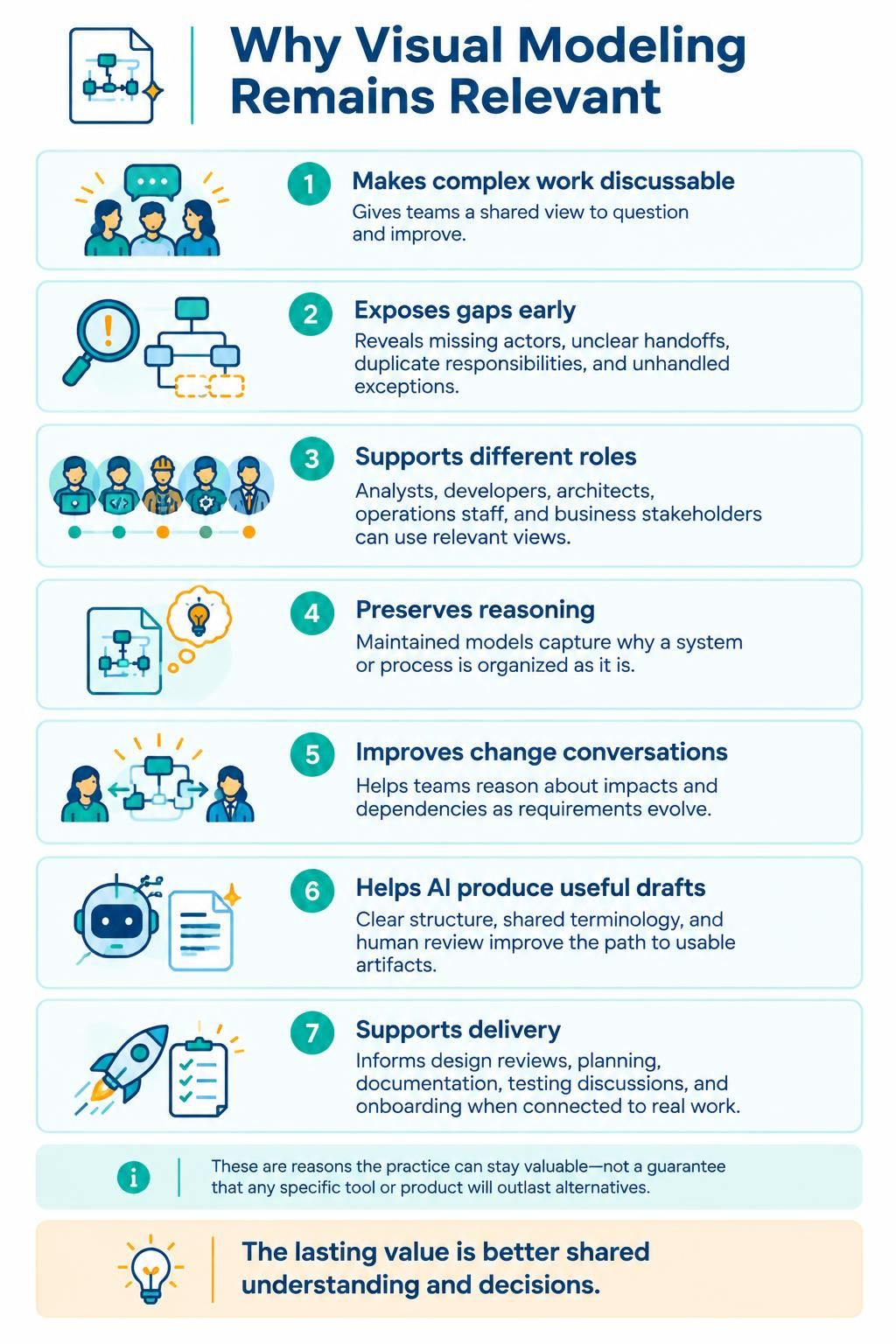
In the era of “No Code” tools and rapid prototyping, one might wonder why we still invest time in creating visual models. The answer lies in the fundamental necessity of communication and structural integrity in software engineering. As highlighted in modern architectural discussions, visual modeling is not just about drawing pictures; it is a rigorous discipline that makes complex work discussable, exposes gaps early, and supports diverse roles within a development team.
This tutorial explores the core philosophy behind Visual Paradigm (VP) modeling, specifically focusing on how to leverage its features—ranging from basic diagrams to AI-assisted generation—to build robust system architectures.
1. Making Complex Work Discussable
The primary barrier in software development is often ambiguity. When requirements are buried in text documents, teams may interpret them differently. Visual modeling collapses this ambiguity into a shared view.
In Visual Paradigm, a Context Diagram or System Architecture Diagram acts as the “source of truth.” It provides a concrete artifact that a team can point to and question. Instead of arguing about abstract concepts, stakeholders can point to a box and say, “This actor needs to access this data,” or “This handoff is unclear.”
- Shared Vocabulary: Diagrams force the team to agree on what an “Actor” or a “Process” represents.
- Concrete Feedback: Visuals allow for immediate identification of flow errors that text descriptions often hide.
2. Exposing Gaps Early (The “What If” Scenario)
Visual models are excellent for stress-testing a system before a single line of code is written. By constructing the model, you inevitably reveal missing pieces.
When modeling a workflow, you will naturally encounter these common gaps:
- Missing Actors: Does the system have an admin? A customer? A third-party service?
- Unclear Handoffs: Where does the data transfer from the UI to the Database?
- Duplicate Responsibilities: Are two different processes trying to update the same data?
- Unhandled Exceptions: What happens if the network fails? If the model doesn’t show an error path, the software likely won’t handle it either.
3. Supporting Different Roles
One size does not fit all. A developer needs a different view than a business stakeholder. Visual Paradigm excels at managing Multiple Views of the same system.
- Business Stakeholders: Focus on high-level Use Case Diagrams or Business Process Models (BPMN) to understand the “What” and “Why.”
- Analysts: Dive into Sequence Diagrams to understand the interaction flow between objects.
- Developers: Utilize Class Diagrams and Component Diagrams for the “How.”
- Operations Staff: Review Deployment Diagrams to understand infrastructure requirements.
By maintaining these distinct views, you ensure that every role has a relevant, understandable artifact for their specific concerns.
4. Preserving Reasoning and Rationale
Perhaps the most critical aspect of modeling is the preservation of reasoning. If a system is organized a certain way, it is rarely by accident. It is a decision based on constraints, trade-offs, and business rules.
A maintained model in Visual Paradigm serves as a historical record. It explains why the system is structured the way it is. This prevents the “knowledge silo” problem where only one person understands the logic, protecting the project when team members leave or change roles.
5. Improving Change Conversations
Software is dynamic. Requirements evolve, and systems must grow. When a change is requested, models allow teams to reason about impacts and dependencies instantly.
Using the Impact Analysis features in Visual Paradigm, you can trace how a change in a specific class or process ripples through the entire system. This turns “change conversations” from guesswork into data-driven discussions.
6. The Synergy with AI and “No Code” Tools
You mentioned “No Code” tools like Python scripts, PlantUML, or Mermaid. While these are powerful for generating quick prototypes, they often lack the semantic depth of a full-fledged modeling environment.
Visual Paradigm bridges the gap between raw code generation and high-level design. By using AI Assisted Features, you can generate initial drafts of diagrams from natural language prompts. However, the AI provides the structure; the human provides the review.
Clear structure and agreed-upon terminology are prerequisites for AI to produce useful work. A messy model leads to messy code. A clean model provides a clear path for AI to generate functional artifacts.
7. Supporting Practical Delivery
The ultimate goal of modeling is delivery. Models should not sit in a repository as static documents. They must inform:
- Design Reviews: Validating architecture before implementation.
- Planning: Estimating effort based on component complexity.
- Documentation: Generating auto-updating documentation from the model.
- Testing: Deriving test cases directly from sequence diagrams.
- Onboarding: Helping new hires understand the system architecture quickly.
The lasting value comes from using models to improve shared understanding and decisions. Whether you are using a visual tool like Visual Paradigm or a text-based tool like Mermaid, the discipline of visual modeling remains the cornerstone of effective system architecture.