


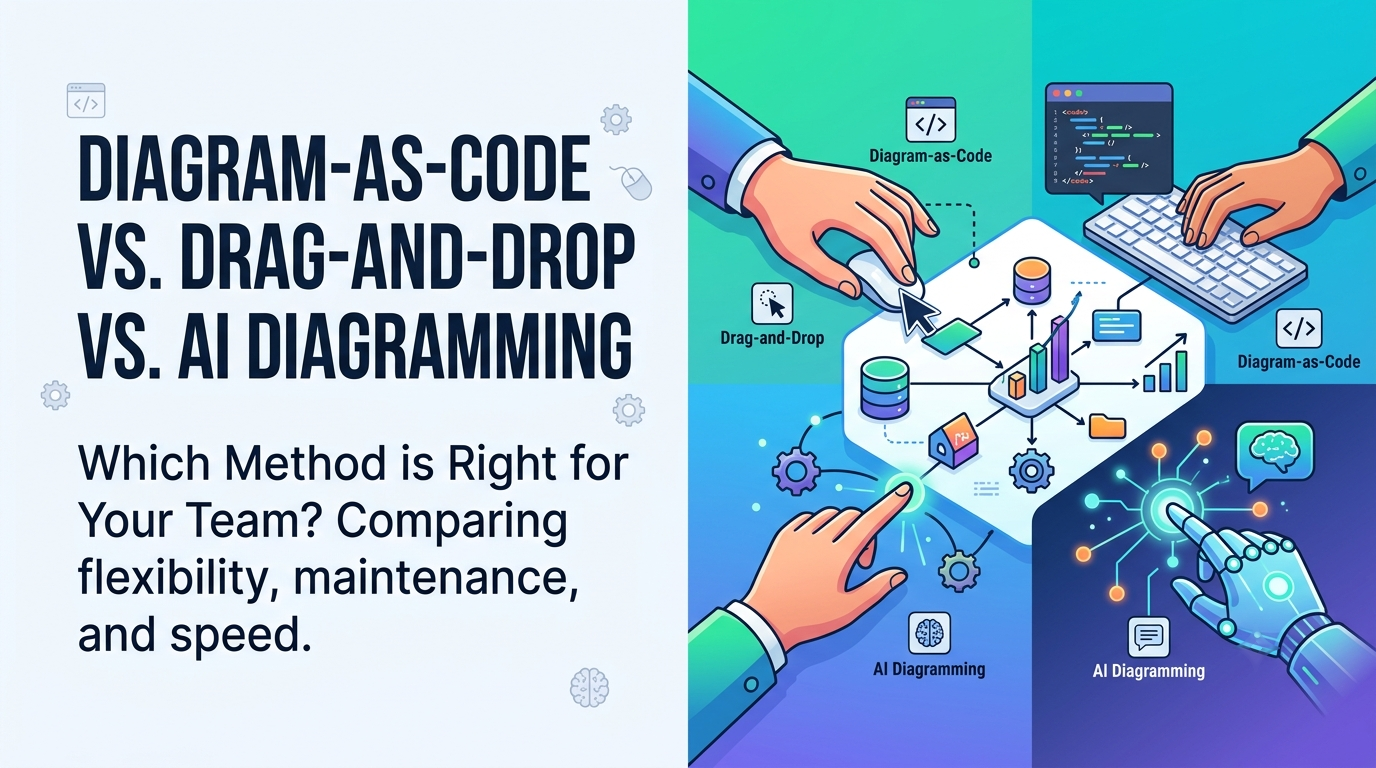
Visualizing software architecture, cloud infrastructures, and system workflows is a core responsibility for modern engineering teams. However, the way developers create and maintain these visual models has shifted significantly over time.
Today, software architects and development leads generally choose between three primary methodologies: traditional Drag-and-Drop canvas editors, text-driven Diagram-as-Code tools, and emerging AI-powered diagramming platforms. In this article, we compare these three approaches across flexibility, maintenance overhead, team collaboration, and speed to help you choose the best approach for your organization.
1. Traditional Drag-and-Drop Canvas Tools
Drag-and-Drop tools (such as Lucidchart, Visio, or Draw.io) operate on a visual canvas mechanic. Users manually select shapes from a sidebar stencil library, drop them onto the screen, and connect them using visual connector arrows.
Pros
- High Visual Customization: Complete manual control over shape positioning, font styling, color fills, and arrow routing.
- Zero Syntax Learning Curve: Non-technical business analysts and stakeholders can immediately start drawing without needing to learn markup languages.
- Free-Form Whiteboarding: Great for unstructured brainstorming sessions where strict notation rules are not required.
Cons
- High Maintenance Overhead: Updating an existing architecture map requires manually repositioning shapes and re-aligning connector lines.
- No Version Control: Storing binary or canvas files in Git repositories makes side-by-side code diffs and pull request reviews virtually impossible.
- Risk of Non-Standard Notation: Without built-in syntax checks, users can easily draw invalid UML relationships or non-standard symbols.
2. Diagram-as-Code (Markup Syntax)
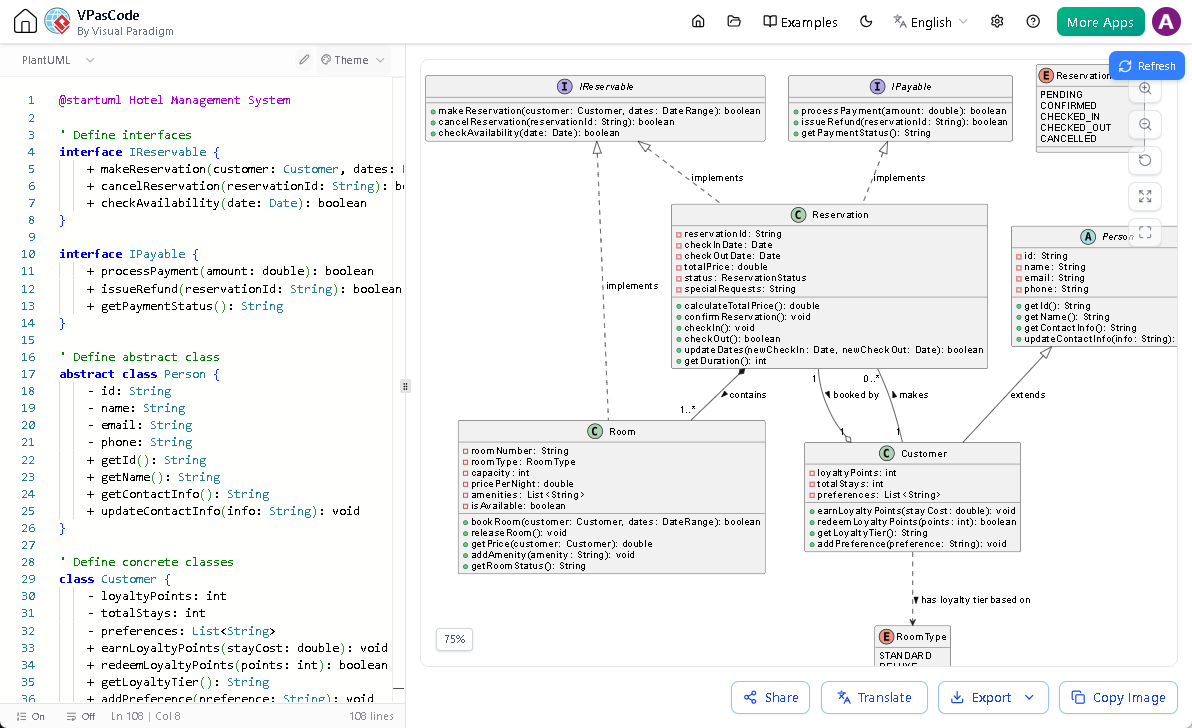
Diagram-as-Code frameworks (such as PlantUML, Mermaid.js, or Graphviz) allow developers to write text-based markup scripts that automatically render into visual diagrams. The script lives alongside application code inside Git repositories.
Pros
- Automated Layout Alignment: Rendering engines automatically calculate shape positioning and line routing, eliminating manual alignment effort.
- Ideal for Developer Workflows: Software engineers can stay in their favorite IDEs (like VS Code or JetBrains) without switching contexts to a drawing canvas.
Cons
- Syntax Learning Curve: Teams must learn specialized syntax rules for different diagram types.
- Unfriendly to Non-Developers: Product owners, business analysts, and executives rarely feel comfortable editing raw markup code.
- Limited Styling Control: Fine-tuning exact shape positions or custom layouts can be difficult due to automated layout algorithms.
3. Conversational AI Diagramming
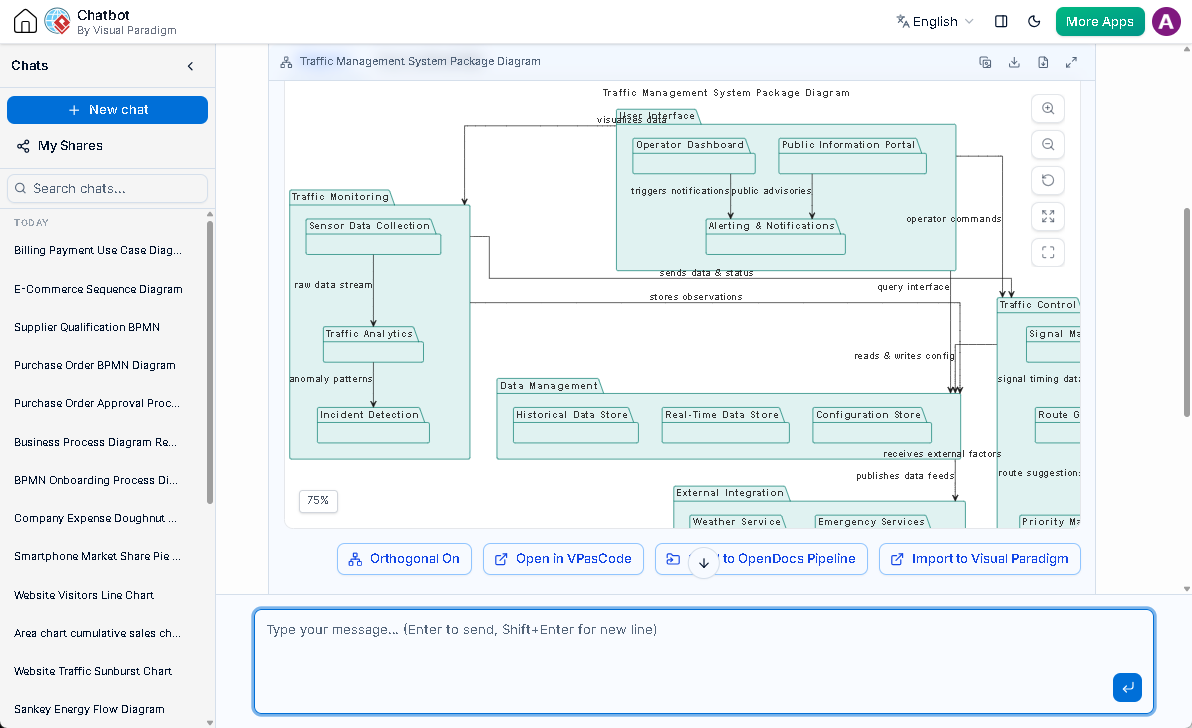
AI diagramming represents the latest evolution in software modeling. By leveraging generative AI models and natural language processing, AI diagramming tools combine the conversational accessibility of whiteboards with the structural automation of code generators.
Pros
- Unmatched Speed: Generate complex class, sequence, or activity diagrams in seconds using natural language prompts (e.g., “Create an activity diagram for an OAuth2 user registration flow”).
- Accessible to All Stakeholders: Bridge the gap between non-technical business managers and developers through plain-English conversations.
- Iterative Problem Solving: Ask follow-up questions to add edge cases, derive structural models from behavioral flows, or request alternative architectural patterns.
Cons
- Requires Human Validation: AI outputs must be reviewed to ensure exact alignment with specialized business domain rules.
- Varying Quality in Free AI Models: Basic LLMs may struggle with highly intricate, multi-layered enterprise architecture rules without specialized modeling engines behind them.
Side-by-Side Comparison Matrix
| Evaluation Criteria | Drag-and-Drop Canvas | Diagram-as-Code | AI Diagramming |
|---|---|---|---|
| Creation Speed | Slow (Manual drawing) | Moderate (Manual coding) | Fast (Natural language prompt) |
| Maintenance Effort | High (Manual alignment) | Low (Text update) | Very Low (Conversational update) |
| Ease of Use (Non-Devs) | Very High | Low | Very High |
| Git & CI/CD Integration | Poor | Excellent | Good (When backed by code formats) |
| UML Standard Enforcement | Manual / Variable | Strict (Engine enforced) | Automated (AI & Engine enforced) |
Which Approach Should You Choose?
For most engineering organizations, choosing a single isolated approach creates unnecessary tradeoffs. Developers prefer writing code, product managers prefer plain language conversations, and enterprise architects require strict visual modeling standards.
The ideal solution is a hybrid platform that unifies all three paradigms. For teams that want the speed of code editing alongside visual flexibility, using a hybrid AI UML diagramming platform allows you to edit visual models using code syntax (VPasCode), interactive canvas controls, or natural language prompts interchangeably.
Conclusion
Whether you choose Drag-and-Drop for quick brainstorming, Diagram-as-Code for repository documentation, or AI Diagramming for rapid requirement modeling, understanding your team’s workflow needs is essential. Adopting an integrated platform that combines all three approaches ensures every team member can contribute effectively.