Introduction
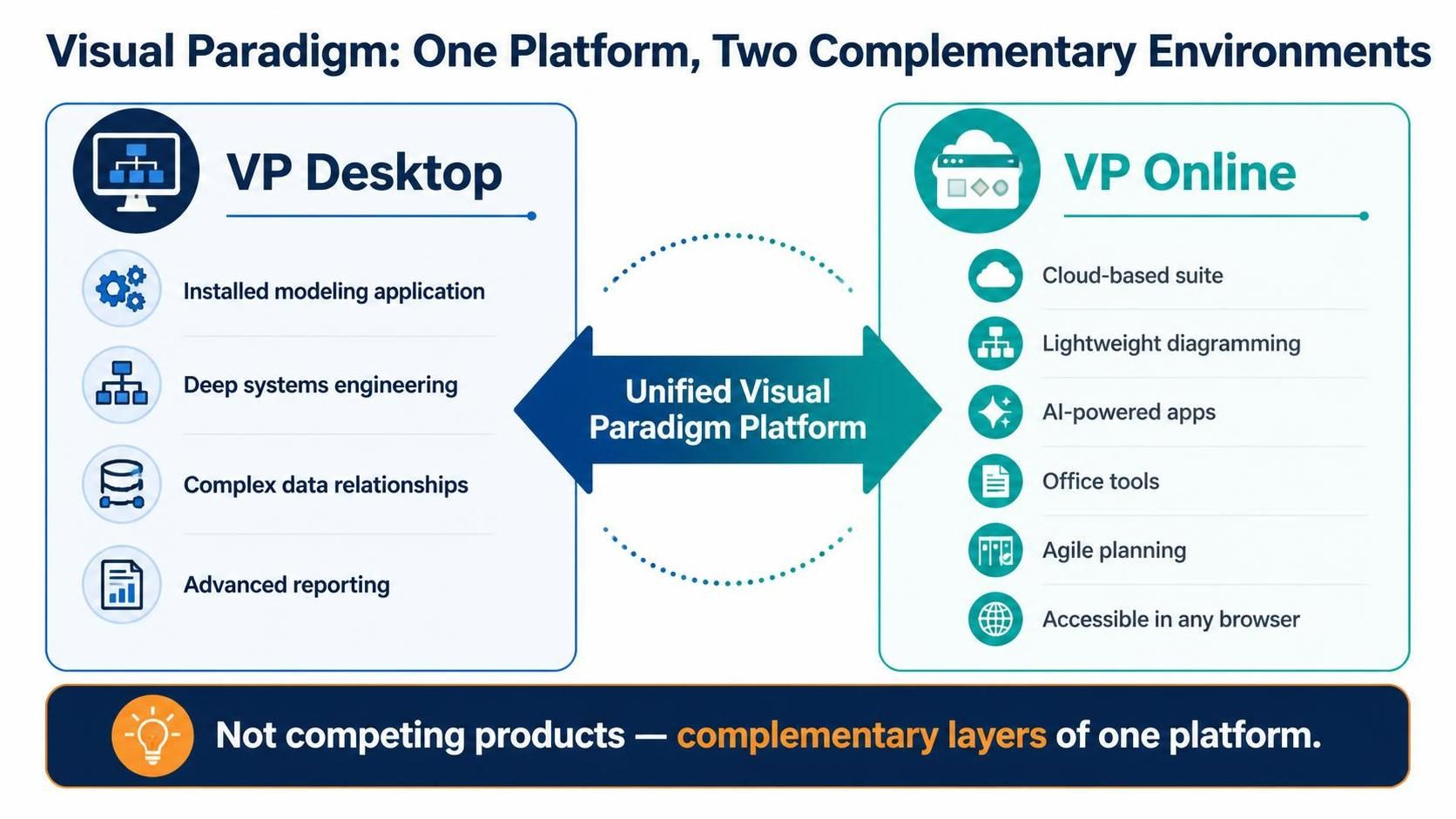
Visual Paradigm offers two distinct yet interconnected environments: Visual Paradigm Desktop (VP Desktop) and Visual Paradigm Online (VP Online). The most critical insight for any prospective user is that these are not competing products but complementary layers of a unified platform. VP Desktop is a robust, installed modeling application built for deep systems engineering, complex data relationships, and advanced reporting. VP Online is a cloud-based suite of lightweight diagramming, AI-powered apps, office tools, and agile planning utilities accessible via any browser .
Usage Cases
When Visual Paradigm Desktop Is the Right Choice
VP Desktop is designed for serious, comprehensive systems and software engineering. It excels in scenarios where diagrams must carry deep semantic meaning, maintain complex inter-relationships across sub-diagrams, and support formal model transformation or code generation .
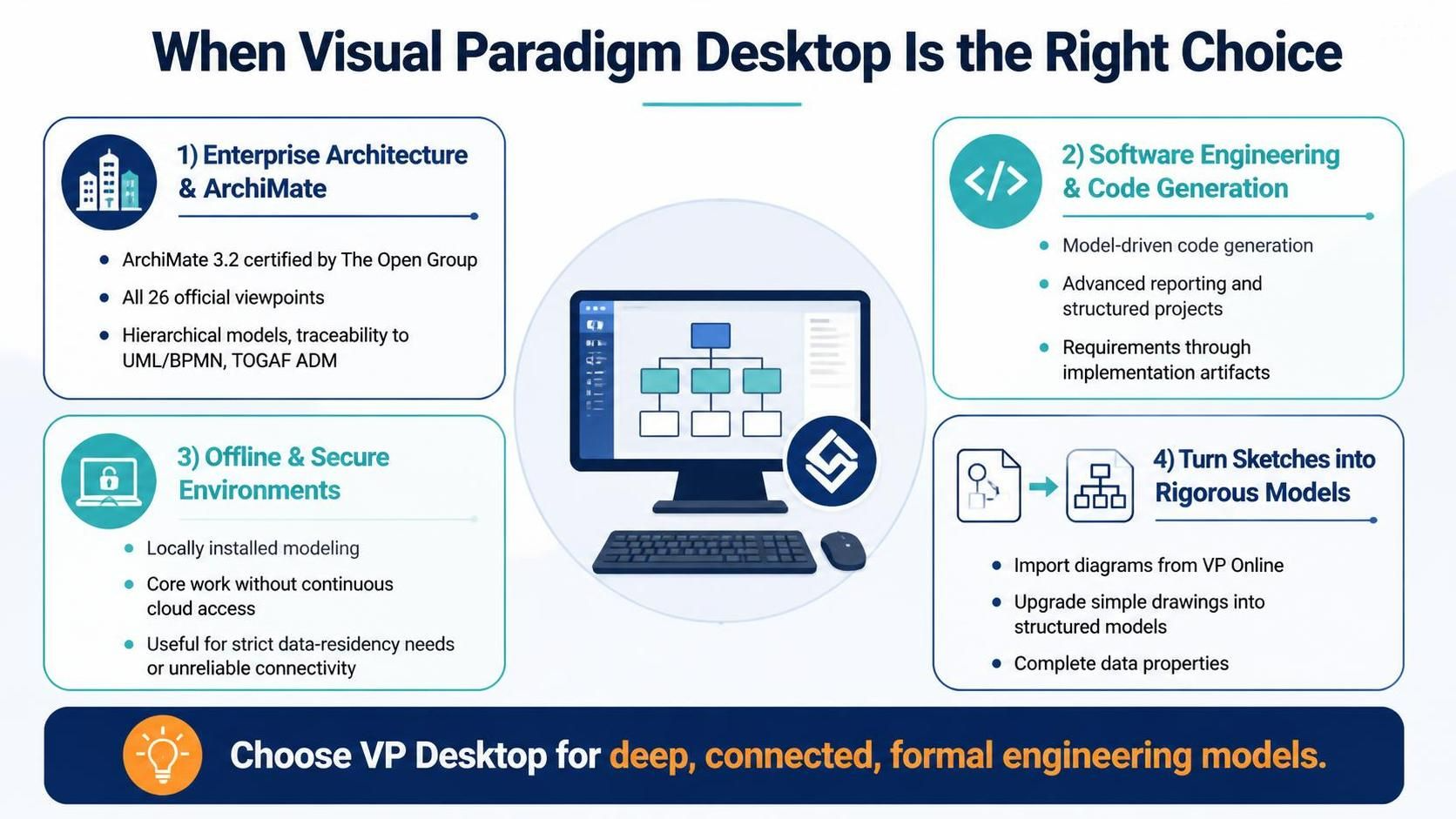
- Enterprise Architecture and ArchiMate Modeling: VP Desktop is officially certified by The Open Group for ArchiMate 3.2, providing complete support for all layers of the specification and all 26 official viewpoints. It offers hierarchical modeling, traceability to UML or BPMN, and integration with the TOGAF ADM process, alongside enterprise-level security and offline access—making it the preferred choice for teams managing large-scale architecture repositories .
- Software Engineering with Code Generation: Development teams that require model-driven code generation, sophisticated reporting, and structured project organization will find VP Desktop indispensable. The Desktop environment supports the full lifecycle from requirements modeling through to implementation artifacts .
- Offline and Secure Environments: Organizations with strict data residency requirements or unreliable connectivity benefit from Desktop’s local installation, which does not depend on continuous cloud access for core modeling work .
- Converting Casual Sketches into Rigorous Models: Teams that begin with quick diagrams online can import those web diagrams into VP Desktop to transition simple drawings into fully featured, structured models with complete data properties .
When Visual Paradigm Online Is the Right Choice
VP Online serves users who need rapid visualization, cross-platform accessibility, and AI-assisted productivity without the overhead of a desktop installation. It is particularly strong for casual or semi-formal diagramming that does not require deep modeling semantics .
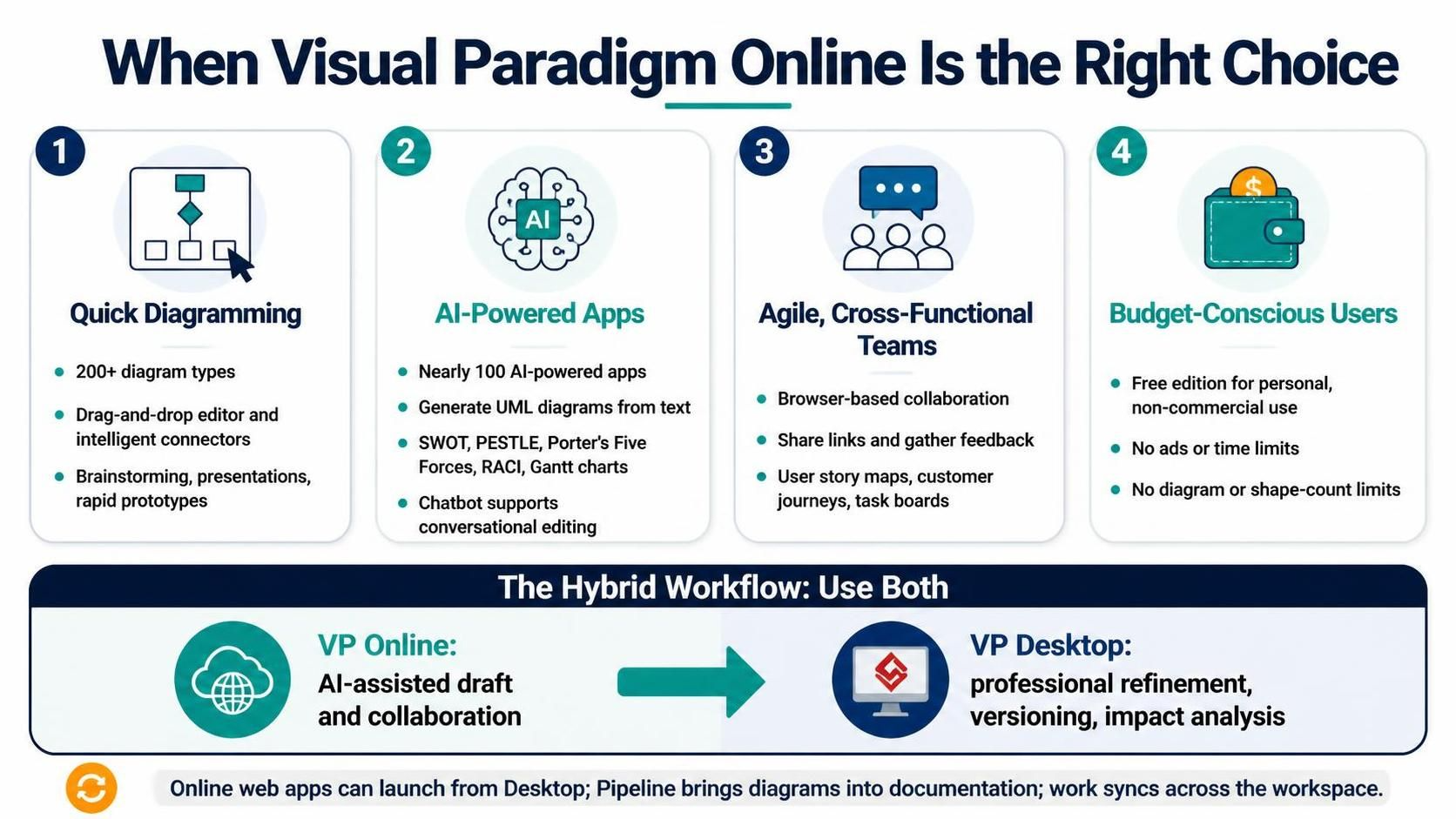
Quick Diagramming and Visual Communication: With support for over 200 diagram types through its Web Diagram editor, VP Online is ideal for brainstorming, stakeholder presentations, and rapid prototyping. The drag-and-drop interface and intelligent connectors make it accessible to non-technical users who need to communicate ideas visually .
AI-Powered Analysis and Generation: VP Online hosts a growing collection of nearly 100 AI-powered apps spanning software development (e.g., AI-assisted UML class diagram generation), strategic analysis (SWOT, PESTLE, Porter’s Five Forces), project management (RACI matrices, Gantt charts), and general productivity (mind mapping, customer journey mapping). The AI Chatbot can transform plain-text requirements into complex diagrams and supports conversational editing .
Agile and Cross-Functional Teams: Product managers, business analysts, and designers who need to collaborate on user story maps, customer journeys, or task boards can work entirely within the browser, sharing links and receiving feedback without installing software .
Budget-Conscious Individuals and Small Teams: VP Online offers a genuinely free edition with no advertisements, no time limits, and no restrictions on the number of diagrams or shapes for personal and non-commercial use. This makes it an attractive entry point for students, hobbyists, and early-stage teams .
The Hybrid Workflow (Both Environments): The most powerful configuration for professional teams combines both. A common pattern is to use VP Online’s AI Chatbot for rapid initial drafts, then export those models directly to VP Desktop for professional refinement, versioning, and advanced impact analysis . Desktop users can also launch Online’s web apps from within the Desktop interface, use the Pipeline to drag live diagrams into documentation pages, and maintain a unified workspace where work created on either platform is automatically synchronized .
A Note on Licensing and Access
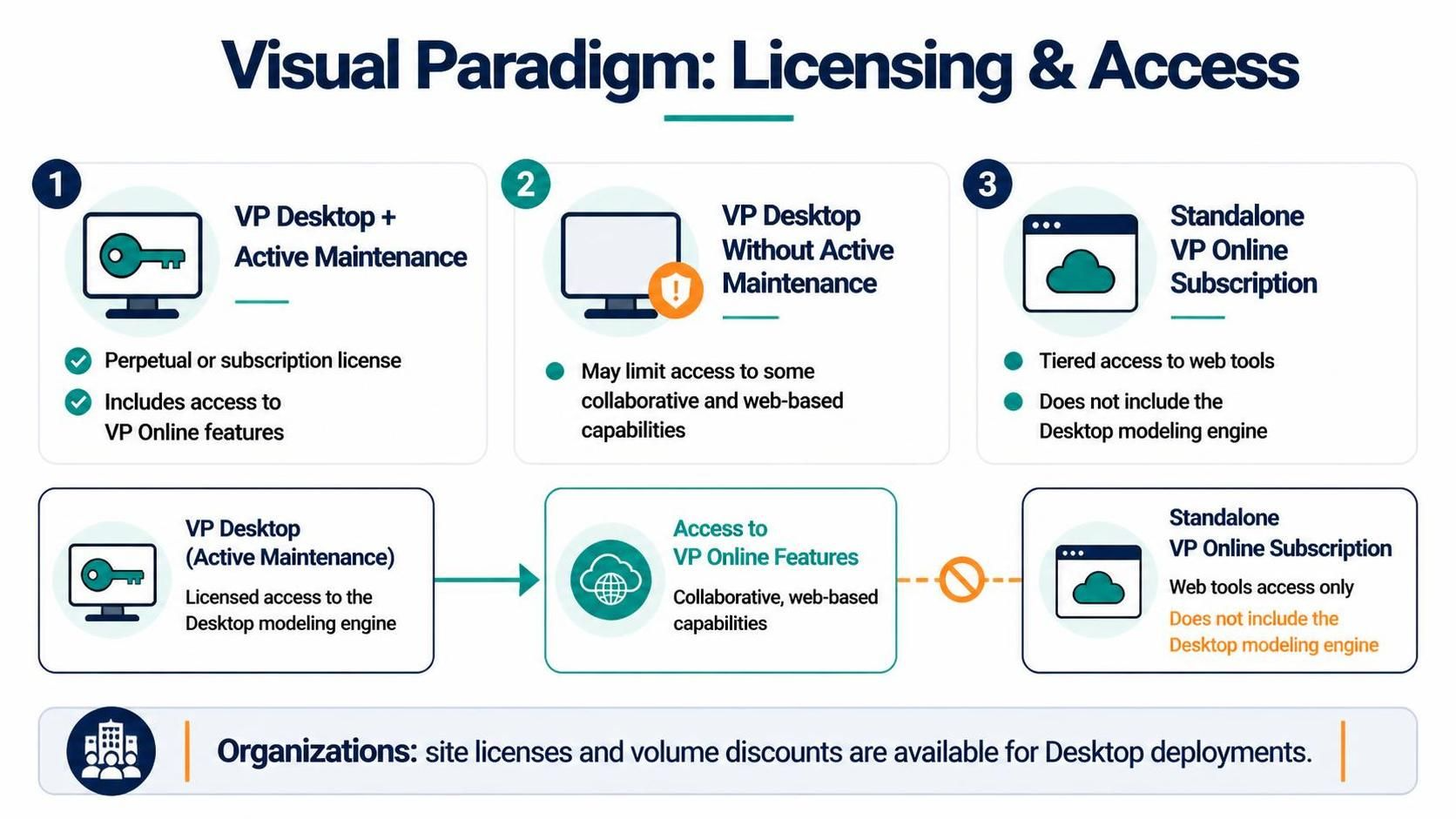
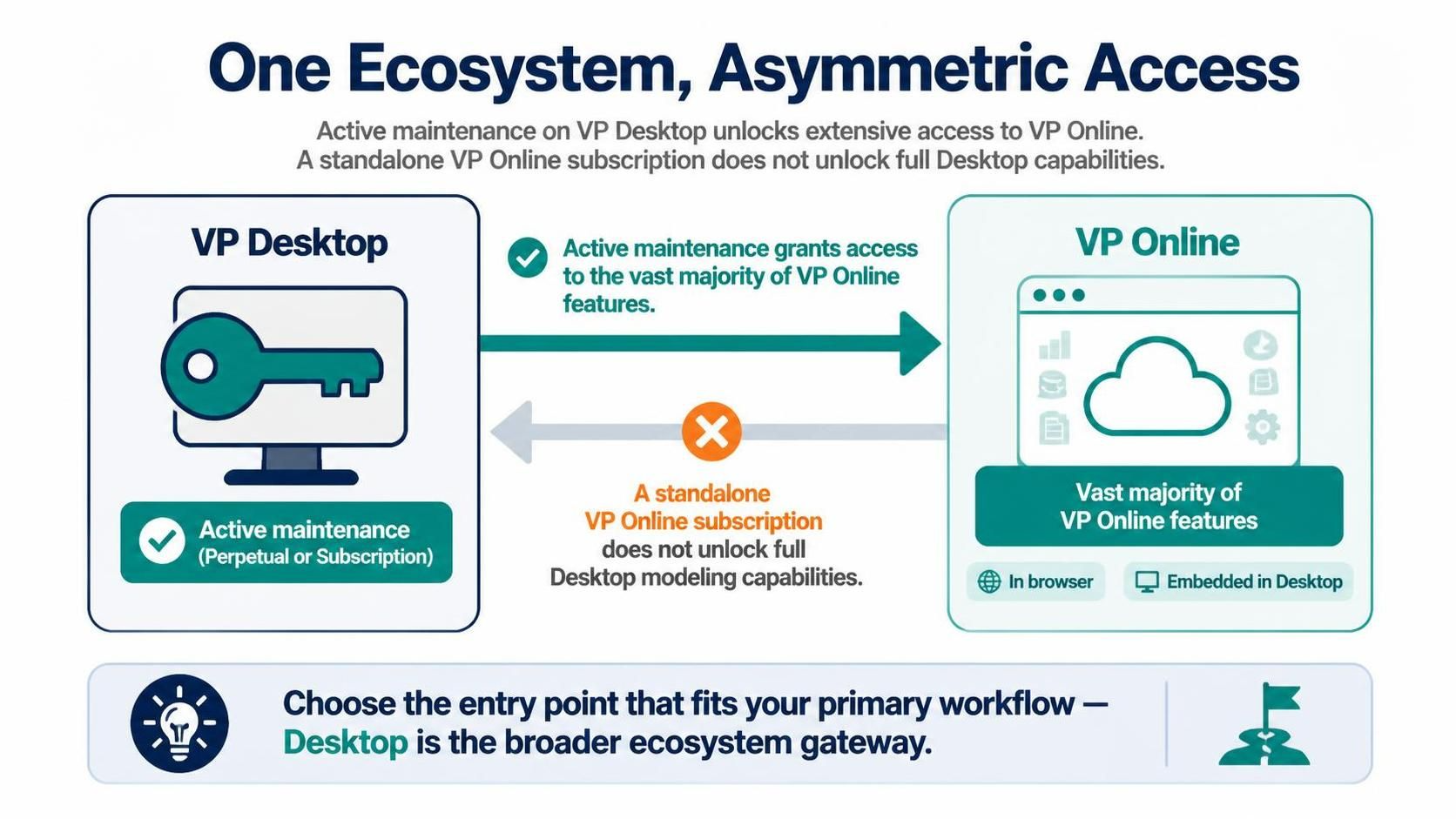
A VP Desktop perpetual or subscription license with active maintenance includes access to VP Online features. Purchasing Desktop alone without maintenance may limit access to certain collaborative and web-based capabilities . Standalone VP Online subscriptions offer tiered access to the web tools but do not provide the Desktop modeling engine. For organizations, site licenses and volume discounts are available for Desktop deployments .
Conclusion
The relationship between the two is deliberately asymmetric. A VP Desktop license with active maintenance automatically grants access to the vast majority of VP Online features, both through a web browser and embedded directly within the Desktop application. The reverse is not true: a standalone VP Online subscription does not unlock the full depth of Desktop modeling capabilities . For most professional users, the decision is therefore not “either/or” but rather understanding which entry point aligns with their primary workflow, while recognizing that the Desktop license serves as the master key to the broader ecosystem.