
Introduction
In the modern software development lifecycle, documentation often suffers from fragmentation. Teams juggle separate tools for text editing, diagramming, code repositories, and project management, leading to outdated information and siloed knowledge. Visual Paradigm OpenDocs emerges as a solution to this challenge, offering a web-based, AI-powered knowledge base that seamlessly integrates rich-text writing with visual diagramming.
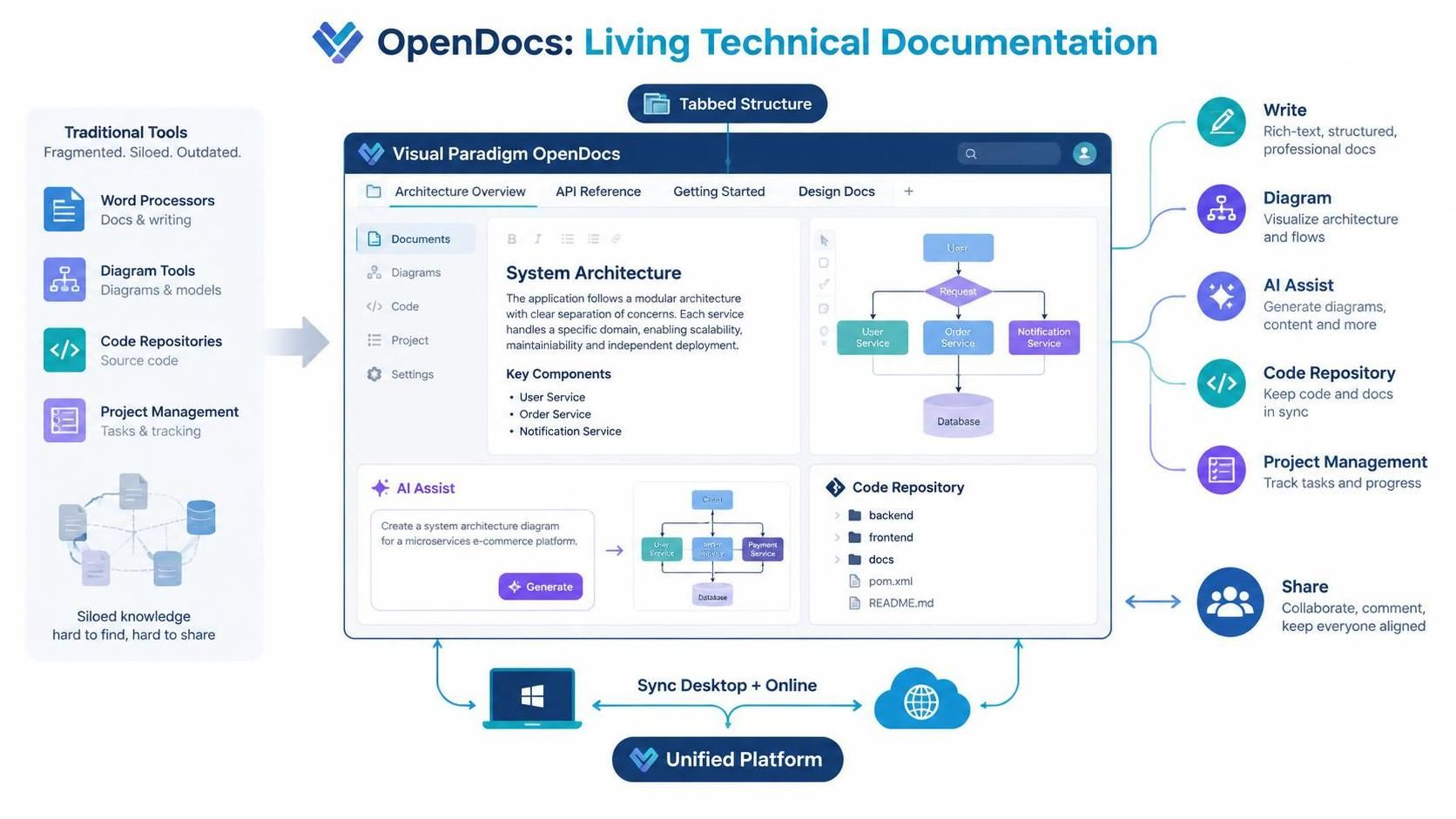
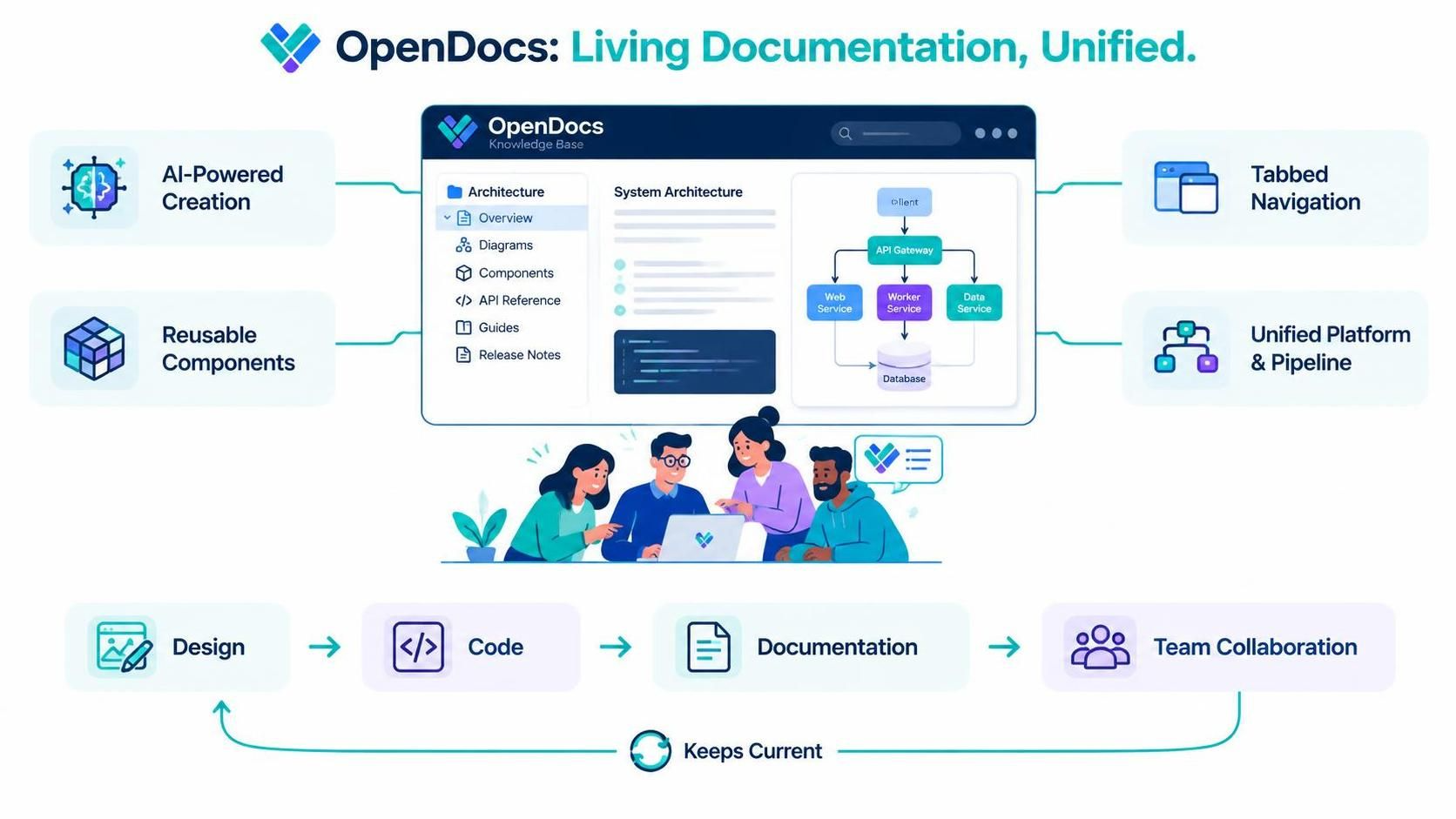
As part of the broader Visual Paradigm ecosystem, OpenDocs is not just a standalone editor; it is a centralized workspace designed to create “living” technical documentation. By combining dual text editors, AI-assisted diagram generation, and a unified pipeline for syncing assets across desktop and online environments, OpenDocs enables teams to maintain accurate, visually rich, and easily shareable documentation without context switching. This guide explores how to leverage OpenDocs’ core features, its new tabbed structures, and its integration within the Visual Paradigm Unified Platform to streamline your documentation workflow.
Core Features of Visual Paradigm OpenDocs
OpenDocs is built on the premise that documentation should be as dynamic as the software it describes. Its feature set is designed to reduce friction between writing and visualizing.
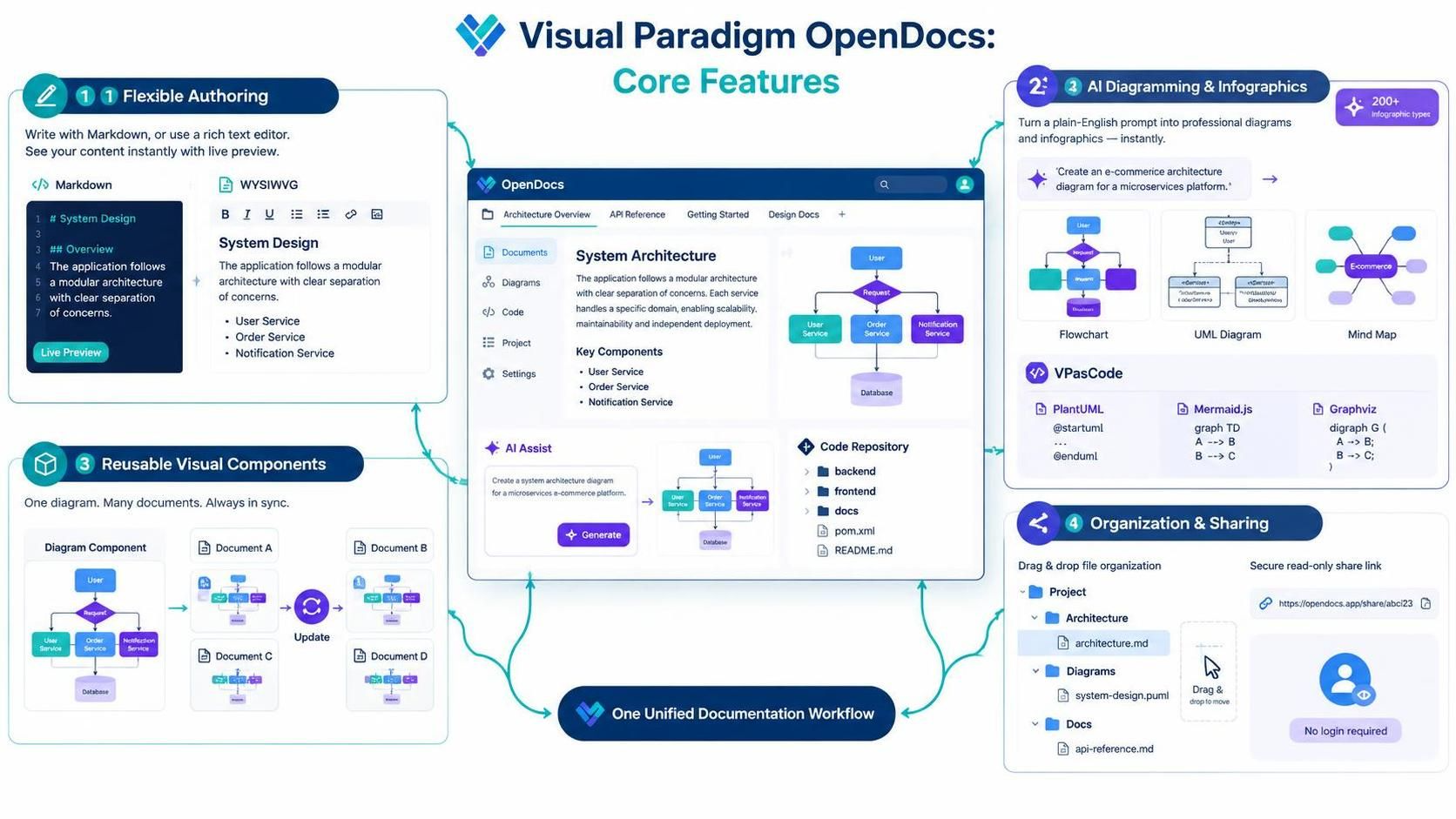
Dual Text Editors for Flexible Authoring
Users can choose between two editing modes depending on their preference:
-
Markdown Editor: Ideal for developers and technical writers who prefer code-like syntax, featuring a split-pane live preview.
-
WYSIWYG Visual Editor: A standard rich-text interface for users who prefer a word-processor-like experience.
AI-Powered Diagramming and Infographics
One of OpenDocs’ standout capabilities is its ability to generate visuals from plain-English prompts. Users can create flowcharts, UML diagrams, and mind maps instantly. Recent updates have expanded this to include over 200 types of AI-generated infographics. Additionally, for those who prefer “architecture as code,” OpenDocs supports VPasCode, allowing the creation and editing of text-based diagrams using PlantUML, Mermaid.js, and Graphviz.
Reusable Visual Components
To maintain consistency, OpenDocs allows users to embed single-page diagrams or create reusable component pages. When a component is updated, the changes reflect across all documents where it is embedded, ensuring that stakeholders always view the most current version of critical assets.
Hierarchical Organization and Sharing
Content is organized in a drag-and-drop file system tree, making navigation intuitive. For distribution, OpenDocs offers one-click sharing via secure, read-only URLs. This allows external stakeholders or team members to access the entire knowledge base without needing to log in, simplifying the review and approval process.
New Capabilities: Tabbed Structures for Enhanced Navigation
To further improve readability and modularity, Visual Paradigm introduced two distinct tabbed structures in late 2026. These features help reduce long-scrolling pages and keep related content organized.
1. Tabbed Folders (Navigation Tree Level)
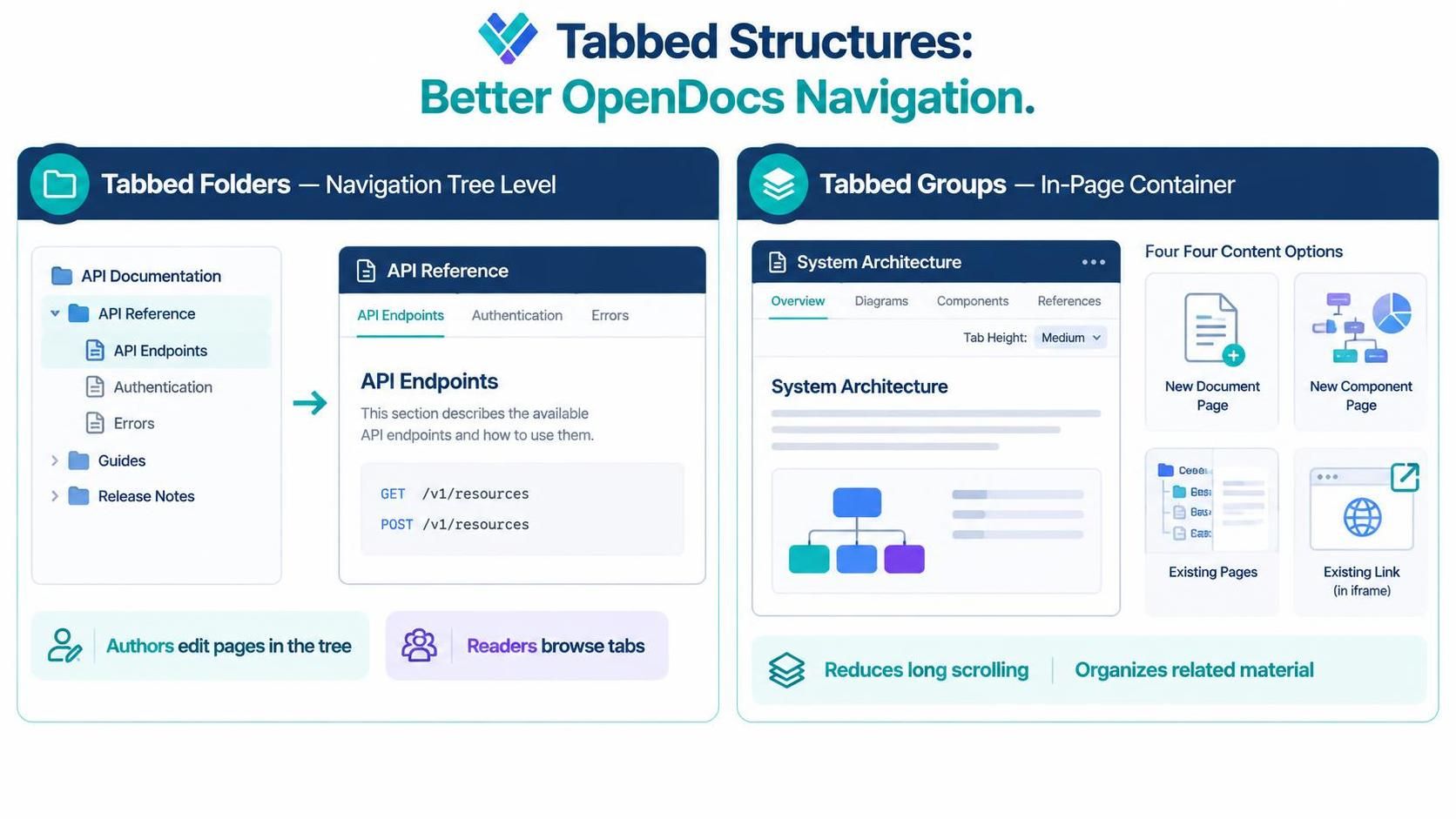
Tabbed Folders transform a standard folder in the sidebar into an interactive tabbed view.
-
Functionality: Each child page within the folder becomes a tab.
-
Workflow: Authors continue to edit individual pages in the tree structure, while readers experience a seamless tabbed interface when browsing the folder. This is ideal for grouping related topics, such as API endpoints or module specifications, under a single parent category.
2. Tabbed Groups (In-Page Container Level)
Tabbed Groups are layout components inserted directly into a page, allowing for multi-content views within a single document.
-
Setup: Users can insert tabs via the toolbar, customize captions, and set specific heights.
-
Content Types: Each tab can host:
-
New Document Page: A fresh page embedded within the tab.
-
New Component Page: A dedicated view for diagrams or charts.
-
Existing Pages: A Table of Contents (TOC) tree on the left with content on the right, combining multiple existing pages.
-
Existing Link: An iframe loading external websites or web tools, enabling integrated references without leaving the documentation environment.
-
Integration Through the Unified Platform and Pipeline
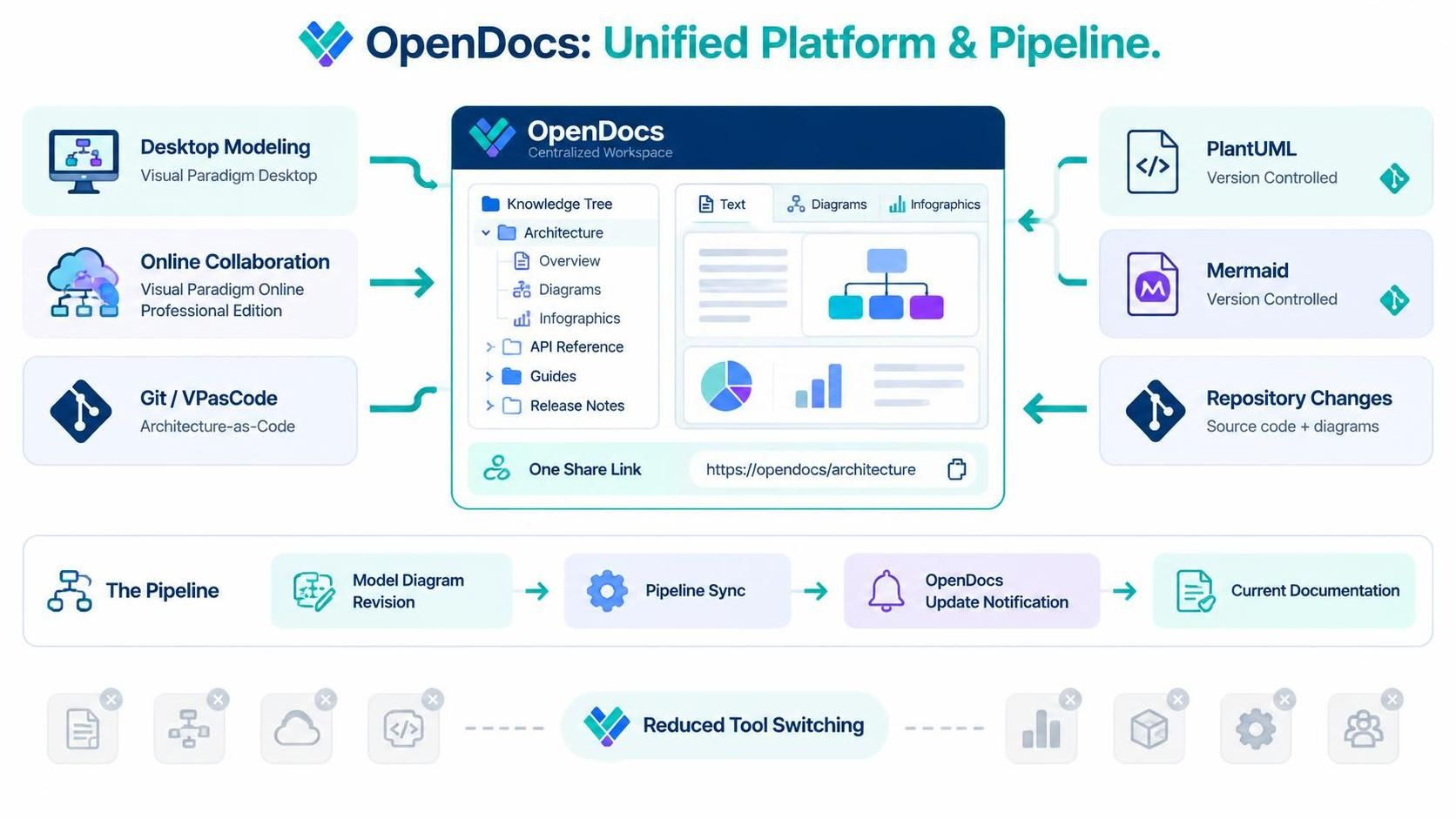
The true power of OpenDocs lies in its integration with the wider Visual Paradigm ecosystem. It is not an isolated tool but part of a unified platform that connects desktop modeling, online collaboration, and automated pipelines.
The Visual Paradigm Pipeline
Teams using Visual Paradigm Desktop or the Professional Edition of Visual Paradigm Online can leverage the Pipeline Sync feature. This allows users to push diagram revisions directly from their modeling tools to OpenDocs. When updates are available, OpenDocs notifies users, ensuring that the documentation always reflects the latest architectural decisions made in the design phase.
Architecture as Code
For teams practicing DevOps and GitOps, the integration of VPasCode means that diagrams can be version-controlled alongside source code. Changes to PlantUML or Mermaid scripts in the repository can be reflected in OpenDocs, creating a self-updating documentation pipeline that bridges the gap between development and documentation.
Centralized Workspace
By keeping text, diagrams, and infographics in one place, OpenDocs eliminates the need to switch between Confluence, Draw.io, and GitHub Wikis. The unified platform ensures that all visual assets are stored centrally, accessible via the same hierarchical tree, and shareable through a single link.
Conclusion
Visual Paradigm OpenDocs represents a significant step forward in technical documentation, merging the clarity of text with the precision of visual diagrams. By leveraging AI-powered generation, reusable components, and new tabbed structures, teams can create modular, easy-to-navigate knowledge bases. Its integration with the Visual Paradigm Unified Platform and Pipeline ensures that documentation remains living and aligned with development workflows. For organizations seeking to reduce tool fragmentation and enhance collaboration, OpenDocs offers a cohesive, efficient, and visually engaging solution.
Recommended Resources
-
Visual Paradigm OpenDocs Overview: Official feature list and introduction to the OpenDocs platform.
-
Building Self-Updating Documentation with AI-Assisted UML: Guide on integrating architecture-as-code practices with OpenDocs.
-
Mastering Visual Paradigm OpenDocs for AI-Powered Documentation: Best practices for organizing and managing your knowledge base.
-
OpenDocs Tabbed Folders and Tabbed Content Release: Details on the new tabbed folder structure for navigation.
-
OpenDocs Tabbed Group Feature Update: Instructions on inserting and configuring in-page tabbed groups.
-
Visual Paradigm AI OpenDocs Tool: Direct access to the OpenDocs workspace for immediate use.