
From Chaos to Clarity: Building UML Models in Visual Paradigm with AI
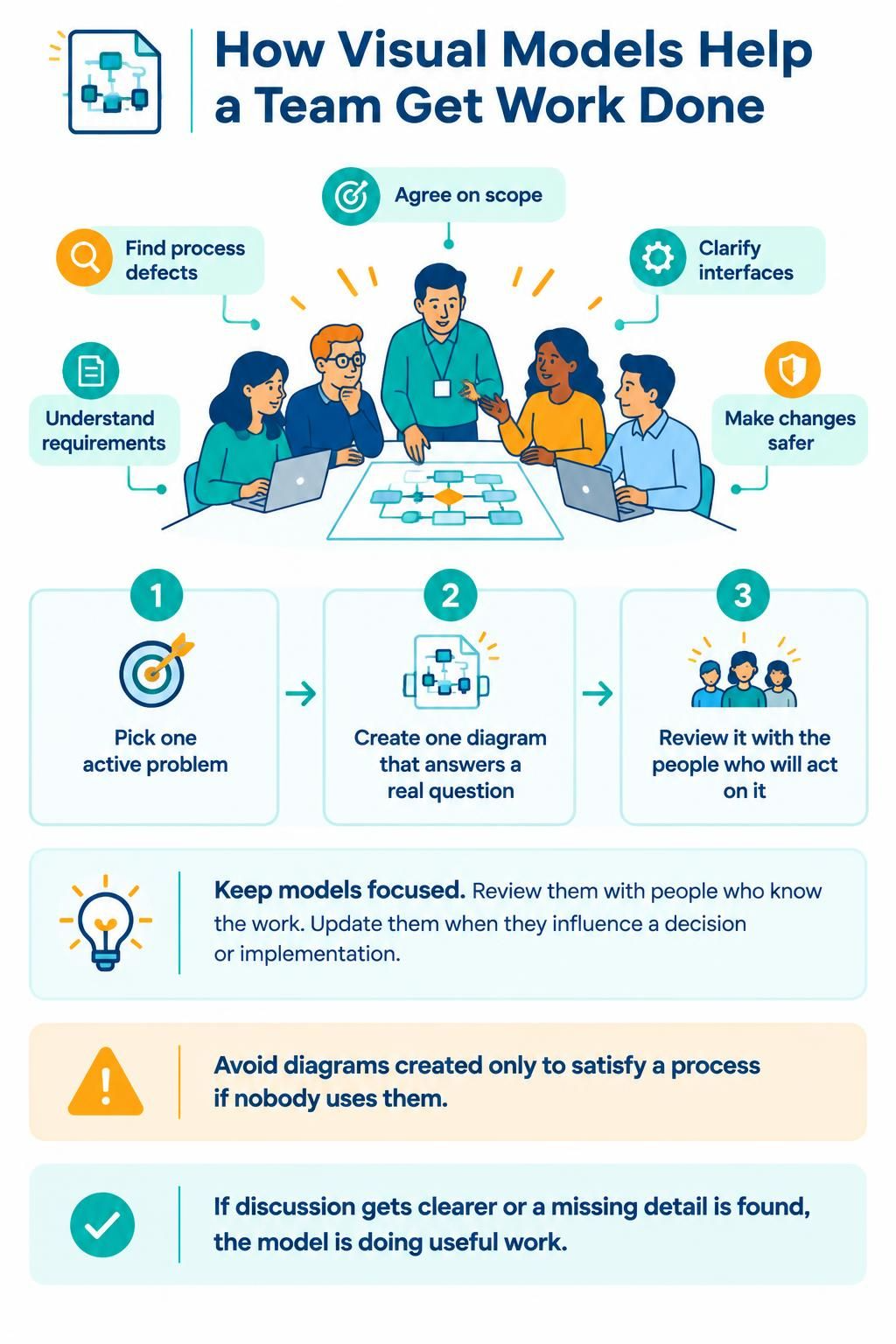
In the world of software architecture and systems engineering, there is a pervasive trap known as “diagram inflation.” This occurs when teams create complex visual models that exist solely to satisfy a bureaucratic process, only to be ignored immediately after the project review. As the provided context suggests, a diagram must earn its place by helping a team achieve a specific goal: agreeing on scope, finding a defect, clarifying an interface, or making a change safer.
This tutorial explores how to shift your mindset from “drawing pictures” to “engineering value.” We will walk through the strategic process of creating high-impact models using Visual Paradigm, focusing on the principles of targeted inquiry and collaborative review.
The Strategic Value of Modeling
Before opening Visual Paradigm, it is crucial to understand the “Why.” The infographic highlights five specific ways a model helps a team get work done. These are not just abstract concepts; they are the measurable outcomes of a successful modeling session.
- Agree on Scope: A model provides a shared visual language. When stakeholders look at a context diagram, they can instantly see what is included in the system and what is outside the boundary.
- Find Process Defects: Visualizing a workflow often reveals bottlenecks, missing feedback loops, or circular dependencies that text descriptions hide.
- Clarify Interfaces: By explicitly drawing the connections between actors and the system, you force a discussion on data formats, protocols, and expected behaviors.
- Understand Requirements: Models act as an executable specification. If a requirement cannot be mapped to a component in your diagram, it is likely incomplete.
- Make Changes Safer: Before implementing a major refactor, a model allows you to simulate the impact of the change on the architecture.
The Three-Step Workflow for High-Impact Models
The infographic outlines a specific, three-step workflow. This is not a linear checklist but a cyclical process of inquiry and validation.
Step 1: Pick One Active Problem
Do not attempt to model the entire system at once. This is the root cause of the “diagram inflation” mentioned earlier. Instead, identify a single, active problem. Is the team arguing about who owns the authentication service? Is the data flow between the legacy database and the new API unclear?
Visual Paradigm Tip: Use the Visual Paradigm AI Assistant to help scope your model. You can prompt the AI with a specific scenario, such as: “I am struggling to understand the data flow for user login. Can you suggest a starting point for a Data Flow Diagram?” This ensures you are starting with a focused problem rather than a blank canvas.
Step 2: Create One Diagram That Answers a Real Question
Once the problem is defined, create a model that answers it. Keep the model simple. If you are clarifying an interface, a Sequence Diagram is often superior to a Class Diagram because it shows the dynamic interaction over time.
If you are using Visual Paradigm’s code generation features (VPasCode), you can generate a skeleton diagram based on your initial requirements. However, the value comes from the refinement. Does the diagram show the exact question you asked in Step 1?
Step 3: Review with the People Who Will Act on It
This is the most critical step. A diagram is a tool for communication, not a document for storage. You must review the model with the developers, testers, or business analysts who will be acting on it. If they nod along but don’t change their behavior, the model has failed.
How to Validate: The infographic states: “If the discussion becomes clearer or a missing detail is uncovered, the model is doing useful work.” If your review session reveals a missing requirement or a hidden defect, the model has succeeded.
Keeping Models Focused and Alive
Contextual modeling requires discipline. The text advises to “Keep each model focused.” This means avoiding the temptation to add decorative elements or unnecessary details that do not serve the immediate purpose of the diagram.
Furthermore, models must be updated. An outdated diagram is worse than no diagram at all because it creates a false sense of security. You should update your model whenever it influences a decision or implementation. If the code changes, the model must change.
Conclusion
By following the three-step workflow—picking one active problem, creating a focused diagram, and reviewing it with the team—you transform modeling from a bureaucratic chore into a powerful engineering tool. The goal is not to produce a pretty picture, but to facilitate a discussion that uncovers missing details and clarifies the path forward.