


Introduction
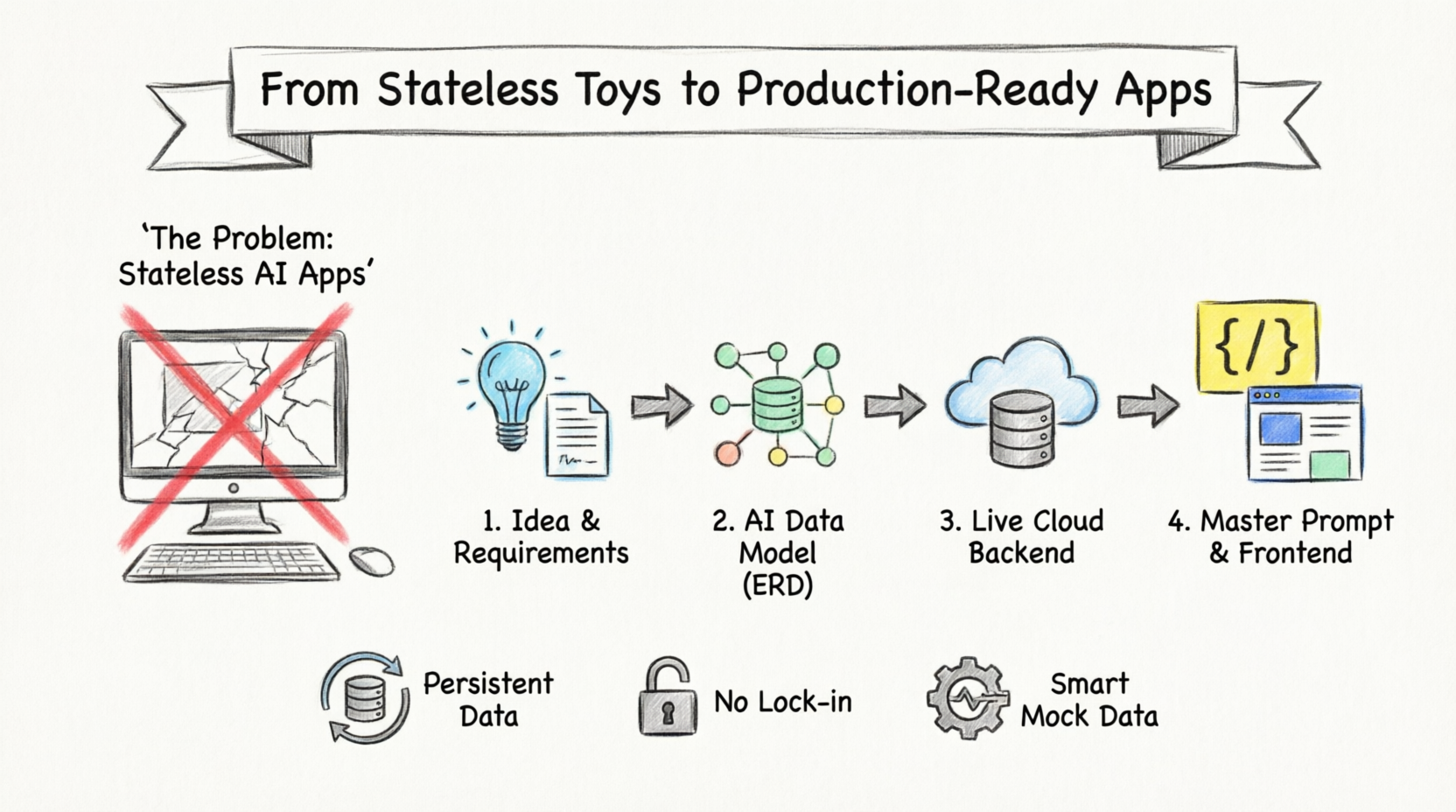
As an experienced software engineer, I’ve spent the last year experimenting with nearly every AI code generator on the market. We have all seen the flashy demos: type a single prompt, and within seconds, a beautiful, fully-functional React dashboard appears on your screen. It feels like magic. But there is a massive catch that these marketing demos conveniently gloss over. The moment you refresh the browser page, your data vanishes. You are left with a fragile, stateless toy app held together by digital duct tape, completely unusable for any real-world scenario.
Recently, I took Visual Paradigm App Studio for a spin to see if its promised “data-first” approach actually solves the backend nightmare that plagues AI-generated applications. Instead of just generating raw code blindly, App Studio claims to act as an intelligent data architect. After putting it through its paces, here is my comprehensive review, hands-on experience, and feedback on whether this tool can truly help you launch production-ready applications.
The AI App Development Paradox: Why Most AI Apps Fail
Before diving into the solution, we need to address the core problems with current AI app builders. When you rely solely on an LLM to generate a full-stack application from a single text prompt, you inevitably run into three critical failures:
-
It’s Completely Stateless: There is no actual database connected to your generated code. Refresh the browser tab, and all your user data, state changes, and progress vanish permanently.
-
Frequent AI Hallucinations: The AI builder is forced to guess your data structures while simultaneously writing your front-end code. This creates mismatched entity logic, broken relational links, and completely non-functional API endpoints.
-
Backend Setup Nightmares: Even if the AI generates the code perfectly, you are left wasting hours manually provisioning servers, configuring secure connection strings, and trying to wire up live databases to the generated front-end code.
Enter App Studio: The Intelligent Data Architect
Visual Paradigm App Studio flips the traditional AI generation formula on its head. Instead of trying to lock you into a rigid, proprietary low-code interface builder, it adopts a strict, data-driven approach to application building.
The core philosophy is simple: secure and structure the backend database first. By doing this, your favorite external AI code environment receives an absolute source of truth. There are no guessing games and no broken connections. App Studio masterfully orchestrates your database architecture and hands you the perfect code blueprint.
How It Works: A 4-Step Walkthrough
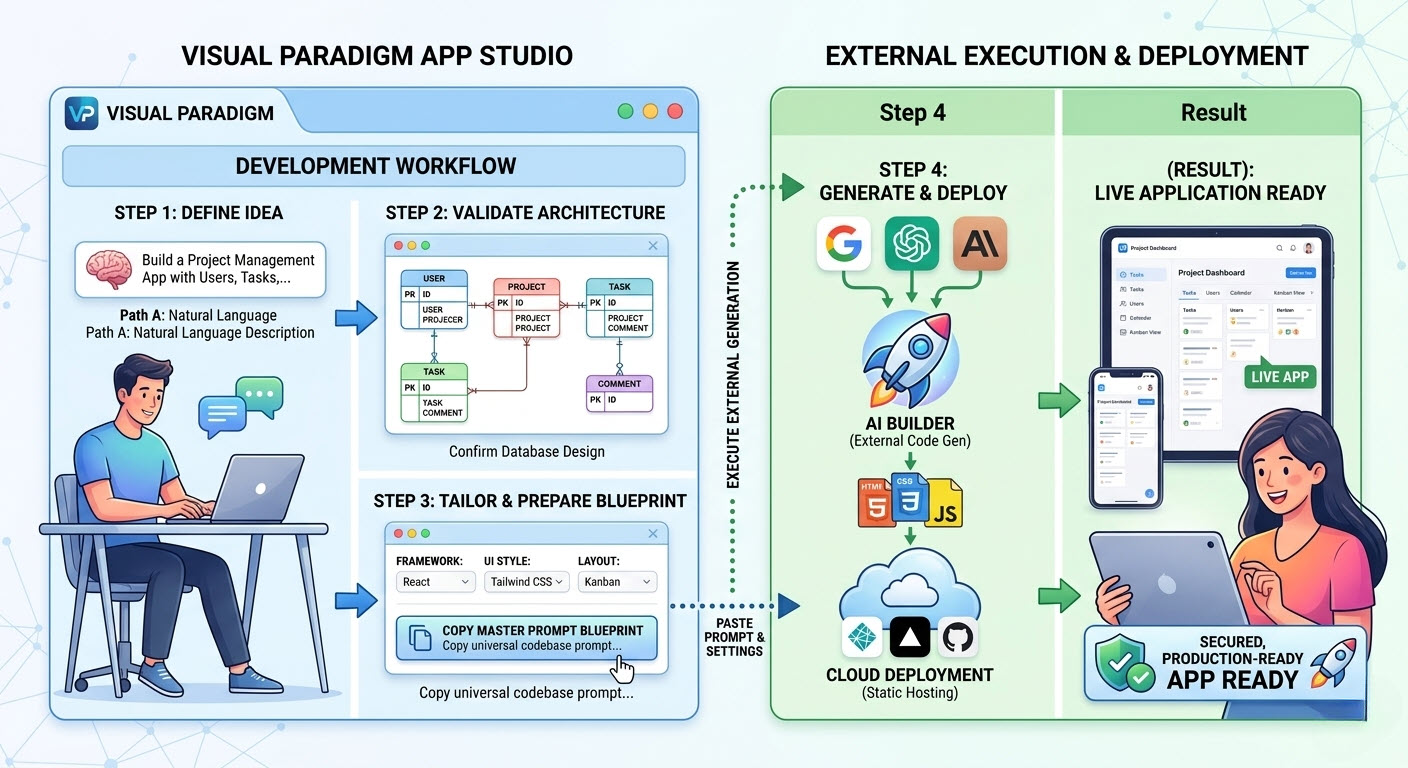
During my testing, I found the application development cycle to be highly streamlined. The workflow is broken down into four automated steps that take you from a raw idea to a deployed backend.
Step 1: Ingest Requirements or Data Designs
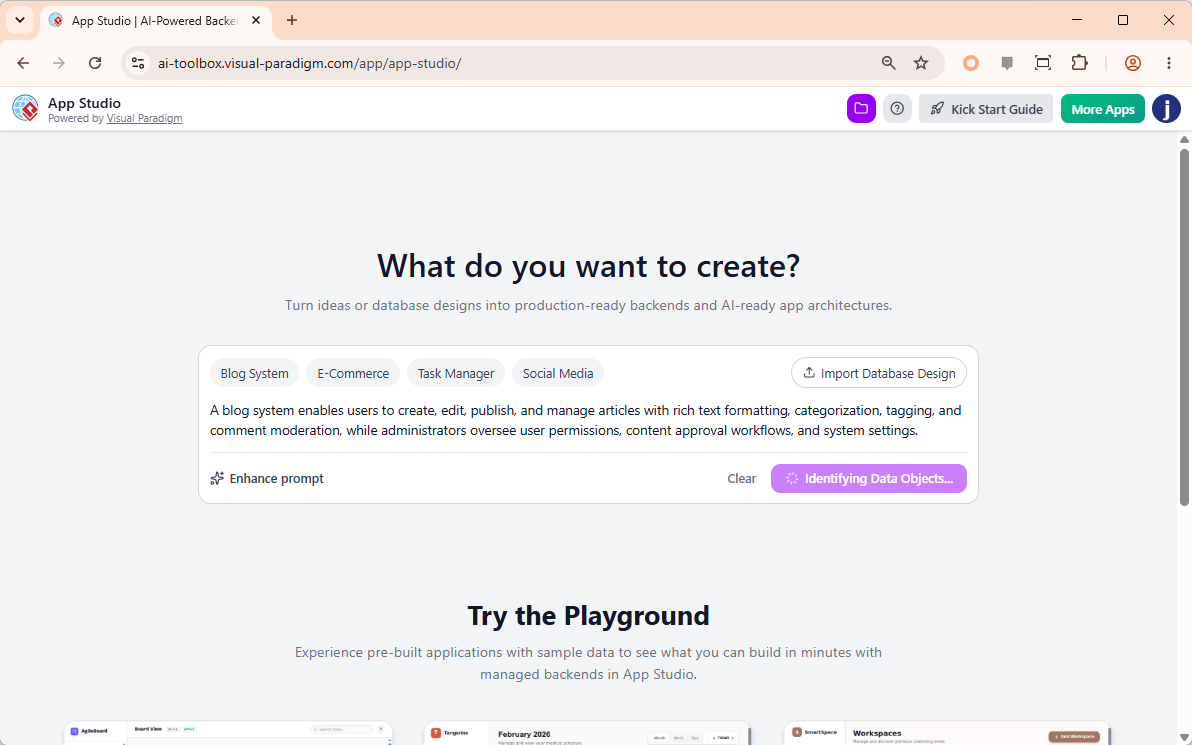
You can start with a natural language text description of your app idea and let the AI enhance it into a comprehensive specification. If you already have a structural map, you can bypass the text and paste your PlantUML Entity Relationship Diagram (ERD) code directly to start with a predefined database design.
Step 2: AI-Powered ERD Optimization
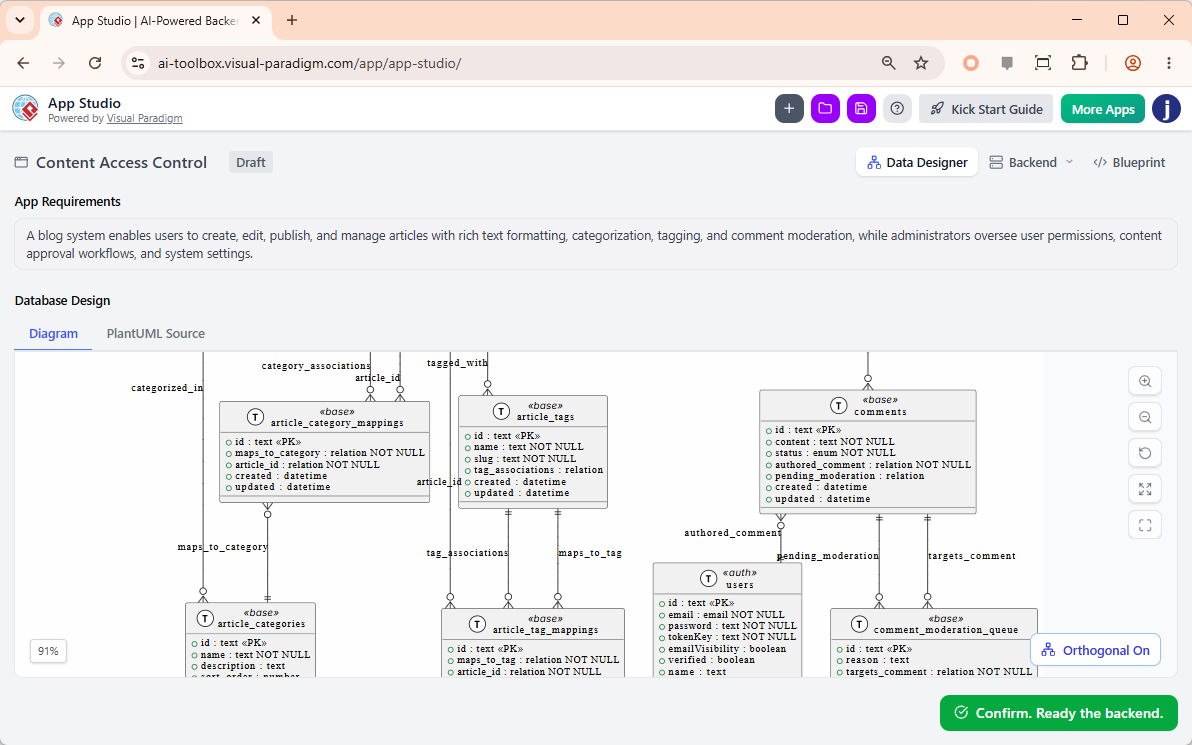
This is where the tool truly shines for developers. The system instantly renders your input into a visual database schema. The AI analyzes the structures, resolves syntax issues, patches missing relational links, and fully drafts clear columns and properties. You get to review and validate the data design before a single line of front-end code is written.
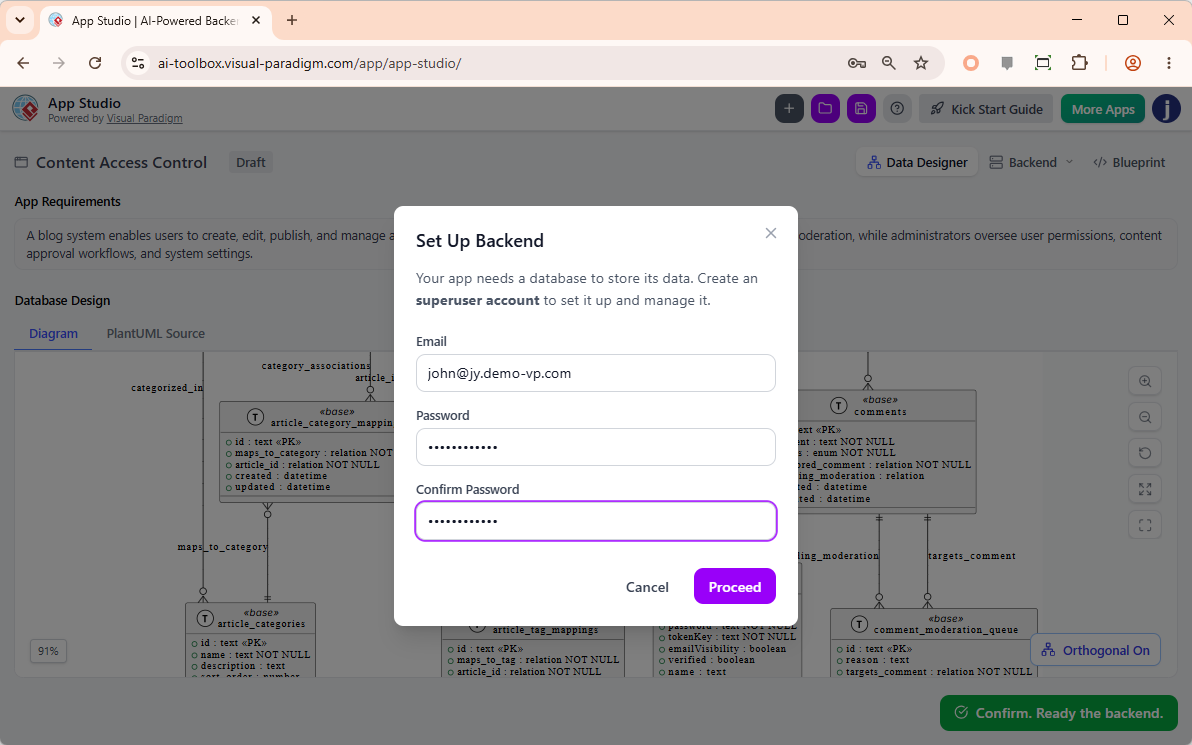
Step 3: Instant Live Backend Provisioning
This step eliminates the “backend setup nightmare” entirely. By simply providing an administrative email and password, App Studio instantly spins up a secure, fully hosted cloud database behind the scenes. Your app now has a live, persistent data home with active APIs, completely bypassing the need for manual server configuration.
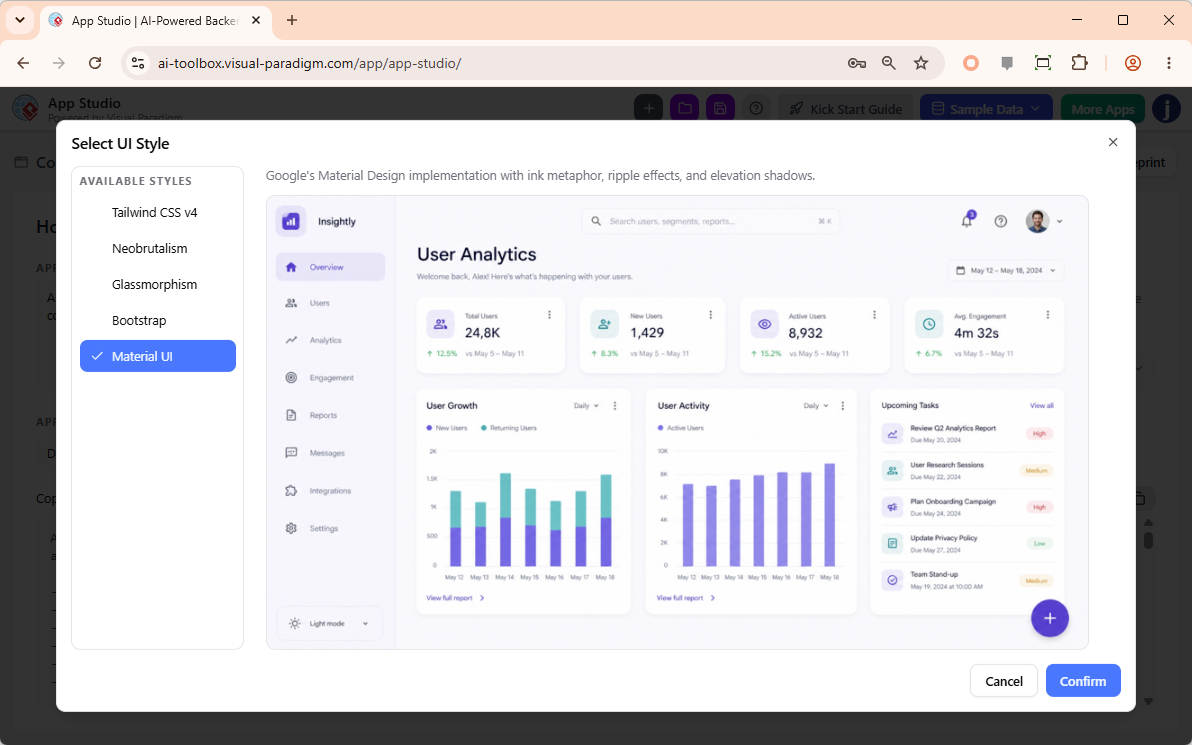
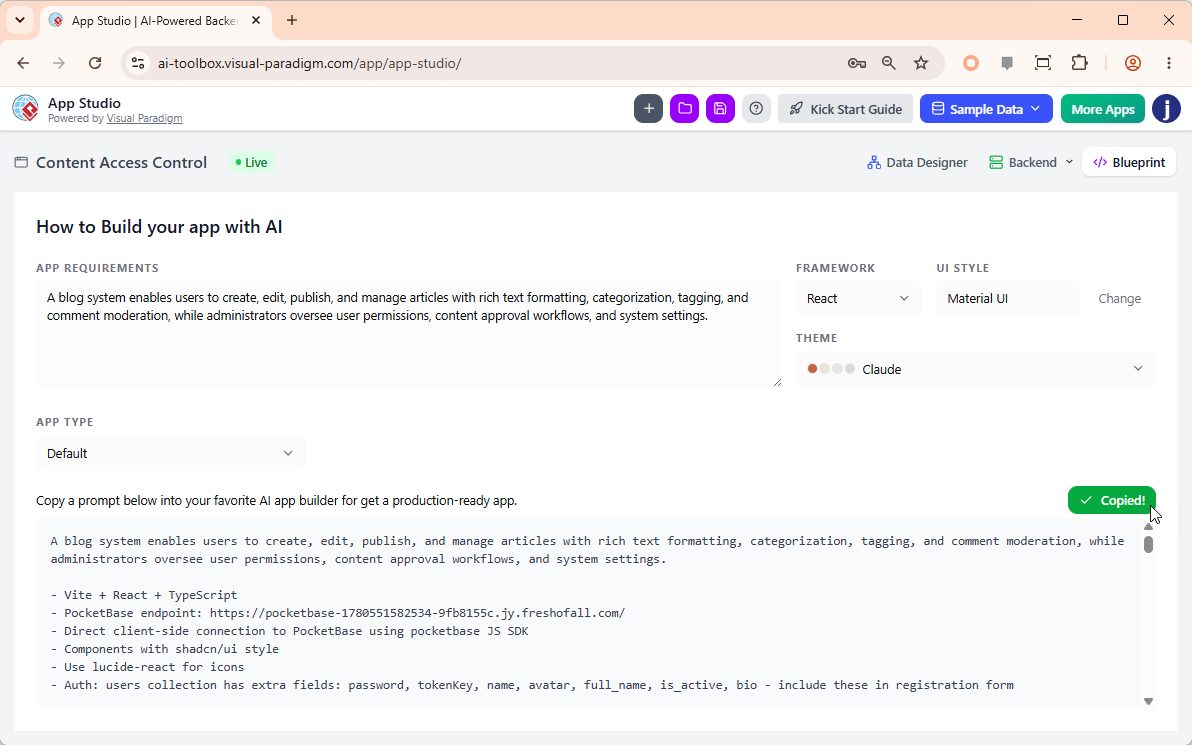
Step 4: Tailor Your Framework & Copy the Master Prompt
Next, you customize your output by selecting your preferred code framework (React, Svelte, Vue, Angular) and your UI design philosophy (Tailwind CSS v4, Neobrutalism, Material UI). Once configured, you copy the structural “Master AI Prompt”.
Execution and External Deployment
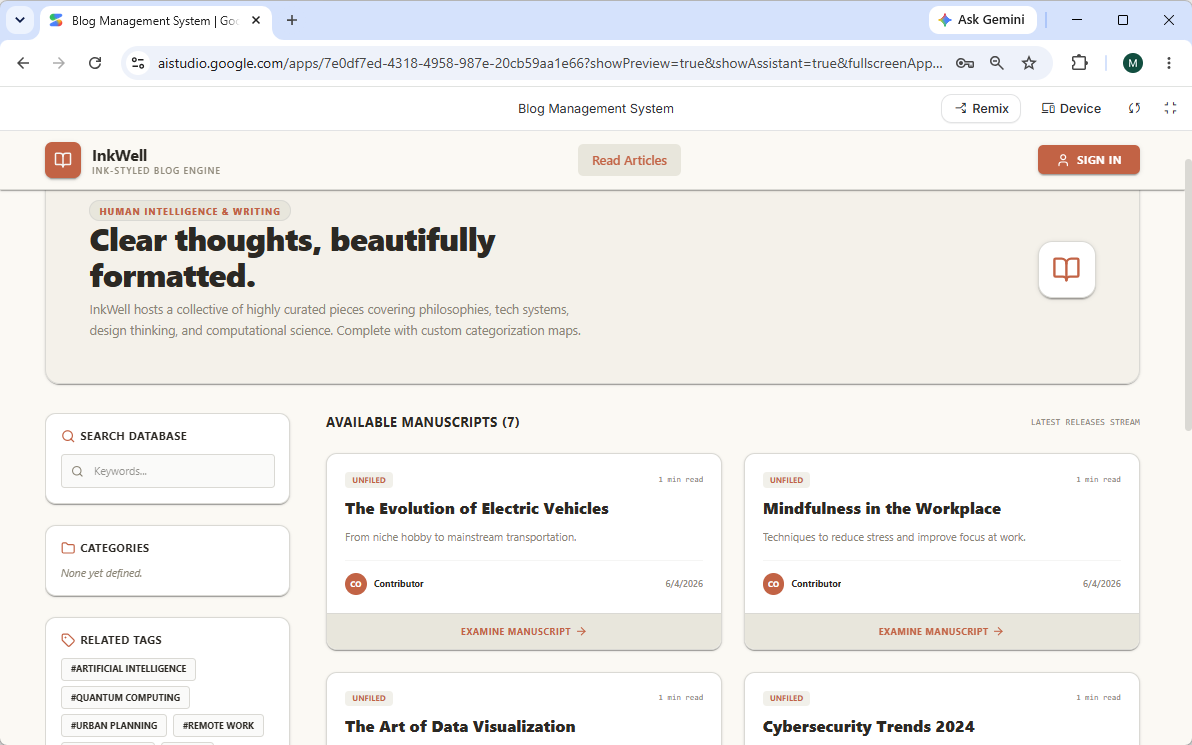
Because App Studio doesn’t force you into a walled garden, you take that Master Prompt and paste it into your external AI generator of choice (such as Google AI Studio). The external AI uses the provided backend architecture and API endpoints as an absolute source of truth to generate stable, persistent front-end code (HTML, CSS, JS).
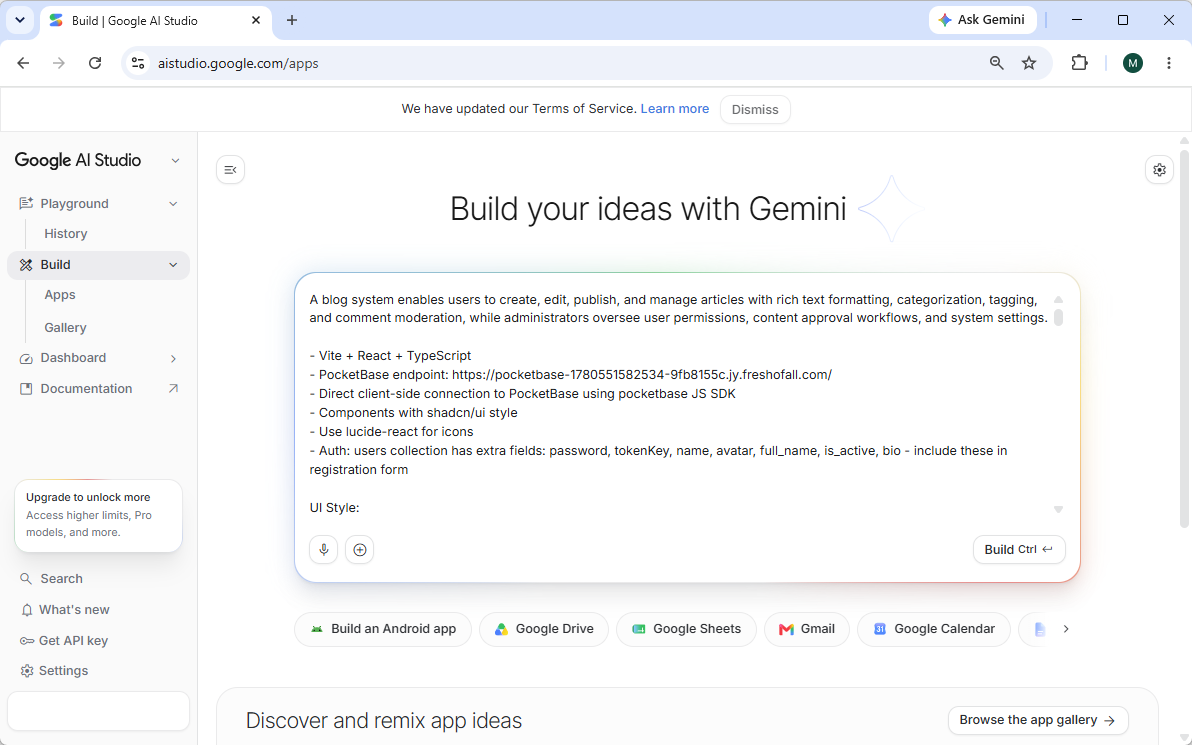
Once the external AI generates the code, you deploy it via static cloud hosting. The result is a live, secured, production-ready application that actually remembers your data.
Why Creators and Developers Choose App Studio: An Engineer’s Perspective
After using the platform, here are the standout features that make it a valuable addition to a developer’s toolkit:
Total Architectural Freedom
I highly appreciate that I never get locked into a single ecosystem. App Studio allows you to export your core data blueprint to whatever layout, style palette, or frontend development language matches your environment best. It respects your right to choose your tools.
Smart Mock Data Seeding
Testing an application with an empty screen is a waste of time. App Studio’s built-in AI reads your exact database model and safely seeds it with realistic, relational mock testing data instantly. This meant I could test my UI components against real-looking data structures from minute one.
Persistent Data Administration
As an engineer, I need to be able to tweak things post-deployment. You can log back into your project dashboard at any time to modify data records, clean tables, or alter schemas without needing to set up complex external visual database admin suites.
Conclusion
The era of settling for “stateless” AI toy apps is over. Visual Paradigm App Studio successfully addresses the most frustrating bottlenecks in AI-assisted development by treating the database as the foundational source of truth. By automating the ERD generation, provisioning live cloud backends, and generating highly specific master prompts for external AI coders, it bridges the gap between a quick prototype and a production-ready application.
If you are tired of fighting with broken API endpoints and losing data on every browser refresh, App Studio provides a robust, data-first workflow that actually works. It is currently available to active subscribers holding licenses for Visual Paradigm Online (Combo Edition or higher) or Visual Paradigm Desktop (Professional Edition or higher). For independent engineers and teams looking to scale their AI development safely, this tool is absolutely worth exploring.
References
-
Introducing Visual Paradigm AI App Studio: Official release announcement detailing the launch and core capabilities of the AI App Studio tool.
-
Visual Paradigm AI App Studio: The main landing page and web application interface for accessing and building projects with App Studio.
-
AI App Studio Features: A detailed breakdown of the feature set, including ERD generation, backend provisioning, and master prompt creation.
-
Introducing Visual Paradigm 18.1: A New Era of Unified Ecosystems and AI-Driven Innovation: Release notes for version 18.1, highlighting the integration of AI tools like App Studio into the broader Visual Paradigm ecosystem.
-
Visual Paradigm Pricing and Licensing: The official shop and pricing page for Visual Paradigm licenses required to unlock AI App Studio and other premium features.
Related posts:
 Architecting a Hospital Management System: Build Robust Schemas with the Best AI-Powered Database Modeling Tool
 🚀 My Journey with Visual Paradigm’s AI Ecosystem: A Real User’s Experience Sharing
Comprehensive Guide to Visual Paradigm UML Tools and AI-Powered Modeling
🚀 My Journey with Visual Paradigm’s AI Ecosystem: A Real User’s Experience Sharing
Comprehensive Guide to Visual Paradigm UML Tools and AI-Powered Modeling
 From Overwhelmed to Empowered: A Practitioner’s Journey Through the 14 UML Diagram Types with AI-Powered Tools