


Introduction to AI-Driven Architecture and Design
In the fast-paced world of system design and business strategy, the blank canvas is often the biggest bottleneck. Traditional visual modeling requires not only a deep understanding of notation standards like UML, SysML, or ArchiMate but also the manual dexterity to arrange shapes and connectors aesthetically. AI-powered visual modeling has emerged as a transformative solution, acting as a creative co-pilot that bridges the gap between abstract ideas and concrete technical diagrams.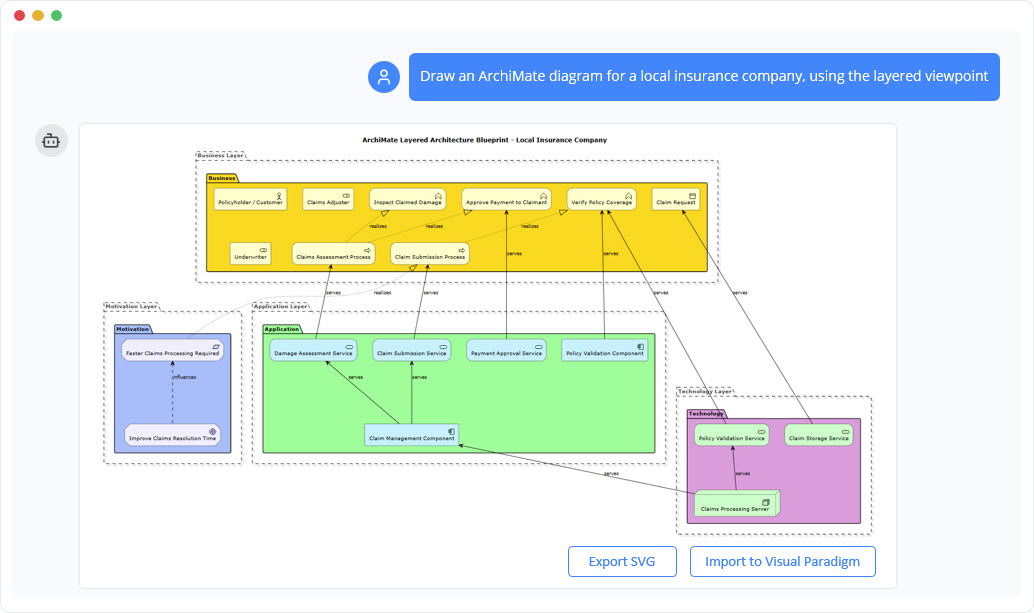
This guide explores how artificial intelligence is reshaping the diagramming landscape, allowing professionals to go from simple text prompts to complete, presentation-ready diagrams in seconds. By offloading the complex drawing tasks to an AI architect, teams can focus on what truly matters: building robust systems and formulating effective strategies.
Core Capabilities of AI Diagramming Assistants
Modern AI modeling tools go beyond simple shape prediction. They understand context, semantics, and industry standards. Below are the essential features that define this new generation of tools.
1. Instant Diagram Generation via Natural Language
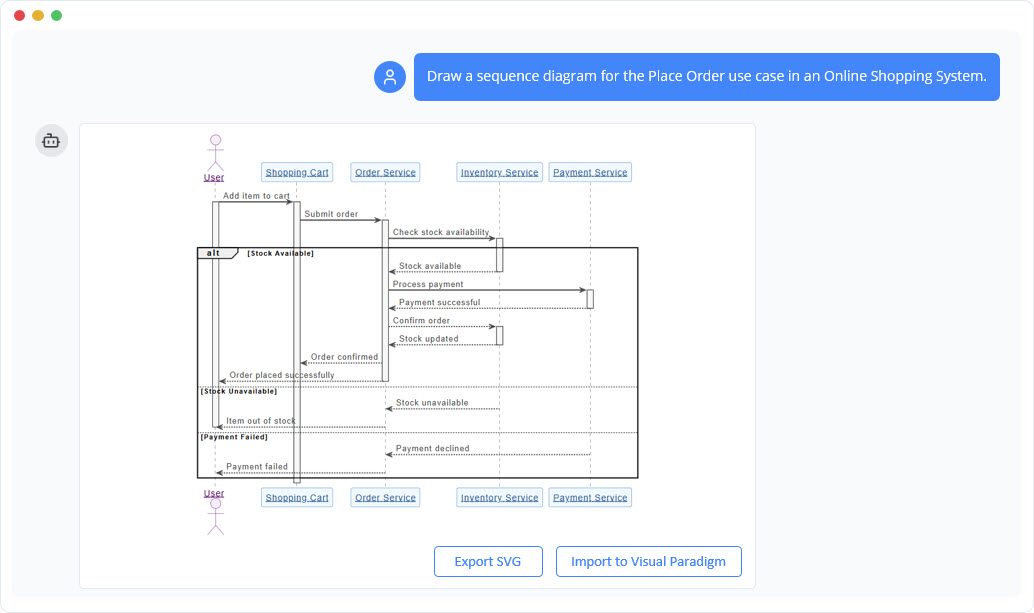
The most immediate benefit of AI visual modeling is the ability to generate complex diagrams from plain text. Whether you need a use case diagram for an online shopping system or a C4 architecture model, you simply describe your intent. The AI parses the description, identifies the necessary actors, components, and relationships, and renders a syntactically correct diagram instantly. This eliminates the initial friction of starting a project.
2. Conversational Editing (The Chat-to-Diagram Interface)
Diagrams are rarely perfect on the first draft. AI tools now facilitate an iterative process through conversational editing. Instead of dragging and dropping elements manually, users can issue simple commands to the AI, such as:
- “Add a payment gateway to the checkout process.”
- “Rename ‘User’ to ‘Customer’.”
- “Change the relationship between the Order and Database to dependency.”
This “conversation with the canvas” ensures that the diagram evolves naturally with the user’s train of thought, significantly speeding up the refinement phase.
3. Intelligent Contextual Suggestions
Even experienced architects occasionally face decision paralysis. AI modeling tools analyze the current state of the diagram and provide smart, contextual suggestions. If you are building a flowchart, the AI might suggest the next logical step. If you are designing a database schema, it might recommend missing foreign keys or tables. This feature ensures that users never lose their train of thought and helps uncover insights that might have been overlooked.
Transforming Diagrams into Knowledge Bases
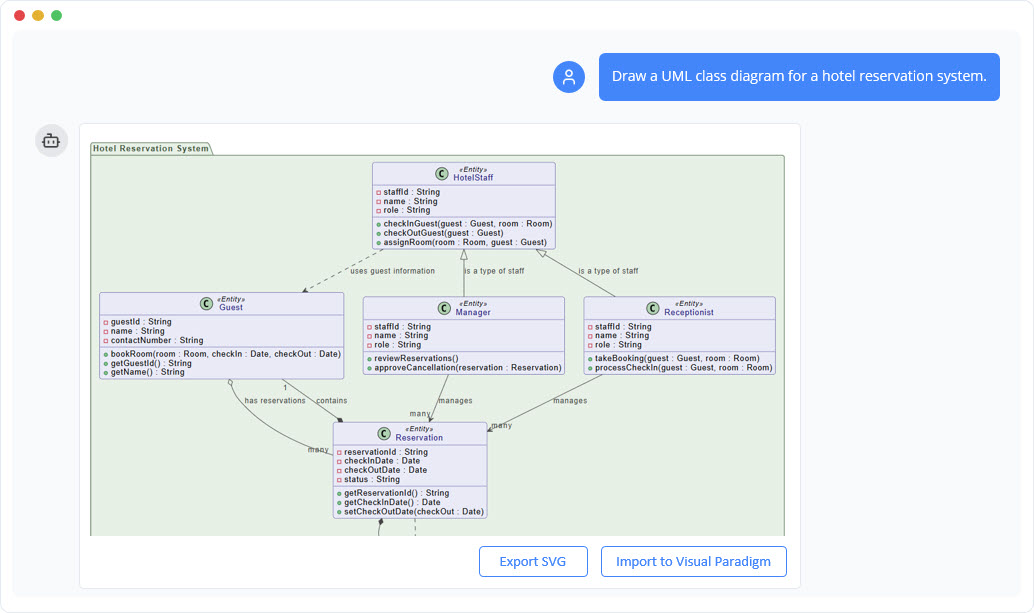
One of the most powerful advancements in AI diagramming is the shift from static images to interactive knowledge bases. Once a diagram is generated, the AI understands the underlying logic and data flow.
Querying Your Model
Users can ask their diagram questions to verify logic or extract specific information. For example, in a complex software deployment diagram, you might ask, “How is the load balancer configured?” or “What are the primary scenarios in this use case?” The AI retrieves this information directly from the visual model, turning the diagram into a queryable asset.
Documentation on Demand
Documentation is often the most neglected part of the development lifecycle. AI visual modeling tools solve this by automatically generating documentation based on the visual model. Users can request detailed reports, project summaries, or implementation proposals directly from the diagram, ensuring that documentation stays synchronized with the design.
Step-by-Step Workflow: From Idea to Professional Model
The workflow for AI-assisted diagramming is designed to be intuitive and rapid. Below is a breakdown of the typical process:
| Step | Action | Outcome |
|---|---|---|
| 1. Ideation | Describe your idea in the chat interface. | The AI interprets the intent and selects the appropriate diagram standard. |
| 2. Generation | The AI maps out the concept. | A complete, accurate diagram appears in seconds without manual drawing. |
| 3. Refinement | Use natural language commands to edit. | Immediate updates to structure, labels, and relationships. |
| 4. Utilization | Ask questions or generate reports. | The diagram serves as a source of truth for analysis and documentation. |
Bridging AI with Professional Tooling
While AI is excellent for rapid prototyping and initial drafts, complex enterprise projects often require granular control. Leading solutions, such as Visual Paradigm, offer a seamless transition from the AI interface to professional desktop applications.
Once users are satisfied with the AI-generated design, they can export the diagram to a robust modeling environment. This allows for advanced collaboration, detailed property specification, and integration with other enterprise architecture tools. This hybrid approach—using AI for speed and professional tools for depth—represents the future of systems engineering.
Supported Standards and Frameworks
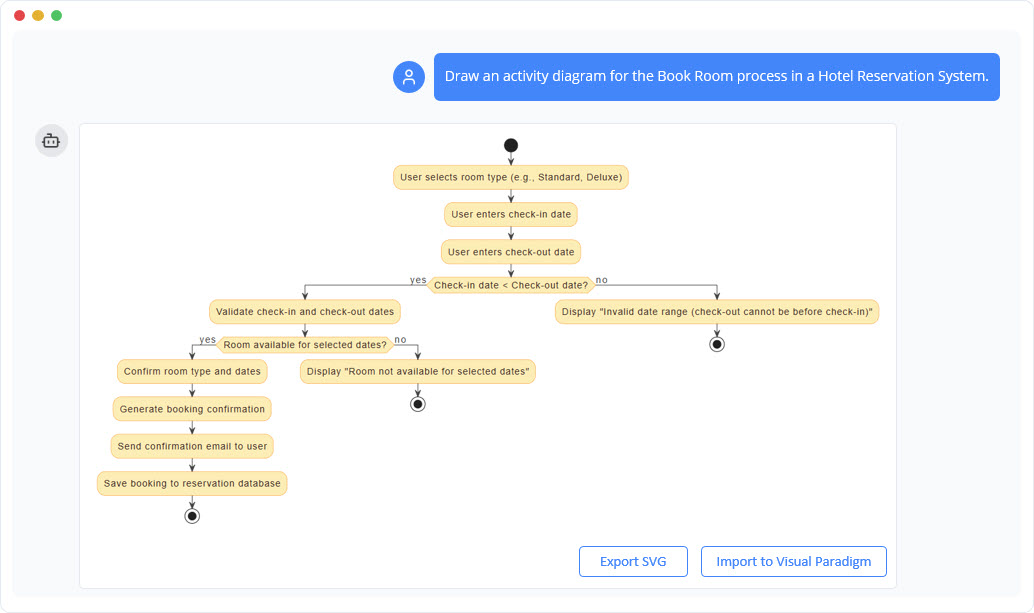
AI visual modeling is versatile, supporting a comprehensive suite of standards across various domains:
- Software Engineering: UML, SysML, C4 Models.
- Enterprise Architecture: ArchiMate Diagrams.
- Business Strategy: Ansoff Matrix, Blue Ocean Strategy, SWOT Analysis.
- General Diagramming: Flowcharts, Mind Maps, Organizational Charts.
Conclusion
AI-powered visual modeling is not just a productivity hack; it is a fundamental shift in how we approach design and documentation. By automating the manual labor of drawing and integrating intelligent analysis, these tools empower professionals to think clearly and communicate effectively. From the first spark of an idea to the final architectural blueprint, AI acts as the ultimate creative co-pilot.
-
AI Chatbot Feature – Intelligent Assistance for Visual Paradigm Users: Leverage AI-powered chatbot functionality to get instant guidance, automate tasks, and enhance productivity within Visual Paradigm.
-
Visual Paradigm AI Chatbot Enhances Multi-Language Support : Discover the latest updates to Visual Paradigm ‘s AI -Powered visual modeling software, including multi-language UI and improved chat content localization. Experience seamless AI diagram generation in languages like Spanish, French, Chinese, and more with our AI chatbot for UML and other diagrams.
-
AI Chatbot for Diagramming: How It Works with Visual Paradigm: The Visual Paradigm AI chatbot is an AI -powered modeling assistant that turns natural language into diagrams.
-
Case Study: Enhancing System Modeling Efficiency with Visual Paradigm’s AI-Powered Chatbot: This case study demonstrates how Visual Paradigm’s AI chatbot improves productivity and accuracy in system modeling by enabling conversational diagram creation.
-
Visual Paradigm AI Chatbot: The World’s First Purpose-Built AI Assistant for Visual Modeling: Visual Paradigm launches its groundbreaking AI chatbot, designed specifically to assist users in visual modeling tasks with natural language interactions and intelligent guidance.
-
Introducing Visual Paradigm AI Chatbot: Intelligent Design Assistance: Discover how Visual Paradigm’s AI chatbot enhances design workflows by offering real-time suggestions and automating repetitive tasks.
-
Mastering Sequence Diagrams with Visual Paradigm: AI Chatbot Tutorial: A beginner-friendly tutorial using Visual Paradigm to create sequence diagrams, illustrated through a real-world e-commerce chatbot use case.
-
Integrating AI Activity Diagrams into Your Visual Paradigm: Learn how to use AI -powered modeling software to generate and refine activity diagrams with natural language. Discover the benefits of AI chatbot diagram generation in UML workflows.
-
Beginner’s Tutorial: Create Your First Professional Sequence Diagram in Minutes: A beginner-friendly guide to generating professional sequence diagrams quickly using Visual Paradigm’s AI chatbot feature.
-
Comprehensive Tutorial: Generating and Modifying C4 Component : This tutorial is based on the official Visual Paradigm product demo video, demonstrating how to use the AI-powered Chatbot to create and iteratively refine a C4 Component Diagram for a car park booking system.
-
SWOT Analysis via AI Chat in Visual Paradigm: This interactive page allows users to generate SWOT analyses through an AI-powered chat interface within the Visual Paradigm environment.
-
Meet the AI SWOT Assistant: How Visual Paradigm’s Chatbot : Discover how the visual paradigm chatbot provides natural language diagram generation for business frameworks like SWOT , PEST, and more—turning ideas into clear strategic models with AI -powered analysis .
Related posts:
 Comprehensive Guide to Enhancing Stakeholder Understanding with UML Diagrams
Streamlining Requirement Analysis: A Comprehensive Guide to AI-Generated Use Case Descriptions
The Comprehensive Guide to Mind Mapping: From Concept to AI-Powered Execution
State Machine Mastery in Minutes: Visual Paradigm’s AI-Driven Behavioral Modeling Breakthrough
Comprehensive Guide to Enhancing Stakeholder Understanding with UML Diagrams
Streamlining Requirement Analysis: A Comprehensive Guide to AI-Generated Use Case Descriptions
The Comprehensive Guide to Mind Mapping: From Concept to AI-Powered Execution
State Machine Mastery in Minutes: Visual Paradigm’s AI-Driven Behavioral Modeling Breakthrough