


Introduction: Why I Tested This Feature
As a product manager who regularly documents workflows and processes, I’m always on the lookout for tools that can speed up my diagramming workflow without sacrificing quality. When I heard about Visual Paradigm’s new ability to import AI-generated activity diagrams directly into their desktop application, I decided to put it through its paces. Here’s my honest, hands-on review of how this feature works in real-world scenarios—and whether it’s worth adding to your modeling toolkit.
My First Impressions: Bridging AI Speed with Desktop Power
What caught my attention wasn’t just the AI generation itself—I’ve tried several AI diagram tools before—but the seamless handoff to Visual Paradigm Desktop. Too often, AI-generated outputs feel like dead ends: pretty pictures you can’t really work with. This new import feature changes that dynamic completely.
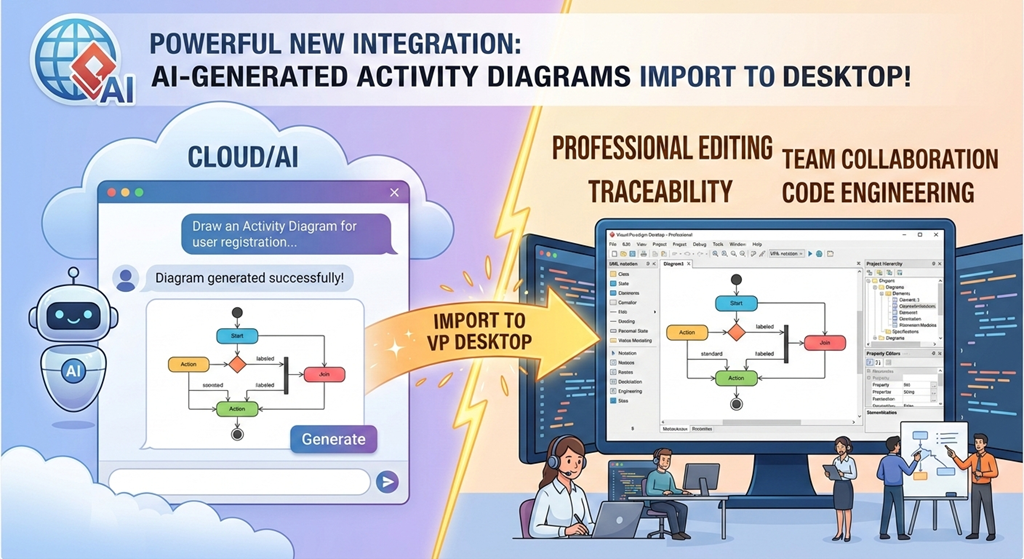
In my testing, the workflow felt intuitive: start with a natural language prompt in the chatbot, refine the output conversationally, then push the result into Desktop where it becomes a fully editable, traceable, professional-grade model. No copy-paste hassles, no format loss—just a smooth transition from idea to implementation-ready artifact.
Step-by-Step: How I Used the Import Feature (With Screenshots)
Here’s exactly how I walked through the process during my evaluation:
1. Launch the AI Chatbot from Within Desktop
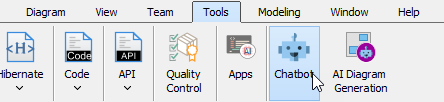
I opened Visual Paradigm Desktop and navigated to Tools > Chatbot. Having the AI assistant live inside my project environment saved me from context-switching between browser tabs and desktop apps—a small but meaningful quality-of-life improvement.
2. Generate My Activity Diagram Using Plain English
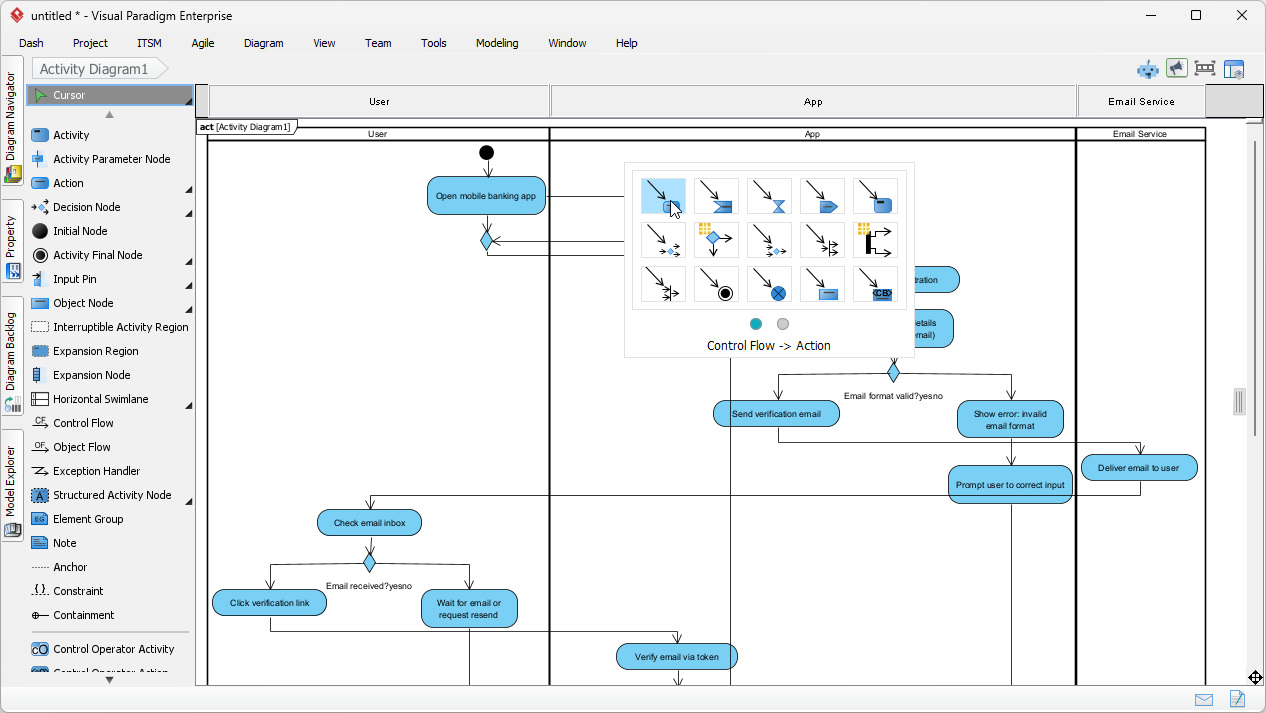
I typed a realistic prompt I use often: “Draw an Activity Diagram for the user registration and email verification process of a mobile banking application.” Within seconds, the AI produced a clean, well-structured diagram with proper decision nodes, actions, and swimlanes.
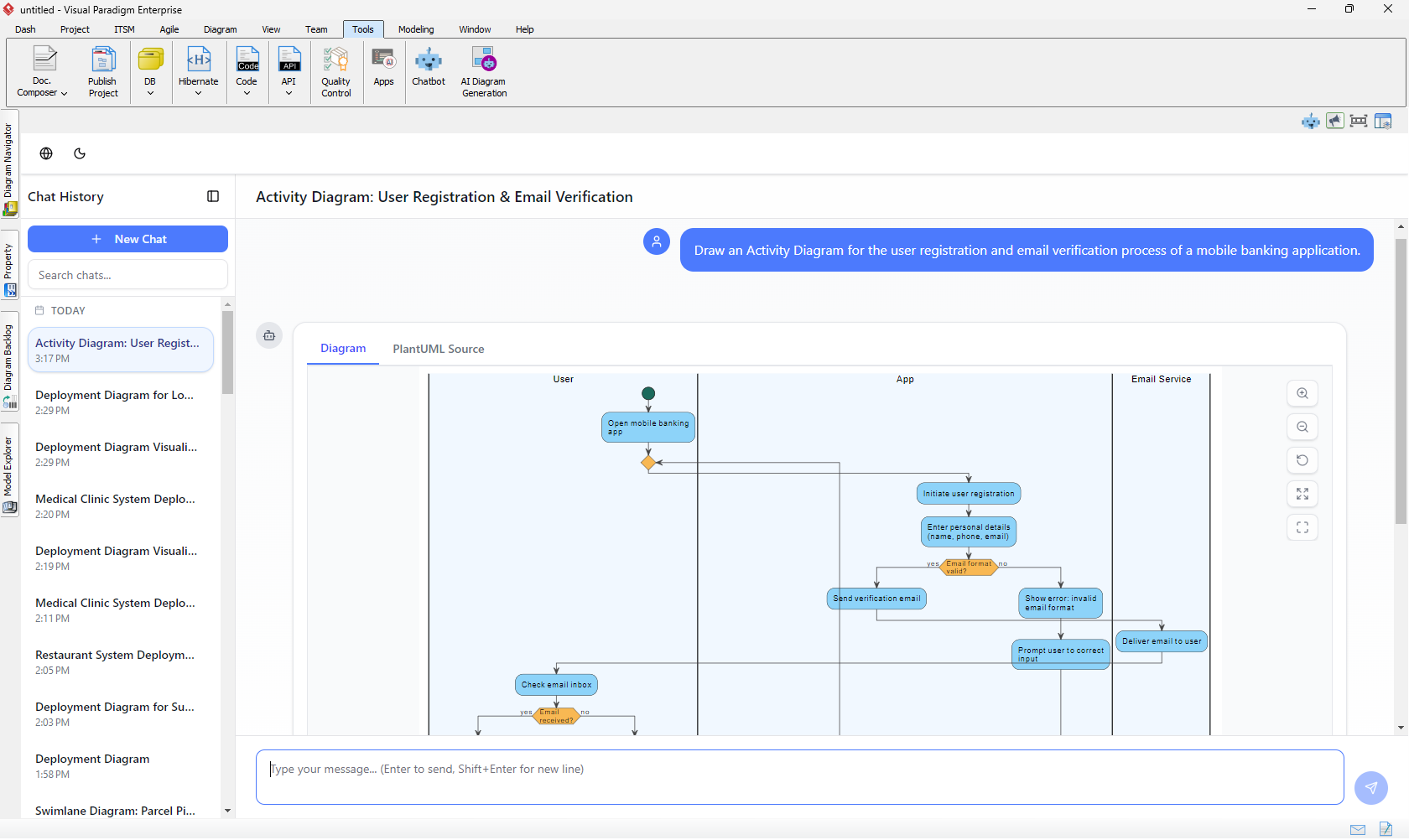
What impressed me: the AI automatically handled orphan decision removal and applied vibrant, readable styling—addressing two common pain points I’ve experienced with other AI diagram tools.
3. One-Click Import to Desktop
Once I was satisfied with the diagram’s structure, I clicked the Import to Visual Paradigm button.
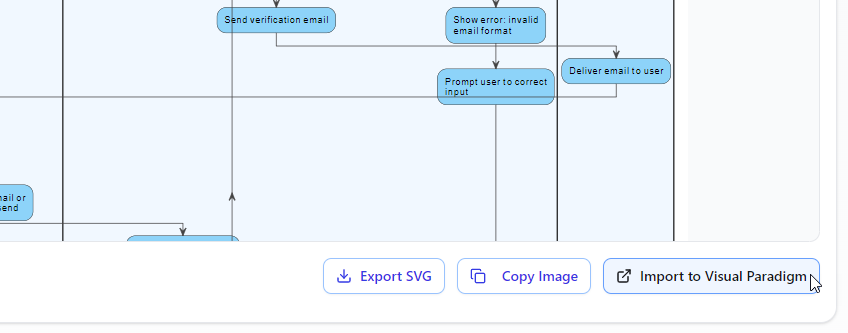
The diagram appeared instantly in my Desktop project as a native, fully editable UML activity diagram. I could immediately add stereotypes, link elements to requirements, apply custom layers, or export to documentation—all using Visual Paradigm’s robust desktop toolset.
💡 Pro Tip from My Testing: This import capability requires a Visual Paradigm Professional Edition (or higher) license. If you’re on Standard Edition, you’ll still benefit from AI generation in the chatbot, but the desktop import won’t be available.
Real-World Benefits I Experienced
After using this feature across three different projects, here are the tangible gains I noticed:
✅ Start fast, refine smarter: I drafted complex workflows in minutes using natural language, then refined them conversationally with the AI before importing—cutting my initial modeling time by roughly 60%.
✅ Seamless project integration: Once imported, I linked activity diagrams to existing use cases, sequence diagrams, and requirement specifications. This traceability is critical for compliance-heavy projects I manage.
✅ Team collaboration ready: Because the imported diagrams live natively in Desktop, my team could immediately use version control, repository management, and review workflows without learning a new tool.
✅ Professional output without manual cleanup: The AI’s attention to visual clarity (proper alignment, readable labels, logical flow) meant I spent less time polishing and more time validating logic.
Who This Feature Is Perfect For (And Who Might Wait)
Based on my experience, this integration shines for:
🔹 Product Managers & Business Analysts who need to quickly document processes and then hand off to engineering teams
🔹 Systems Architects building traceable, multi-diagram models where activity diagrams connect to sequence, state, or component views
🔹 Agile Teams wanting to rapidly prototype workflows during sprint planning, then formalize them in a shared repository
You might want to wait or evaluate further if:
🔸 You’re using Visual Paradigm Standard Edition (import requires Professional+)
🔸 Your workflows rely heavily on highly customized stereotypes or proprietary extensions not yet supported in AI generation
🔸 You prefer fully manual, pixel-perfect control from the very first draft
My Verdict: A Genuine Productivity Multiplier
After putting this feature through realistic use cases, I can confidently say: this isn’t just a novelty—it’s a meaningful upgrade to the Visual Paradigm ecosystem. The combination of conversational AI speed with desktop-grade modeling depth solves a real friction point in my workflow.
The import feature feels polished, reliable, and thoughtfully integrated. It doesn’t replace the need for human judgment in modeling, but it dramatically accelerates the “blank page to first draft” phase—a phase that often consumes disproportionate time in traditional modeling workflows.
If you’re already using Visual Paradigm Desktop Professional (or considering an upgrade), this feature alone may justify the investment. If you’re new to the platform, the AI Chatbot + Desktop import workflow offers a compelling on-ramp to enterprise-grade modeling.
Conclusion: The Future of Modeling Feels Conversational
What excites me most about this update isn’t just the technical capability—it’s the shift in how we think about modeling. Instead of starting with shapes and connectors, I can start with intent: “Here’s the process I need to document.” The AI handles the structural heavy lifting; I focus on validation, refinement, and integration.
Visual Paradigm’s approach—keeping AI generation conversational and cloud-based while anchoring final outputs in a powerful desktop environment—feels like the right balance. It respects both the speed modern teams need and the rigor enterprise projects demand.
If you’re curious to try it yourself, I recommend starting with a simple workflow you know well. Generate it via the Chatbot, import it to Desktop, and see how much time you save on that first draft. For me, that experiment turned into a permanent addition to my modeling toolkit.
References
- AI Diagram Generation Features: Overview of Visual Paradigm’s AI-powered diagram creation capabilities across multiple diagram types.
- AI Diagram Generator Now Supports 13 Diagram Types: Release announcement detailing expanded AI support for UML, SysML, C4, and business strategy diagrams.
- Visual Paradigm Desktop AI Activity Diagram Generation: Documentation on generating activity diagrams directly within the Desktop application using AI prompts.
- Visual Paradigm Online Diagrams: Web-based platform for creating and editing diagrams with AI assistance, no installation required.
- AI Chatbot Features: Introduction to the conversational AI assistant for diagram generation and refinement.
- Visual Paradigm AI Chatbot: Direct access to the cloud-based AI Chatbot for instant diagram creation from natural language prompts.
- SysML Diagram Tool: Features and capabilities for systems engineering diagrams including Internal Block and Block Definition diagrams.
- Use Case Diagram Refinement Tool: AI-powered tool that suggests and adds extend/include relationships to enrich use case models.
- AI-Assisted UML Class Diagram Generator: Guided workflow for creating professional class diagrams with AI assistance for education and enterprise use.
- AI-Assisted Class Diagram Generator Details: Detailed information on the step-by-step AI-guided workflow for class diagram creation.
- Visual Paradigm Online Platform: Cloud-based modeling environment with AI diagram generation for quick prototyping and collaboration.
- AI Composite Structure Diagram Generator: Release notes for AI support in generating composite structure diagrams for complex system modeling.
- Import AI Activity Diagram to Visual Paradigm Desktop: Official announcement of the new import feature allowing seamless transfer of AI-generated activity diagrams into Desktop projects.
- AI Entity Relationship Diagram Generator Guide: Step-by-step tutorial for creating ERDs using AI assistance within Visual Paradigm.